
With over 5,000,000+ active installations, All-in-One WP Migration and Backup is a popular WordPress plugin for website migration and backup. Its average rating of testifies to its reliability and efficiency.
This plugin simplifies the complex technical processes of migrating, backing up, and restoring WordPress sites. It enables users to transfer their entire site, including database, multimedia files, plugins, and themes, into a single, easily exportable file.
Advantages and disadvantages

| Advantages | Disadvantages |
|---|---|
| Extremely easy to use, ideal for non-technical users | Some advanced features require paid premium extensions |
| Fully integrated migration and backup processes in a single solution | Significant limitations in the free version, especially for cloud storage |
| Extended compatibility with WordPress, PHP, and database versions | Dependence on additional extensions for full functionality |
| Compliance with WCAG 2.1 level AA accessibility standards | Potentially slower performance for very large websites |
| Integration with cloud storage services such as Google Drive and Dropbox | Potentially high price of premium extensions for full functionality |
| Multilingual support (available in over 50 languages) | Increased complexity if numerous extensions are required |
All-in-One WP Migration and Backup in numbers
| Latest version | 7.103 |
| Date of last update | |
| Active installations | 5,000,000+ |
| Average rating | |
| Launch date | 2013 |
| Publisher | ServMask Inc. |
| Available languages | More than 50 languages |
| WordPress compatibility | 3.3 or greater |
| PHP compatibility | 5.3 or greater |
All-in-One WP Migration and Backup prices
| Free | Unlimited Extension |
|---|---|
| $0 | $69/year |
|
|
User reviews of All-in-One WP Migration and Backup
The All-in-One WP Migration and Backup plugin is widely acclaimed by the WordPress community for its simplicity and efficiency in migrating and backing up websites.
Users are particularly impressed by its ease of use and its ability to migrate sites quickly and without technical complications.
The coolest backup and migration plugin ever! I’ve been working with this plugin on an almost daily basis for around 8 years, for at least a hundred different websites. I’ve migrated sites up to 11GB without any problems (I use the unlimited and url extensions). This great plugin has saved me hundreds of hours at least! Thanks a lot!
netzlodern
I have been using All-in-One WP Migration for a long time, and this application is amazing and has saved my website and my life several times. The application is smooth and easy to use, and it also has tons of options that I haven’t used yet.
I obviously use the pro version and I 100% recommend this application if you want peace of mind on your website.
I am just a user and have no affiliation or relationship with the developer.aligoudarzi
I’m old school, I’m learning technology, and I’m completely new to this whole era—which is often difficult—that we live in. Thanks to the developer for this plugin and his advice to restore my website. I am grateful!!!
davnette
More testimonials on All-in-One WP Migration and Backup
Find out how All-in-One WP Migration and Backup ranks in terms of user satisfaction on various customer review platforms.
Alternatives to All-in-One WP Migration and Backup
Duplicator Pro
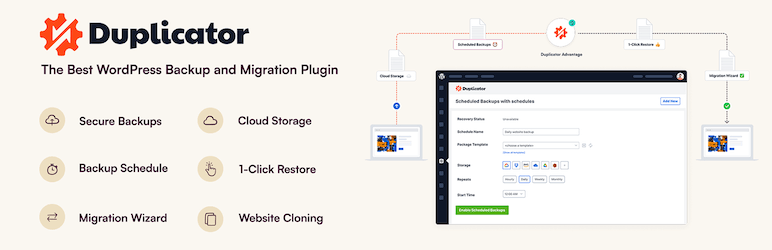
Duplicator Pro is an excellent alternative to All-in-One WP Migration and Backup, offering a complete solution for migrating and backing up WordPress sites.
This plugin lets you create a migration package that you can download and install on a new server or host without any technical knowledge.
It includes advanced features like multisite network migration, site cloning, and integration with cloud storage services such as Dropbox, Google Drive, and Amazon S3.
Duplicator Pro also offers email notifications, scheduled backups, and the ability to update URLs to prevent broken links.
UpdraftPlus

UpdraftPlus is one of the most popular backup plugins for WordPress, and its premium version includes a robust migration tool.
This plugin makes cloning or migrating your website quick and easy, with the ability to store your backups on various cloud services like Google Drive, Dropbox, and Amazon S3.
UpdraftPlus offers incremental backups, easy restores from the WordPress dashboard, and supports multisite networks.
Migrate Guru

Migrate Guru is another excellent alternative to All-in-One WP Migration and Backup.
This plugin makes migrating WordPress sites quick and easy, without manual intervention. It supports single and multisite migrations and offers features like incremental migrations, staging zones, and automatic database cleanups.
Migrate Guru performs migrations on its own servers, avoiding performance problems on your site.
All-in-One WP Migration and Backup FAQs
How do I install the All-in-One WP Migration and Backup plugin?
To install the All-in-One WP Migration and Backup plugin, log in to your WordPress dashboard. Go to Plugins > Add New, then search for “All-in-One WP Migration.”
Click on “Install now” and then on “Activate” once the installation is complete.
Alternatively, you can download the plugin from the download page and upload it manually to the /wp-content/plugins/ directory of your WordPress site, then activate it via the plugin dashboard.
What are the technical requirements for using All-in-One WP Migration and Backup?
The All-in-One WP Migration and Backup plugin is compatible with WordPress versions 3.3 and above, and PHP versions 5.3 and above.
It also supports all versions of MySQL, MariaDB, and SQLite. These minimal technical requirements make the plugin adaptable to most WordPress site migration and backup needs.
How do I create a backup with All-in-One WP Migration and Backup?
To create a backup of your WordPress site, go to All-in-One WP Migration > Backups in your WordPress dashboard. Click on the “Create Backup” button.
Once the backup has been created, it will appear on the backups page, where you can download or manage it as required.
How do I migrate a WordPress site with All-in-One WP Migration and Backup?
To migrate your WordPress site, first export it by clicking on All-in-One WP Migration > Export. Select “File” from the drop-down menu and download the generated backup file.
Then, on your new site, navigate to “All-in-One WP Migration” and use the drag-and-drop “Import” function to restore your site.
Does All-in-One WP Migration and Backup support cloud storage services?
Yes, All-in-One WP Migration and Backup seamlessly supports and synchronizes all major cloud storage services. The plugin is also preinstalled on Bitnami WordPress sites running on AWS, Google Compute Cloud, and Microsoft Azure.
How do I schedule automatic backups with All-in-One WP Migration and Backup?
To schedule automatic backups, you need the All-in-One WP Migration and Backup Unlimited extension.
This extension lets you set up regular automatic backups to ensure continuous protection of your data.
Is All-in-One WP Migration and Backup compatible with most WordPress themes and plugins?
Yes, All-in-One WP Migration and Backup has been tested and confirmed compatible with most WordPress themes and plugins.
This means you shouldn’t encounter any cross-compatibility issues that could slow down or damage your WordPress site.
Thank you for visiting this page dedicated to All-in-One WP Migration and Backup 🙏
The WPMarmite team hopes you’ve been able to learn more about this WordPress plugin!
To find out more, visit the official website and their social networks:
You can also share your experience with All-in-One WP Migration and Backup by writing a review below. 👇
Found an error on this page? Click here to report it.

