
With over 1,000,000+ active installations and a on the official WordPress directory, Duplicator simplifies the migration and backup of WordPress sites.
Site builders face recurring technical challenges: complex manual transfers, risks of data loss, and tedious configurations. Customer reviews of Duplicator confirm its effectiveness in resolving these issues.
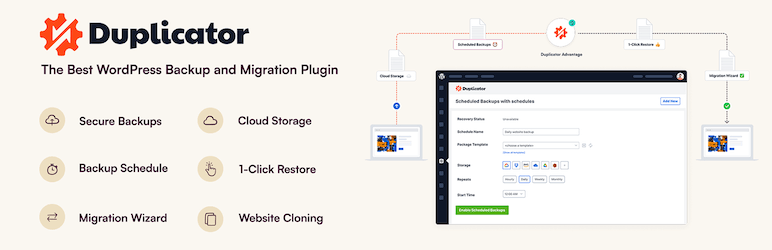
This plugin offers a complete solution for migrating, backing up, and cloning WordPress sites in just a few simple steps, adapting to both lightweight projects and professional configurations.
Advantages and disadvantages
| Advantages | Disadvantages |
|---|---|
| Complete backup and migration of WordPress sites, including files and database | Advanced features reserved for the paid version (Pro) |
| Intuitive, user-friendly interface, ideal for beginners and experts alike | Potential security vulnerabilities, requiring regular updates |
| Compatible with multisite sites and WordPress subsites | Sometimes slower performance for large websites during migrations |
| Integration with over 15 cloud storage services (Dropbox, Google Drive, etc.) | Maximum archive size limited (usually around 150 MB) |
| Advanced file and database table filtering options | Requires precise configuration to avoid migration errors |
| Migration wizard guides the user step by step | Full technical support only available in Pro version |
Duplicator in numbers
| Latest version | 1.5.16 |
| Date of last update | |
| Active installations | 1,000,000+ |
| Average rating | |
| Launch date | 2011 |
| Publisher | Snap Creek |
| Total downloads | More than 15 million |
| Country of publisher | United States |
Duplicator plugin prices
| Duplicator Basic | Duplicator Plus | Duplicator Pro | Duplicator Elite |
|---|---|---|---|
| $49.50/year | $99.50/year | $199.50/year | $299.50/year |
Recovery points Secure file encryption Server-to-server import File and database table filters
Amazon S3 Dropbox Microsoft OneDrive FTP / SFTP Any S3-compatible storage (e.g., Wasabi)
Drag-and-drop installation Support for shared databases Simplified installer Hooks for developers Support for managed hosting Support for larger sites
|
Recovery points Secure file encryption Server-to-server import File and database table filters
Dropbox Microsoft OneDrive FTP / SFTP Any S3-compatible storage (e.g., Wasabi)
Drag-and-drop installation Support for shared databases Simplified installer Hooks for developers Support for managed hosting Support for larger sites
Hourly scheduling Installer branding Duplicator parameter migration SALTS regeneration |
Recovery points Secure file encryption Server-to-server import File and database table filters
Amazon S3 Dropbox Microsoft OneDrive FTP / SFTP Any S3-compatible storage (e.g., Wasabi)
Drag-and-drop installation Support for shared databases Simplified installer Hooks for developers Support for managed hosting Support for larger sites
Media-only and custom backups Scheduling Installer branding Duplicator settings migration SALTS regeneration Multisite network Subsite Multisite |
Recovery points Secure file encryption Server-to-server import File and database table filters
Amazon S3 Dropbox Microsoft OneDrive FTP / SFTP Any S3-compatible storage (e.g., Wasabi)
Drag-and-drop installation Support for shared databases Simplified installer Hooks for developers Support for managed hosting Support for larger sites
Media-only and custom backups Scheduling Installer branding Duplicator settings migration SALTS regeneration Multisite network Subsite Multisite Standalone Multisite |
Duplicator user reviews
Duplicator is a WordPress plugin widely acclaimed for its website backup and migration features. With a very high average score, it stands out for its ease of use and technical efficiency.
Users unanimously praise its speed, reliability, and ability to migrate sites between different servers without service interruption.
Duplicator is a fantastic plugin that I’d recommend to anyone who owns or manages a WordPress site. It’s simply amazing how quick and easy it is to create a complete copy of your site and migrate it to another domain or server.
WordPress.org user
After trying other methods to migrate a large site from one hosting to another, this plugin was the ONLY one able to complete the migration.
hsad10 – 5 stars
I like this plugin because I can easily move a site from one server to another and because I can schedule an automatic backup of a site to another server.
xavave – 5 stars
Other Duplicator testimonials
Find out how Duplicator ranks in terms of user satisfaction on the following customer review platforms:
| Platform | Rating |
|---|---|
| WP.org | |
| TrustPilot | 4.2 out of 5 |
| G2 | 4.8 out of 5 |
| Capterra | 4.8 out of 5 |
Alternatives to Duplicator
UpdraftPlus

UpdraftPlus is an excellent alternative to Duplicator, especially for its advanced backup and migration features. The plugin offers automatic backups, scheduling, third-party integrations, and more.
The premium version includes the Migrator tool and UpdraftClone, making it easy to migrate a WordPress site to a new host or domain. UpdraftPlus is used by over 3 million users and is regularly updated.
All-in-One WP Migration

All-in-One WP Migration is a popular plugin that makes migrating a WordPress site simple and efficient.
It supports site migration between different hosting providers, and lets you export and import databases, plugins, themes, and content.
The plugin is compatible with many hosting providers and offers premium extensions for additional features, such as multisite network migration.
Migrate Guru

Migrate Guru is a free and simple solution for migrating WordPress sites, including large sites (up to 200 GB).
It runs on BlogVault servers and supports various types of migration, including between self-hosted and managed hosting.
The plugin offers automatic search-and-replace functionality and is compatible with over 5,000 hosting providers.
Migrate Guru is renowned for its ease of use and 24/7 support.
Duplicator FAQs
How do I install the Duplicator plugin on WordPress?
To install the Duplicator plugin, you need to download the plugin ZIP file from the official WordPress directory or via the WordPress dashboard.
Once downloaded, upload the duplicator folder to the /wp-content/plugins/ directory of your WordPress site.
Then activate the plugin via the “Plugins” menu in your WordPress dashboard. Click on the “Duplicator” link in the main menu to start using the plugin.
How do I create a backup package with Duplicator?
To create a backup package with Duplicator, click on the “Create New” button in the plugin interface.
Follow the steps to generate a ZIP package of your site, including your files and a copy of your database.
You can download the installer.php file and the ZIP package via the “One-Click Download” button.
How do I migrate a WordPress site with Duplicator?
To migrate a WordPress site with Duplicator, download the installer.php file and the ZIP package for your site. Upload these files to your new server or host using a file transfer program like FileZilla.
Go to the URL of your new site with /installer.php at the end, and follow the instructions to configure the database and finalize the migration. Once the migration is complete, check that everything is working correctly and delete the installer.php and ZIP files for security reasons.
What advanced features does Duplicator Pro offer?
Duplicator Pro offers several advanced features over the free version.
You can schedule automatic backups, create recovery points, migrate entire WordPress multisite networks, and store your backups on cloud services such as Dropbox, Google Drive, FTP, OneDrive, and Amazon S3.
What’s more, Duplicator Pro includes archive encryption, support for large sites, and direct package imports from any URL.
How does Duplicator handle URLs during migration?
When you migrate, Duplicator can automatically update your site’s URLs.
Simply enter the old domain in the “Search” box and the new domain in the “Replace” box, and Duplicator will take care of the rest, avoiding manual modifications or the installation of an additional plugin to search and replace URLs.
Is Duplicator compatible with WordPress multisite sites?
Yes, Duplicator is compatible with WordPress multisite installations, but for complete migrations and backups of multisite networks, you need to use Duplicator Pro.
This version lets you back up multisite networks and subsites, and even install a subsite as a standalone site.
Where can I find help and support for Duplicator?
You can find help and support for Duplicator via the detailed online documentation on the official Duplicator website.
Duplicator Pro users also benefit from professional support, with answers guaranteed within 24 hours, Monday to Friday.
Thank you for visiting this page dedicated to Duplicator 🙏
The WPMarmite team hopes you’ve been able to find out more about this WordPress plugin!
To find out more, visit the official website and their social networks:
You can also share your experience with Duplicator by writing a review below. 👇
Found an error on this page? Click here to report it.

