
In today’s digital landscape, GetGenie stands out as an innovative content creation tool based on artificial intelligence. With over 80,000+ active installations and a rating of , this WordPress plugin meets the challenges of content creators.
Featuring GPT-3.5 and GPT-4 technologies, GetGenie offers 37 writing templates and an original content generator, simplifying the production of high-performance, strategic content.
Advantages and disadvantages

| Advantages | Disadvantages |
|---|---|
| Fast AI content generation with over 37 editorial templates | Dependence on AI, with potentially variable content quality |
| Advanced SEO tools including keyword research and competitive analysis | Learning curve to master all features |
| Multilingual support with over 33 languages available | Potentially expensive business model with limited credits |
| Integrated AI image generator (Genie Image) | AI algorithm performance may vary according to task complexity |
| AI chatbot with over 22 personalities | Risk of generic content or lack of personalization |
| Compatibility with major page builders (Elementor, Oxygen, Bricks) | Potentially significant system resources when AI is used intensively |
| 2,500 words of free AI content per month | Need to manually check and edit generated content |
GetGenie in numbers
| Latest version | 4.5.6 |
| Date of last update | |
| Active installations | 80,000+ |
| Average rating | |
| Number of editorial templates | 37 |
| Number of languages supported | 33 |
| Free credits (AI words) | 2,500 words/month |
| AI technologies used | NLP, GPT-3.5, GPT-4, DaVinci |
GetGenie extension rates
| Starter | Writer | Pro | Agency |
|---|---|---|---|
| $6/month | $11.40/month | $26.95/month | $54.45/month |
|
|
|
|
GetGenie user reviews
GetGenie is a popular WordPress plugin among users, with an average rating of based on verified feedback. Users mainly praise its ease of use, high-quality content generation capabilities, and native integration with WordPress.
The main features highlighted are article generation, SEO optimization, and writing assistance via artificial intelligence.
The quality of the content generated by this application is the best I’ve seen so far among all AI writing tools. The integration with WordPress is a bonus.
Amircoh28
So cool to generate content, then have that content rated immediately by GetGenie! Easy to install and use, combines SEO and publication creation in one.
tivustream
Honestly, it’s much better than I expected. The content optimization module is excellent. It really exceeded my expectations.
andresseoexpert
More GetGenie testimonials
Find out how GetGenie ranks in terms of user satisfaction on different customer review platforms.
| Platform | Rating |
|---|---|
| WP.org | |
| TrustPilot | 4.2 out of 5 |
| G2 | 4.8 out of 5 |
| Capterra | 4.5 out of 5 |
Alternatives to GetGenie
Bertha AI
Bertha AI is an intuitive solution for creating content directly in WordPress. This plugin generates optimized texts, suggests post ideas, and makes writing easy thanks to artificial intelligence.
Bertha AI stands out for its seamless integration with your site, its ability to produce engaging, SEO-friendly content, and its invaluable help in speeding up your creative process.
AI Bud
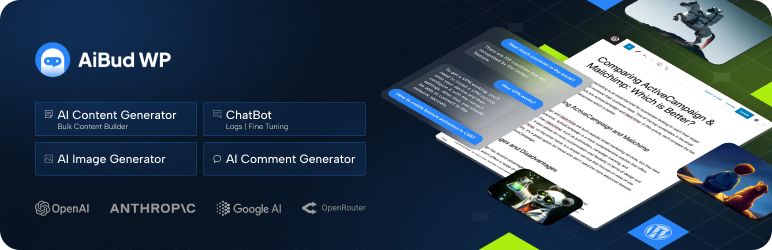
AI Bud is an innovative WordPress plugin designed to simplify content creation using artificial intelligence. It generates optimized articles, suggests relevant ideas, and assists with SEO copywriting directly from your editor.
AI Bud stands out for its ease of use, seamless integration, and ability to quickly produce professional-quality content.
AI Engine

AI Engine is a powerful WordPress plugin that transforms the way you create content. Thanks to artificial intelligence, it generates captivating articles, optimizes SEO, and facilitates copywriting in just a few clicks.
AI Engine stands out for its versatility, efficiency, and ability to automate content creation intuitively and quickly while guaranteeing optimal quality.
GetGenie FAQs
How do I install the GetGenie plugin on WordPress?
To install the GetGenie plugin on WordPress, you need to follow these steps:
- Go to the dashboard of your WordPress site.
- Go to Plugins > Add new.
- Search for GetGenie in the search bar.
- Click “Install Now” and then “Activate” once the installation is complete.
- You can also download the plugin from the official GetGenie website and upload it manually via the “Upload plugin” option.
What are the main features of the GetGenie plugin?
The GetGenie plugin offers several key features, including:
- AI-assisted content generation: Create blog posts, product descriptions, social media updates, and more.
- Real-time SEO analysis: Get SEO recommendations, keyword suggestions, and competitor analysis.
- Editorial templates: Use templates such as AIDA, PAS, BAB, etc., to generate content.
- AI image generation: Create unique images with Genie Image.
- Keyword research and competitor analysis: Use NLP tools for keyword research and competitor analysis.
How do I use GetGenie to generate content?
To generate content with GetGenie, follow these steps:
- Go to the WordPress editor and navigate to Posts > Add New.
- Click on the “GetGenie AI” option in the editor.
- Choose an appropriate content template (e.g. blog post, product description).
- Enter the required information, such as subject or keyword.
- GetGenie will generate content suggestions that you can refine and combine to create your final content.
What are the benefits of using GetGenie for SEO?
Using GetGenie offers several benefits for SEO, including:
- Real-time SEO analysis: Get recommendations for keyword density, meta description length, readability, etc.
- Keyword research: GetGenie provides suggestions for relevant keywords based on your content.
- Competitor analysis: Analyze your competitors’ weaknesses and strengths to improve your content.
- Automated generation of meta titles and descriptions: Improve click-through rates in search engine results pages (SERPs).
Is GetGenie compatible with other WordPress tools and themes?
Yes, GetGenie is compatible with several WordPress tools and themes, including:
- Elementor, Oxygen, Bricks builders: GetGenie works seamlessly with these popular page builders.
- WooCommerce: Generate SEO-optimized product descriptions and titles.
- Plagiarism detector integration: Check the originality of your content with plagiarism detector integration.
How can I get help and support for GetGenie?
For help and support with GetGenie, you can:
- Consult the documentation: Go to the GetGenie documentation page for detailed guides.
- Consult the support page: Visit the GetGenie support page to contact the support team and get answers to your questions.
Thank you for visiting this GetGenie page 🙏
The WPMarmite team hopes you’ve been able to find out more about this WordPress plugin!
To find out more, visit the official website and their social networks:
You can also share your experience with GetGenie by writing a review below. 👇
Found an error on this page? Click here to report it.

