
Protecting your website against digital risks is essential for any WordPress site owner. Threats such as hacking, data loss, or file corruption can occur at any time, making a backup strategy crucial.
BackWPup stands out as a complete WordPress plugin for effectively securing your website.
With over 400,000+ active installations and a rating of on the official WordPress directory, BackWPup demonstrates its popularity and reliability.
The plugin enables automated, secure backups of all WordPress site components, offering several external storage options.
Advantages and disadvantages

| Advantages | Disadvantages |
|---|---|
| Complete site backup (database and files) | Significant limitations in the free version |
| Automatic scheduling of backups | Can become complex to manage with numerous backups |
| Multi-support storage (Dropbox, Amazon S3, FTP, email) | Some advanced features reserved for the Pro version |
| Space-saving file compression (tar.gz format) | Performance potentially impacted by large backups |
| Simple site restoration from backup | Requires initial configuration, which may be technical |
| 400,000+ user sites, proof of reliability | Consumption of server resources during backups |
BackWPup in numbers
| Latest version | 5.7.7 |
| Date of last update | |
| Active installations | 400,000+ |
| Rating | |
| Number of downloads | 1 million downloads |
| WordPress compatibility | 4.9 and more |
| Backup types | Full, database, files |
| Storage media | Dropbox, Amazon S3, FTP, email |
BackWPup plugin prices
| Standard | Business | Developer | Supreme | Agency |
|---|---|---|---|---|
| $69/year | $119/year | $199/year | $279/year | $349/year |
|
|
|
|
|
BackWPup user reviews
BackWPup is a WordPress backup plugin that is globally appreciated by users for its ease of use and numerous features.
Users mainly highlight its ability to selectively back up different site elements such as files, databases, plugins, and themes, with various storage options such as Dropbox.
My favorite backup plugin — I use it on many sites. I manage many sites, and this has been my favorite backup plugin for years.
Syzygist
I’ve been using this for 2 years for 30 sites with no problems, it’s worked perfectly for me!
Hoathuy
It’s easy to install, can do regular backups automatically, and also FTP to another server, which I find very important.
korbuly
Other BackWPup testimonials
Find out how BackWPup ranks in terms of user satisfaction on various customer review platforms.
| Platform | Rating |
|---|---|
| WP.org | |
| TrustPilot | 3.6 out of 5 |
Alternatives to BackWPup
UpdraftPlus

UpdraftPlus is one of the most popular WordPress backup plugins, used by over 3 million sites.
It lets you create full or partial backups of your WordPress site and store them on various cloud services like Dropbox, Amazon S3, and Google Drive.
You can schedule automatic backups and restore your site in just a few clicks. The premium version adds advanced features like incremental backups and site migration tools.
Total Upkeep — WordPress Backup Plugin plus Restore & Migrate by BoldGrid

Total Upkeep is a WordPress backup plugin that offers backup, restore, and migration functionality.
It lets you schedule automatic backups and store files on cloud services like Dropbox, Amazon S3, and FTP.
Restoring backups is quick and easy. This plugin is particularly useful for those looking for a complete and reliable solution to manage their WordPress backups.
Duplicator Pro
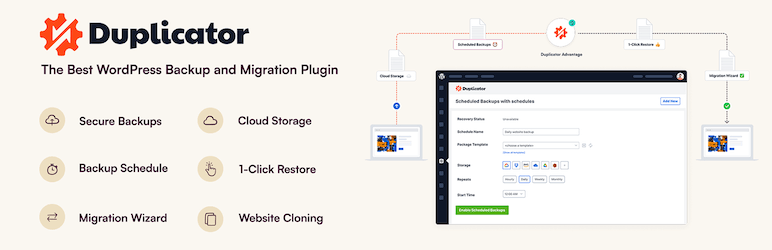
Duplicator Pro is a powerful, easy-to-use plugin for backing up, migrating, and cloning WordPress sites.
It lets you create manual or scheduled backups and store them on cloud services like Dropbox, Google Drive, FTP, and Amazon S3. Restoring backups is guided by the Duplicator Recovery Wizard, making the process simple and secure.
Duplicator Pro is particularly appreciated for its advanced migration features and reliability for complex migrations.
BackWPup FAQs
How do I install the BackWPup plugin on my WordPress site?
To install the BackWPup plugin, access your WordPress dashboard, then go to Plugins > Add New.
Search for “BackWPup” and click “Install,” then “Activate” once installation is complete.
What are the main features of the BackWPup plugin?
The BackWPup plugin offers several key features, including:
- Complete backup of your database and files (including themes, plugins, and media)
- The ability to schedule automatic backups
- Storage on various cloud services such as Dropbox, Google Drive, and Amazon S3
- And easy restoration of your WordPress site
Can I schedule automatic backups with BackWPup?
Yes, you can schedule automatic backups with BackWPup. The plugin uses the CRON job system to run backups at regular intervals, such as daily, weekly, or monthly.
What storage services does BackWPup support?
BackWPup supports several remote storage services, including Dropbox, Google Drive, Amazon S3, FTP, OneDrive, and more.
Can I restore my WordPress site from a backup created with BackWPup?
Yes, you can restore your WordPress site from a backup created with BackWPup.
The restore function is included in the free version of the plugin and allows you to restore your site via the plugin’s dashboard.
Is the BackWPup plugin compatible with WordPress Multisite?
Yes, BackWPup is compatible with WordPress Multisite. You can manage backups for multiple sites from a single location, which is useful if you manage several WordPress sites.
What are the differences between the free and paid versions of BackWPup?
The free version of BackWPup already offers many features, but the paid version adds extra benefits such as 365 days of premium updates and support, as well as the ability to manage up to 100 WordPress installations.
Thank you for visiting this page dedicated to BackWPup 🙏
The WPMarmite team hopes you’ve been able to find out more about this WordPress plugin!
To find out more, visit the official website.
You can also share your experience with BackWPup by writing a review below. 👇
Found an error on this page? Click here to report it.

