
Managing multiple WordPress sites is a complex challenge for web professionals. Keeping track of updates, making backups, and maintaining optimal performance is time-consuming.
WP Umbrella addresses these issues with a centralized management solution. This plugin made in France simplifies the maintenance of your WordPress sites thanks to a single dashboard integrating monitoring, automatic backups, and secure updates.
With over 90,000+ active installations and an average rating of on the official WordPress directory, WP Umbrella proves its effectiveness for professionals wishing to optimize their technical management.
Advantages and disadvantages

| Advantages | Disadvantages |
|---|---|
| Centralized management of multiple WordPress sites from a single dashboard | Limited free version |
| Full performance, availability, and security monitoring with real-time alerts | Security features still under development |
| Automatic and incremental backups with easy restoration | Limit of 3 manual backups per month |
| Customizable maintenance reports exportable to PDF | Report customization options can seem complex |
| White label option to hide use of the tool | $1.99/site price may be restrictive for large numbers of sites |
| PHP error monitoring in plugins and themes | Interface not fully translated into languages other than English |
WP Umbrella in numbers
| Latest version | 2.28.0 |
| Date of last update | |
| Active installations | 90,000+ |
| Average rating | |
| Launch date | July 2021 |
| Publisher | WP Umbrella |
| Founders | Thomas Deneulin and Aurelio Volle |
| Country of origin | France |
| Initial investment | Received from the founders of WP Media |
WP Umbrella plugin prices
| $1.99/site/month |
|
WP Umbrella user reviews
Overall, WP Umbrella is perceived as a valuable, high-performance tool for WordPress multisite management, with significant strengths in terms of ease of use, update management, and automated reporting.
Users particularly appreciate its intuitive dashboard, remote administration features, and ability to simplify the maintenance of multiple sites simultaneously.
Before adopting WP Umbrella, we managed website updates manually. Thanks to its bulk actions feature, we can now update all our websites with just a few clicks, saving us a considerable amount of time every month.
Maxime Bernard-Jacquet (Rating: 5/5)
It’s easy to add reports to your customers’ dashboards. The user interface is excellent, and the customer service is top-notch! I love everything about WP Umbrella. The tool is awesome!
N’Teasha B (Rating: 3/5)
The best dashboard available on the market to manage multiple sites from one place. Easy installation and deployment across multiple sites, comprehensive set of features, customer reports, and incredible customer support.
Anonymous user (Rating: 3/5)
More testimonials on WP Umbrella
Find out how WP Umbrella ranks in terms of user satisfaction on various customer review platforms.
| Platform | Rating |
|---|---|
| WP.org | |
| TrustPilot | 4.8 out of 5 |
| G2 | 4.9 out of 5 |
| GetApp | 5 out of 5 |
| Capterra | 5 out of 5 |
Alternatives to WP Umbrella
ManageWP
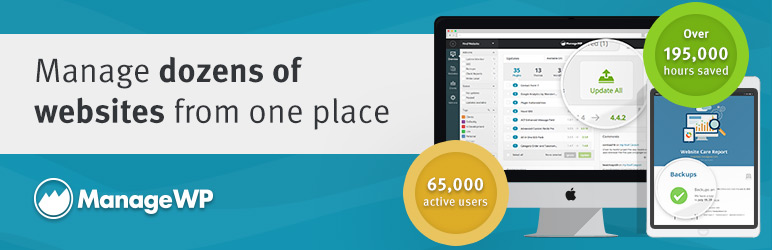
ManageWP is a cloud-based management platform that connects and manages multiple WordPress sites from a single dashboard. It offers essential features for webmasters and developers.
Key features include plugin and theme updates, site backups, performance analysis, and security checks.
ManageWP also offers advanced features such as maintenance mode, team collaboration, vulnerability checking, site cloning and migration, and incremental backups.
MainWP

MainWP is a self-hosted solution for managing WordPress websites, distinguished by its flexibility and wide range of features.
The solution lets you manage multiple WordPress sites from a single dashboard. It offers practical features such as one-click updates, backups and restores, activity monitoring, and security checks.
MainWP is particularly appreciated for its extensive customization, although installation can be more technical than other alternatives.
WP Remote

WP Remote is a professional WordPress site management tool offering comprehensive monitoring and security features.
It offers services such as performance monitoring, uptime monitoring, malware scans, bot protection, and off-site backups.
WP Remote also enables mass updates and generates reports for customers. It is renowned for its ease of use and robust security features.
WP Umbrella FAQs
How do I install WP Umbrella on my WordPress site?
To install WP Umbrella, first create an account on the WP Umbrella website by clicking on the “Start Free Trial” or “Get Started” button. Enter your personal details and follow the instructions.
Next, install the WP Umbrella plugin on your WordPress admin interface by going to the Plugins > Add New menu , searching for “WP Umbrella,” and installing and activating it.
Then connect your site to your WP Umbrella dashboard by clicking on the “Add website” or “+” button on your WP Umbrella dashboard.
What are the main features of WP Umbrella?
WP Umbrella offers several key features, including management of multiple WordPress sites from a single dashboard.
It includes automatic and incremental backups, one-click updates for core, themes, and plugins, uptime and performance monitoring, PHP error monitoring, and enhanced security with vulnerability alerts.
What’s more, it allows you to generate customized maintenance reports for your customers.
How does uptime and performance monitoring work with WP Umbrella?
WP Umbrella uses servers in multiple locations to send frequent requests and track HTTP status codes, SSL, and site availability.
This feature provides regular uptime checks, detailed performance metrics, and instant alerts, enabling you to solve problems before your customers notice them.
You can define the monitoring location and ping frequency to tailor monitoring to your needs.
How do I manage backups with WP Umbrella?
WP Umbrella offers both automatic and manual backups. Automatic backups use incremental backup technology, which means that only changes since the last backup are saved, avoiding overloading your server.
Manual backups are also available, but limited to 3 per month due to the resources and storage space required. You can restore your sites quickly if the need arises.
Can I generate maintenance reports with WP Umbrella?
Yes, WP Umbrella allows you to generate customized maintenance reports for your customers. These reports can include information on updates, backups, performance improvements, security checks, and uptime monitoring.
You can add your logo and brand colors for a professional appearance, and schedule these reports to be sent automatically to your customers.
What update options are available with WP Umbrella?
WP Umbrella offers one-click updates for WordPress core, themes, and plugins.
You can perform bulk updates on multiple sites simultaneously and benefit from a rollback function in case of problems after an update. You can also exclude certain updates or ignore them if necessary.
Is there a free trial period for WP Umbrella?
Yes, WP Umbrella offers a 14-day free trial with access to all features, including backups, uptime monitoring, secure updates, and more.
After this period, you will only have access to the basic health check function.
Thank you for visiting this page dedicated to WP Umbrella 🙏
The WPMarmite team hopes you’ve been able to find out more about this WordPress plugin!
To find out more, visit the official website and their social networks:
You can also share your experience with WP Umbrella by writing a review below. 👇
Found an error on this page? Click here to report it.

