
WPvivid is a WordPress plugin dedicated to website backup and migration. It helps protect data against potential technical incidents by offering automated backup and restore functionalities.
Suitable for both professionals and individuals, WPvivid offers advanced options for managing site backups and transfers.
With over 900,000 active installations, it is a recognized solution on the WordPress plugin market.
Advantages and disadvantages
| Advantages | Disadvantages |
|---|---|
| Comprehensive, flexible backups: possibility of backing up the entire site, just the files, or the database | Complexity for novice users: some advanced features may be difficult to understand |
| Simplified site migration: clone and transfer site in a single click, compatible with different scenarios | Cost of Pro version: advanced features require purchase |
| Pre-production site creation: allows secure testing of modifications | Performance may be impacted by voluminous backups |
| Scheduled and automatic backups with customizable parameters | Limited storage space in the free version |
| Multisite support and extended WordPress compatibility | Some themes and plugins may occasionally conflict with each other |
| Secure remote backups (cloud: Google Drive, Dropbox, Amazon S3) | Initial configuration may require technical skills |
| Intuitive user interface and translation into 37 local languages | Potentially time-consuming updates |
WPvivid in numbers
| Latest version | 0.9.124 |
| Date of last update | |
| Active installations | 900,000+ |
| Rating | |
| Downloads | 5, 000, 000 |
| Available languages | 37 |
| Type of plugin | WordPress backup and migration |
| Versions available | Free and Pro |
WPvivid plugin prices
| Blogger | Freelancer | Small Business | Ultimate |
|---|---|---|---|
| $49/year or $99 lifetime | $69/year or $139 lifetime | $99/year or $199 lifetime | $149/year or $299 for life |
|
|
|
|
WPvivid user reviews
The WPvivid WordPress plugin is highly praised for its ease of use, comprehensive functionality, and intuitive interface.
Users particularly praise its ability to perform automatic backups, easily migrate websites, and offer peace of mind when it comes to data protection.
The best of all backup systems.
I’ve bought various types of backup plugins, but when I was recommended to try WPvivid Backup, I was impressed by its simplicity. It offers local backups, several remote backup and migration options, features that are paid for in other plugins. I highly recommend WPvivid Backup.AliKrasht
Complete backup plugin.
I use the PRO version of the plugin and it works perfectly. It’s very complete, well structured, and well documented. The best point is the INCREMENTAL backup option and the easy configuration of backups to remote storage.Mediteranija
Migrating a WordPress site can be a pain, but WPVivid makes it easy and the backups work every time.
Chris McElroy
More WPvivid testimonials
Find out how WPvivid stacks up in terms of user satisfaction on these customer review platforms.
| Platform | Rating |
|---|---|
| WP.org | |
| TrustPilot | 2.9 out of 5 |
Alternatives to WPvivid
Duplicator
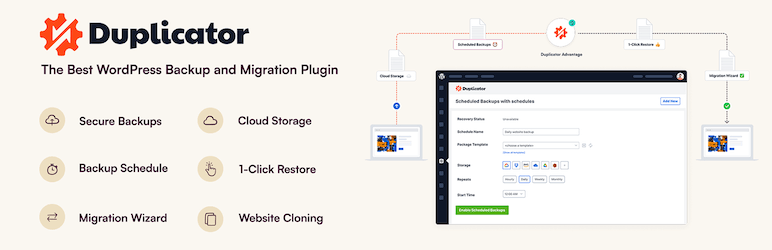
Duplicator is an all-in-one plugin for backing up, migrating, and restoring WordPress sites. It allows you to package all your site’s files, themes, plugins, and database, and migrate them securely.
Duplicator Pro includes a Migration Wizard that guides the user through a two-step migration process, without requiring any technical knowledge. It is highly appreciated for its downtime-free migration capabilities and user-friendly interface.
UpdraftPlus

UpdraftPlus is a popular and widely used plugin for backing up, restoring, and migrating WordPress sites. It allows you to schedule backups and store them on various cloud services such as Dropbox, Google Drive, Amazon S3, etc.
UpdraftPlus offers a clear, easy-to-use user interface, even for non-technical users. It creates backups during migration, serving as a safety net in case of problems.
Jetpack VaultPress Backup
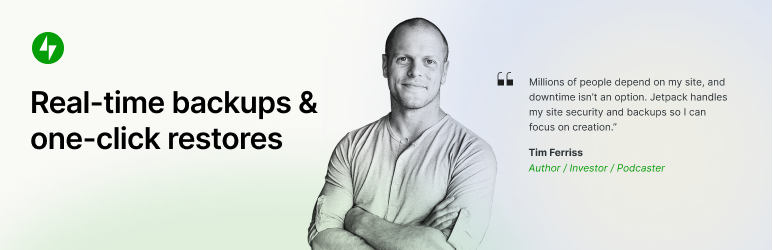
Jetpack VaultPress Backup is a plugin designed to ensure the backup and security of WordPress sites. It offers automated, real-time, or scheduled backups, making it easy to quickly restore your site in the event of an incident.
Appreciated for its reliability and ease of use, it enables one-click restoration and stores data securely in the cloud. This plugin helps protect your site and guarantee its security in the event of a problem.
WPvivid FAQs
How do I install the WPvivid plugin on my WordPress site?
To install the WPvivid plugin, access your WordPress dashboard, navigate to the “Plugins” menu and click on “Add New.”
Search for “WPvivid Backup & Migration,” click on “Install now,” then activate the plugin once installation is complete.
What are the main features of the WPvivid plugin?
The WPvivid plugin offers several key features, including:
- Easy creation of backups
- Automatic site migration
- Creation of pre-production sites
- Scheduled backups
- Remote storage to cloud services such as Dropbox, Google Drive, Amazon S3, etc.
It also features one-click restore and multisite management.
How do I set up automatic backups with WPvivid?
To set up automatic backups with WPvivid, go to the “Backups” section of the plugin, then click on “Scheduled backups.”
You can choose the frequency of backups (every 12 hours, daily, weekly, etc.) and select the items to be backed up (entire site, files, database).
Which cloud storage providers does WPvivid support?
WPvivid supports several cloud storage providers, including Dropbox, Google Drive, Amazon S3, Microsoft OneDrive, DigitalOcean Spaces, FTP, and SFTP.
The Pro version of the plugin also offers support for Wasabi, pCloud, Backblaze, and WebDav.
How do I migrate my WordPress site to a new domain with WPvivid?
To migrate your WordPress site to a new domain with WPvivid, go to the “Migration” section of the plugin.
You can clone and migrate your site in a single click, whether from a development environment to a new server or a new domain.
How do I restore my WordPress site from a backup with WPvivid?
To restore your WordPress site from a backup with WPvivid, go to the “Restore” section of the plugin.
Select the backup you wish to restore and click “Restore” to restore your site in a single click.
What are the minimum requirements for using the WPvivid plugin?
To use the WPvivid plugin, you need a version of PHP 5.3 or higher, MySQL 4.1 or higher, and WordPress 4.5 or higher. UTF-8 character encoding is also required.
Thank you for visiting this page about WPvivid 🙏
The WPMarmite team hopes you’ve been able to find out more about this WordPress plugin!
To find out more, visit the official website and their social networks:
You can also share your experience with WPvivid by writing a review below. 👇
Found an error on this page? Click here to report it.

