
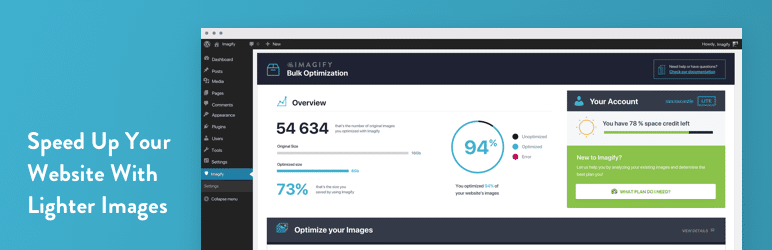
Images account for over 50% of a website’s loading time. To optimize their performance, the Imagify plugin offers a WordPress extension for image compression.
With over 1,000,000+ active installations and an average rating of , this tool developed in France by WP Media significantly reduces the weight of media without degrading its visual quality.
Advantages and disadvantages
| Advantages | Disadvantages |
|---|---|
| High-performance image compression with 3 levels (Normal, Aggressive, Ultra) | Significant limitations of the free version (20 MB/month) |
| Preservation of image quality, especially in Normal mode | Potential loss of quality with Aggressive and Ultra modes |
| Automatic optimization when images are uploaded | Dependence on publisher’s servers for optimization |
| Support for JPEG, PNG, GIF, and PDF formats | Compression credit consumption for each optimized image |
| Possible conversion to WebP and AVIF for further weight reduction | Relatively high prices for paid packages ($4.99 to $9.99/month) |
| Backup and restoration of original images | Configuration and settings may seem complex for beginners |
| Intuitive, guided WordPress interface | Requires a stable Internet connection to operate |
| Compatible with many WordPress themes and plugins | Optimization slightly less powerful than some competitors |
Imagify in numbers
| Latest version | 2.3.4 |
| Date of last update | |
| Active installations | 1,000,000+ |
| Average rating | |
| Launch date | 2015 |
| Publisher | WP Media |
| Publisher country | France |
| Max free volume | 20 Mb/month |
| Price paid version | From $4.99/month |
| Supported formats | JPEG, PNG, GIF, PDF |
Imagify plugin prices
| Starter | Growth | Infinite |
|---|---|---|
| Free | $4.99/month | $9.99/month |
|
|
|
Imagify user reviews
Imagify is a WordPress plugin acclaimed by web professionals for its efficiency in image optimization. Users praise its simplicity, speed, and ability to significantly reduce image weight without compromising visual quality.
Performance gains are particularly remarkable, with average media weight reductions of 50% and loading times of up to 1.5 seconds faster.
Imagify has been a total game-changer for the sites I manage. It optimizes images quickly and efficiently, reducing file size without sacrificing quality. The tool is easy to use, integrates seamlessly with WordPress, and dramatically improves page load times. I highly recommend it to anyone looking to improve their website’s performance!
ndyscandy
Simple and effective plugin to convert images to next gen and optimize them for fast loading.
aurab74
Imagify does its job perfectly, so I can only recommend it 100%. Incidentally, I’ve taken out an Infinite license for my sites, and I consider the investment more than worthwhile given its effectiveness
Anonymous
Other Imagify testimonials
Find out how Imagify ranks in terms of user satisfaction on various customer review platforms.
| Platform | Rating |
|---|---|
| WP.org | 4.3 out of 5 |
| TrustPilot | 4.1 out of 5 |
| G2 | 4.3 out of 5 |
Alternatives to Imagify
Optimole
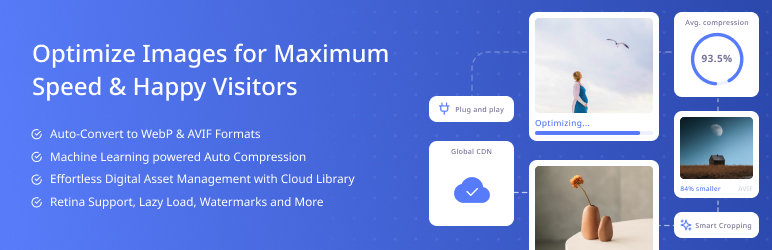
Optimole is a fully automated image optimization plugin that offloads compression work to the cloud, avoiding overloading your server.
It offers real-time optimization, image scaling according to the visitor’s device, lazy load, and the option of storing original images locally.
Optimole also includes features such as intelligent cropping and watermarking.
ShortPixel Image Optimizer

ShortPixel Image Optimizer is a high-performance plugin that optimizes images without excessive restrictions on size or format.
It offers excellent image compression, WebP and AVIF conversion, and the ability to create WebP versions of images to improve loading times.
ShortPixel is particularly effective on mobile devices and doesn’t overload the server, as compression takes place in the cloud.
Smush
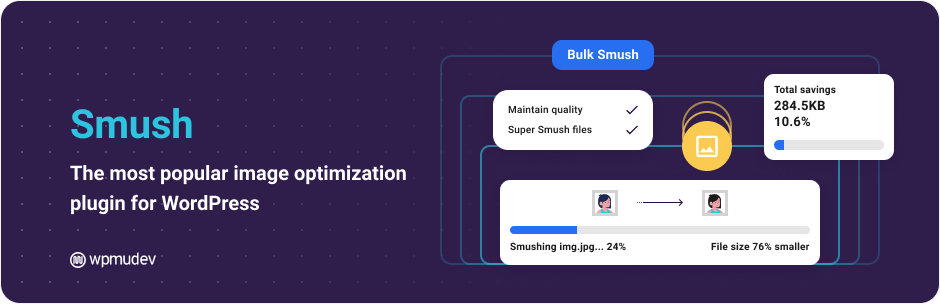
Smush, developed by WPMU DEV, is a very popular plugin with over a million installations.
It offers automatic image optimization on upload, lazy load, and the ability to optimize images already on your site in bulk.
Smush is easy to use and offers advanced features with the Pro version, including delivery via CDN.
Imagify FAQs
How do I install and activate the Imagify plugin?
To install and activate the Imagify plugin, access your WordPress dashboard, then go to Plugins > Add New. Search for Imagify and click on Install, then Activate. Once activated, you’ll receive a notification inviting you to create an account.
Click Register, enter your email address to receive the API key, and insert it in the corresponding field to start configuring Imagify.
How do I configure the Imagify plugin?
Configuring Imagify is relatively straightforward. You’ll find three configuration sections: general settings, image optimization options, and display options in the toolbar menu.
You can access these settings via Settings > Imagify in your WordPress dashboard.
What are the main features of the Imagify plugin?
Imagify automatically optimizes images as they are uploaded, and provides tools to process images already on your WordPress site.
It can compress images without loss of quality, convert images to WebP and AVIF formats, and resize images with a single click.
Is the Imagify plugin compatible with multisites and WordPress.com?
Yes, Imagify is fully compatible with multisites. What’s more, you can use Imagify on WordPress.com if you have a Business account.
What happens when the Imagify plugin is deactivated?
When the Imagify plugin is deactivated, images that have already been optimized remain optimized. Backups of original images are still available if you have activated the image backup option.
Does the Imagify plugin offer support?
Yes, the Imagify team offers full email support for questions relating to image optimization. You can contact support on the official website.
Support is available Monday to Friday from 8am to 10pm CET, and answers are usually provided within 24 hours, except on weekends.
Is Imagify free to join?
Yes, Imagify registration is free and does not require a credit card.
Thank you for visiting this Imagify page 🙏
The WPMarmite team hopes you were able to learn more about this WordPress plugin!
To find out more, visit the official website and their social networks:
You can also share your experience with Imagify by writing a review below. 👇
Found an error on this page? Click here to report it.

