
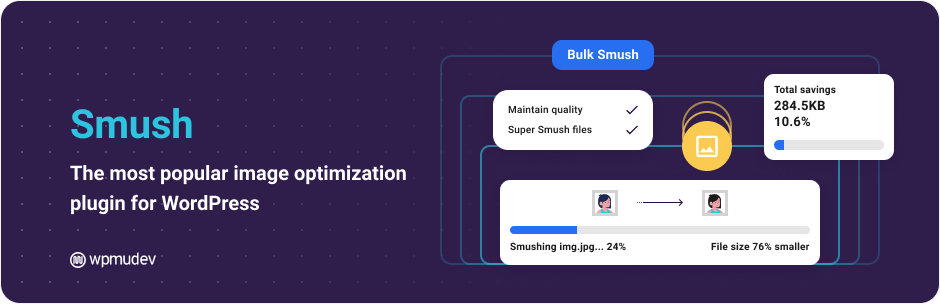
In the WordPress world, image optimization is crucial to performance and user experience. The Smush plugin responds to this technical challenge by offering a complete image compression and processing solution.
With over 1,000,000 active installations, Smush has become a must-have tool for webmasters concerned with the speed of their site. User reviews of Smush testify to its effectiveness, with an average rating of .
This plugin automatically compresses, resizes, and optimizes images without compromising their visual quality, improving website performance and SEO.
Advantages and disadvantages
| Advantages | Disadvantages |
|---|---|
| Free mass optimization Unlimited number of images can be compressed simultaneously | Image size limitation Free version limited to images up to 5 MB |
| Flexible compression Lossy and lossless options for choosing between weight reduction and quality preservation | Advanced features for a fee WebP conversion, CDN, and other options only available in Smush Pro |
| Lazy Load Improve performance by loading images on demand | English-only interface No other translations available, if that’s a concern |
| Automatic compression Optimization of images as soon as they are uploaded, without manual intervention | High price for Pro version Mandatory subscription to all WPMU DEV plugins |
| Multi-plugin integration Compatible with Gutenberg, WPBakery, Gravity Forms | Variable compression performance Less weight savings than some competitors |
| Detection of oversized images Automatic identification of oversized images | Smush cannot be purchased on its own Must subscribe to all WPMU DEV plugins |
Smush in numbers
| Latest version | 4.3.4 |
| Date of last update | |
| Active installations | 1,000,000+ |
| Average rating | |
| Launch date | 2012 |
| Publisher | WPMU DEV |
| Maximum free image size | 5 MB |
| Available languages | Multilingual |
Smush plugin prices
| Free version | Basic Plan | Premium Plan |
|---|---|---|
| $0 | $1.50/month for the first year | $10/month for the first year |
|
|
|
Smush user reviews
Smush is a WordPress image optimization plugin that’s very popular overall with users, who mainly point to its ease of use and significant impact on website loading speed. Feedback highlights its ability to automatically reduce image weight without any visible deterioration in quality.
I had no idea that the loading time of my page was slowed down by images. The plugin almost halved the loading time.
karlcw
It’s very unobtrusive and doesn’t bother me with an API key or other extra installation steps. The plugin’s main dashboard gives me a nice overview.
tarkan_
Smush has really helped speed up my site by compressing images with no visible loss of quality.
ktaylor310
Alternatives to Smush
ShortPixel

ShortPixel is a WordPress image optimization plugin that offers automatic compression of JPG, PNG, and GIF. It supports both lossless and lossy compression, and allows conversion to WebP and AVIF formats.
The plugin also optimizes thumbnails created by WordPress, removes EXIF data, and saves original images. It also features an adaptive image server function via an integrated CDN.
Imagify
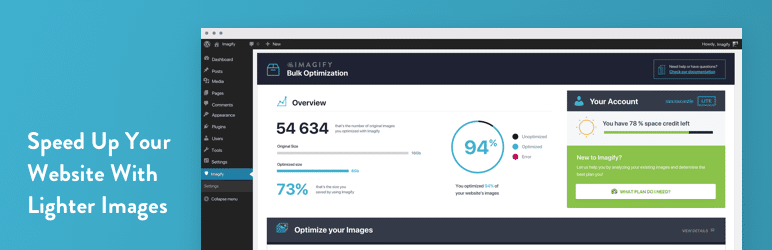
Imagify is a popular WordPress plugin that automatically optimizes images without compromising quality. It offers intelligent compression and supports conversions to WebP and AVIF formats.
The plugin also enables bulk optimization and does not load the site’s servers, thus avoiding overloading bandwidth. It’s easy to use and offers restoration of original images if required.
EWWW Image Optimizer

EWWW Image Optimizer is a popular plugin that offers unlimited image compression. It supports JPG, PNG, GIF, SVG, and PDF compression, and allows conversion to WebP format.
The plugin features an optimization scheduling function and can optimize images outside the WordPress media library. It can also remove metadata from images and preserve the original files.
Smush FAQs
How do I install and activate the Smush plugin on WordPress?
To install and activate the Smush plugin, access your WordPress dashboard, then go to Plugins > Add new. Search for “Smush” and click on “Install now.”
Once installed, click on “Activate” to activate the plugin. After activation, a new Smush menu will appear in your dashboard.
What are the main features of the Smush plugin?
The Smush plugin offers several key features, including image compression without quality loss, automatic image resizing, lazy loading to improve page load times, and image conversion to WebP format for faster loading.
It also enables mass optimization of existing images and detection of incorrectly sized images.
How do I optimize existing images with Smush?
To optimize existing images with Smush, access the “Smush” menu in your WordPress dashboard, then click on “Bulk Smush.”
This will start the optimization process for all your existing images. You can also configure automatic optimization so that images are optimized as soon as they are uploaded.
What are the advantages and disadvantages of using Smush?
The advantages of Smush include:
- Easy-to-use user interface
- Bulk image optimization
- Lossless compression
- Lazy loading
- WebP conversion
However, the free version has compression limits and cannot optimize images larger than 5 MB. What’s more, mass optimization can consume a lot of server resources.
How do I activate lazy loading with Smush?
To enable lazy loading with Smush, go to the “Smush” menu in your WordPress dashboard, then configure the settings in the configuration wizard.
You can enable lazy loading in the initial configuration options, or go to the advanced settings to adjust this feature.
Is Smush compatible with WordPress multisite installations?
Yes, Smush is compatible with WordPress multisite installations.
You can configure global settings for the entire network, or adjust settings for each site individually. This gives you the flexibility to manage images across multiple sites.
What are the advantages of Smush Pro over the free version?
The Pro version of Smush offers several additional benefits, including 5x image compression, background optimization, a 123-point global content delivery network (CDN), and no monthly limits.
These features significantly improve your site’s performance and loading speed.
Thank you for visiting this page dedicated to Smush 🙏
The WPMarmite team hopes you’ve been able to learn more about this WordPress plugin!
To find out more, visit the official website and their social networks:
You can also share your experience with Smush by writing a review below. 👇
Found an error on this page? Click here to report it.

