
WordPress 7.0 marks a deeper evolution of the CMS than previous major versions, particularly with the arrival of artificial intelligence.
With this update, WordPress is no longer just improving its editor or adding a few customization options. The CMS now aims to become an AI-enabled platform, with a smoother and more modern interface.
In this article, we offer you a complete breakdown of the new features in WordPress 7.0 to help you understand what will really change in your use of the CMS.
Buckle up, let’s get started! 😉

WordPress 7.0: context of this major version
WordPress 7.0 is the first major version of 2026. Two other versions have already been announced for the rest of the year:
- WordPress 7.1 (August 2026)
- WordPress 7.2 (December 2026)
This update also includes several versions of the Gutenberg plugin (versions 22.0 to 22.6).
Originally scheduled for April 9, 2026, the release of WordPress 7.0 had been postponed by a few weeks to give the teams more time to stabilize certain features, particularly those related to real-time collaboration.
Nevertheless, this feature was ultimately postponed to a later version of WordPress.
As you’ll see, this is not a trivial update, but a significant milestone in the evolution of the CMS. Now, let’s take a closer look at what’s new in WordPress 7.0.
New features in WordPress 7.0
A modernized admin interface
From the moment you log in to your dashboard, you should notice a visual change.

WordPress 7.0 indeed offers a refresh of the admin interface, with:
- a more current color palette
- improved typography for better readability
- enhanced contrasts
- smoother transitions between screens
These adjustments may seem subtle, but they greatly improve user comfort, especially if you spend a lot of time in the admin area.
A command palette accessible everywhere
The command palette continues to establish itself as a core feature in WordPress.
Now accessible throughout the admin via the shortcut Cmd + K (on Mac) or Ctrl + K (on Windows), or via a button in the toolbar at the top of the screen, it allows:
- fast navigation between content,
- access to settings,
- performing various actions without multiple clicks.
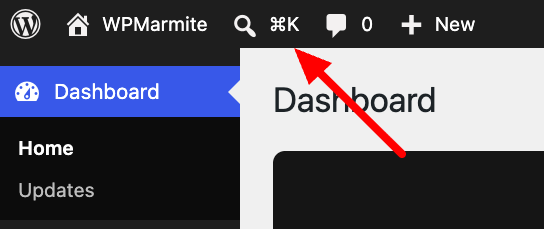
For regular WordPress users, it can be a major time-saver.
An API to connect AI models to WordPress
Among this version’s major changes, the integration of a dedicated artificial intelligence API has attracted much attention.
WordPress 7.0 actually introduces a native layer allowing you to connect your favorite AI models directly to the CMS.

Specifically, you can now:
- connect different AI providers (OpenAI, Google, Anthropic),
- manage your API keys from a dedicated interface (Settings > Connectors menu),
- allow plugins and WordPress themes to exploit these models.
Why it matters
Until now, AI integration mainly relied on third-party solutions. With this API, WordPress creates a standardized framework.
This paves the way for many uses in the future, such as content generation, task automation, or SEO optimization, for example.
We will keep you informed of upcoming developments on this topic, so stay tuned. 😉
A redesigned revision interface in WordPress 7.0
The revision system has also seen major improvements.
Until now, comparing two versions could be hard to read, because it involved looking at HTML code to compare changes between two versions of the same content.
WordPress 7.0 introduces a clearer visual interface within the content editor (Gutenberg):
- highlighted changes,
- clear color coding (additions, deletions, modifications),
- display of blocks directly in the editor, with a preview close to the final result.

If needed, you can always restore a previous version of the page using the dedicated button.
Expanded font management for all themes
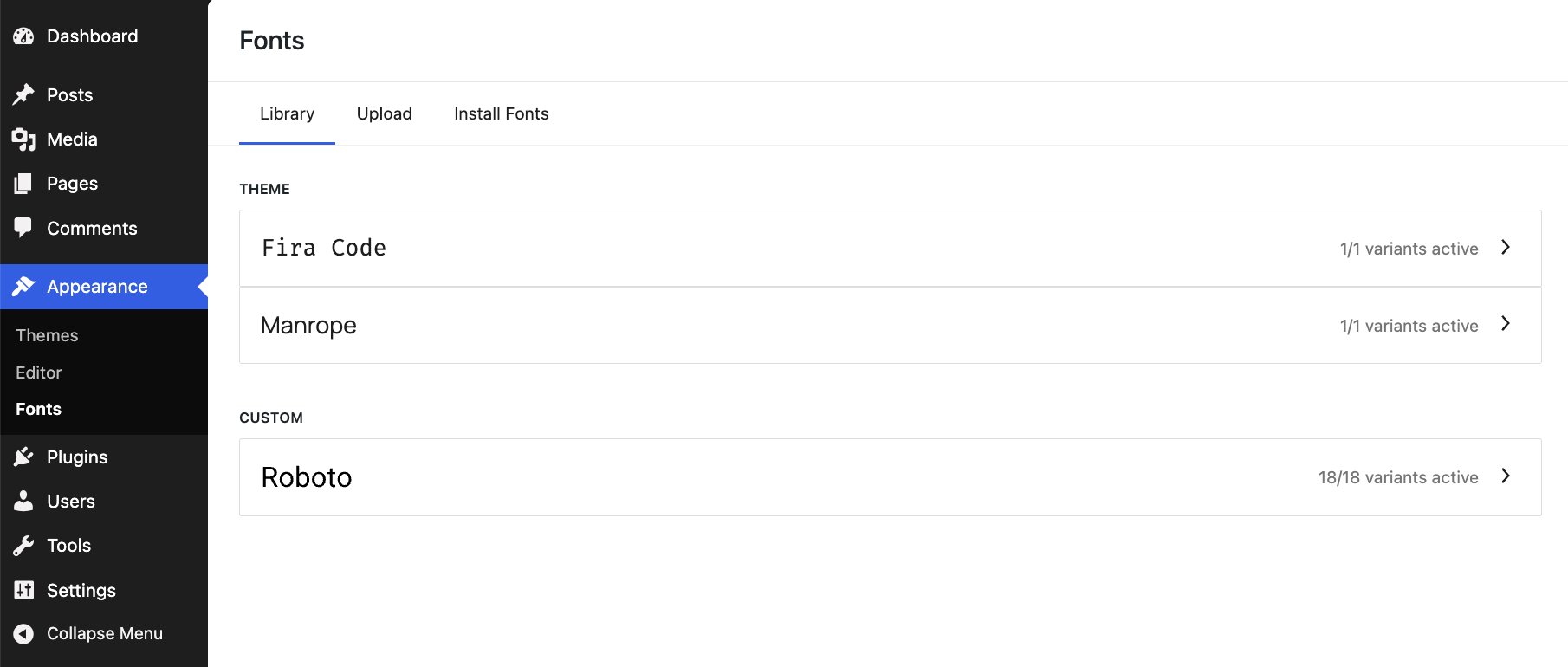
The font library, introduced in WordPress 6.5, was previously limited to block-based themes. With WordPress 7.0, it is available for all themes, including “classic” themes.
You can thus add and manage your fonts from the admin, regardless of the theme you use, via Appearance > Fonts, without using a third-party plugin.
More flexible mobile menus
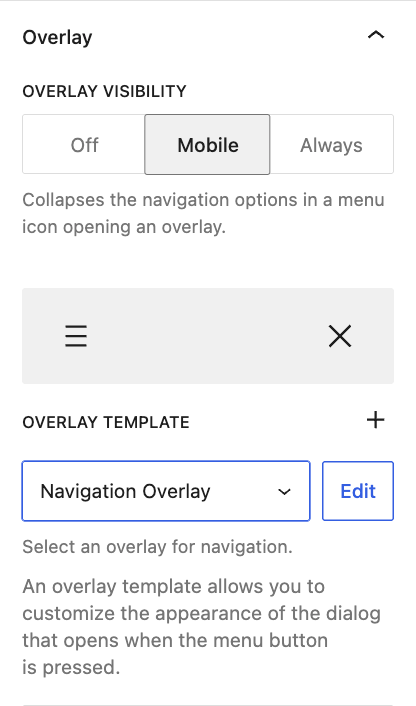
WordPress 7.0 introduces new possibilities for creating mobile menus, thanks to customizable navigation overlays.
You can now create menus more easily, control their display depending on device type, and save them as template parts.
Advanced block customization
Several improvements enhance WordPress blocks’ customization capabilities in the content editor:
Adding custom CSS at the block level
It is now possible to add CSS directly to a specific block without affecting other site elements, thanks to a dedicated field.
To do so, go to the “Settings” tab, then to the “Advanced” field.

Conditional display of a block depending on device
You can now hide a block based on the user’s device type (mobile, tablet, desktop) by going to the block options and clicking “Hide.”

This allows for better layout control without writing code.
Enhanced custom HTML block
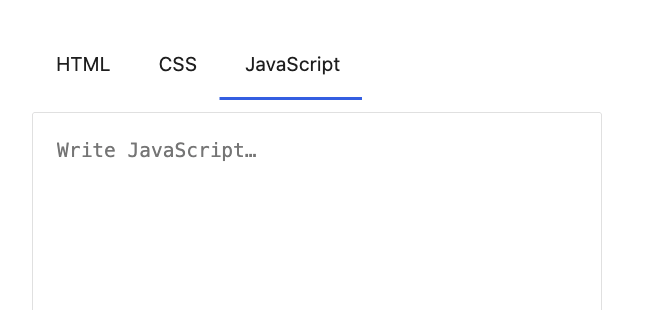
The custom HTML block is now more powerful too.
It allows adding and editing not only HTML code, but also CSS and JavaScript directly from the editor via dedicated tabs.
More flexible grid layouts
WordPress 7.0 also improves grid layout management.
The Grid block now adapts more smoothly to different screen sizes:
- columns reorganize more intelligently,
- content remains readable on mobile,
- fewer manual adjustments are needed.
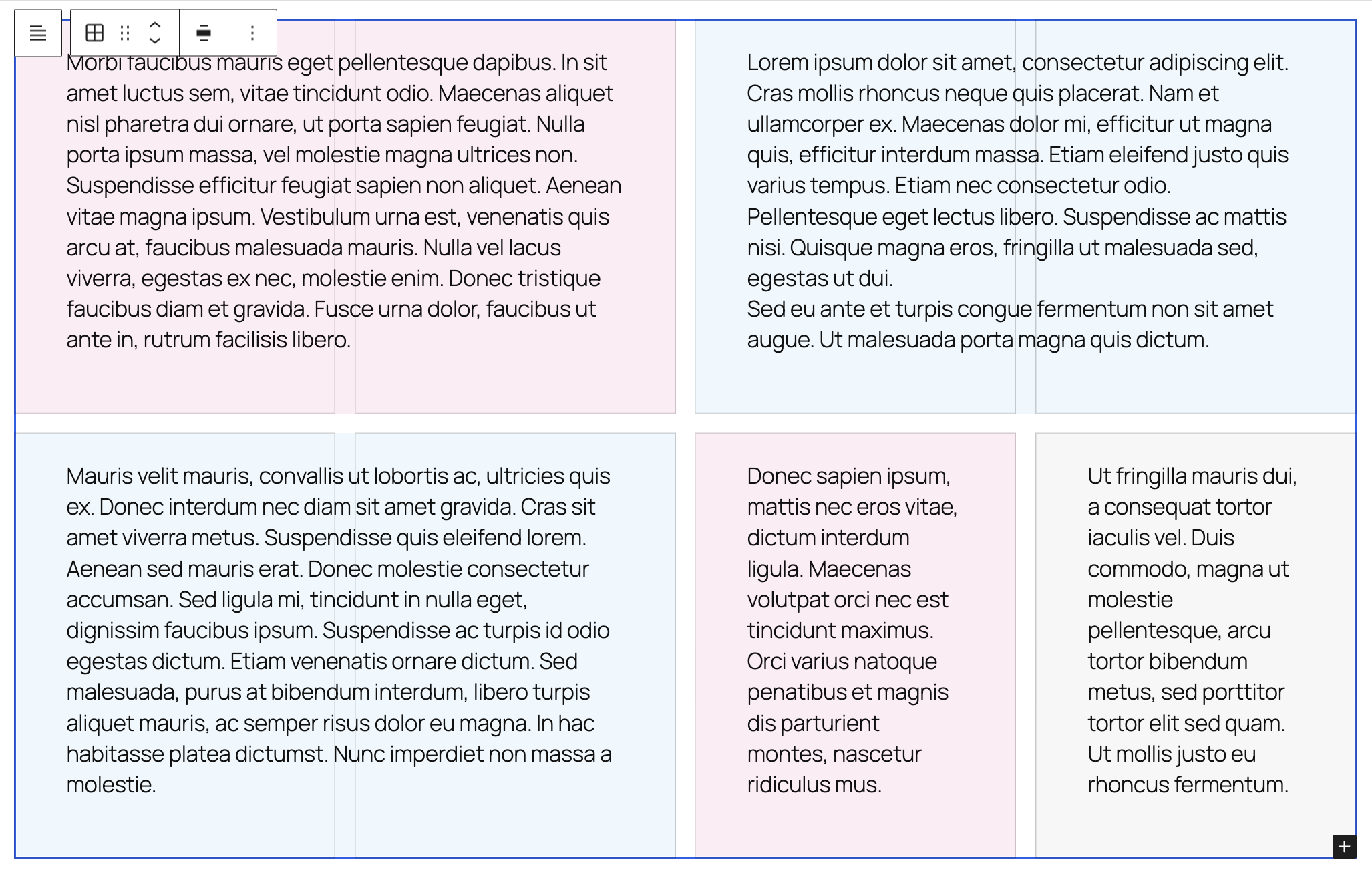
This makes it easier to create clean, responsive layouts, simply with the Grid block.
Introduction of two new blocks
WordPress 7.0 introduces two highly anticipated new blocks:
Breadcrumbs block
Until now, to add breadcrumbs to your WordPress site, it was necessary to use a plugin (or a theme including this feature) or to use code.
WordPress 7.0 ends this necessity by including a dedicated Breadcrumbs block.
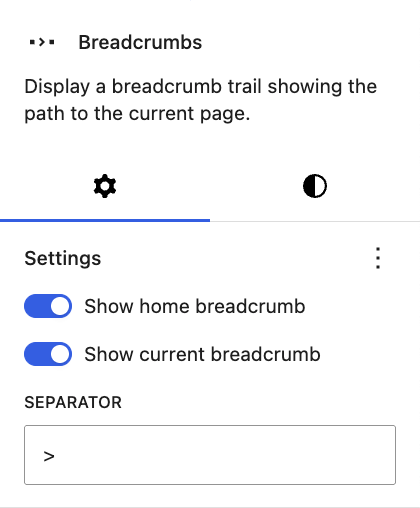
This native block allows you to:
- improve navigation,
- strengthen site structure,
- enhance search engine optimization (SEO).
Icon block
The new Icon block facilitates adding SVG icons directly into your content, with customization options available in the block settings (text and background color, size, margins, border, etc.).
The icon library currently available is quite limited, but it will be extended in the future.
Improvements on existing blocks with WordPress 7.0
Several existing blocks also benefit from some improvements:
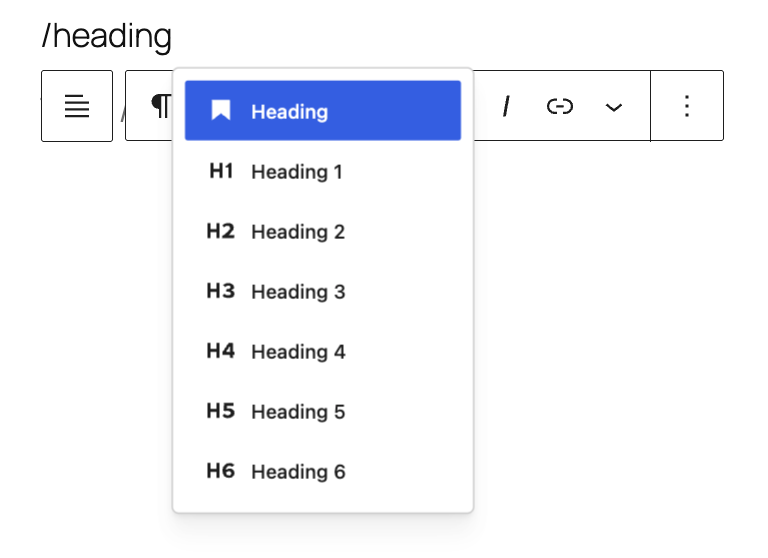
Heading block
Different heading levels now appear as full block variations. You can directly select the desired heading level or modify it with one click.
Gallery block
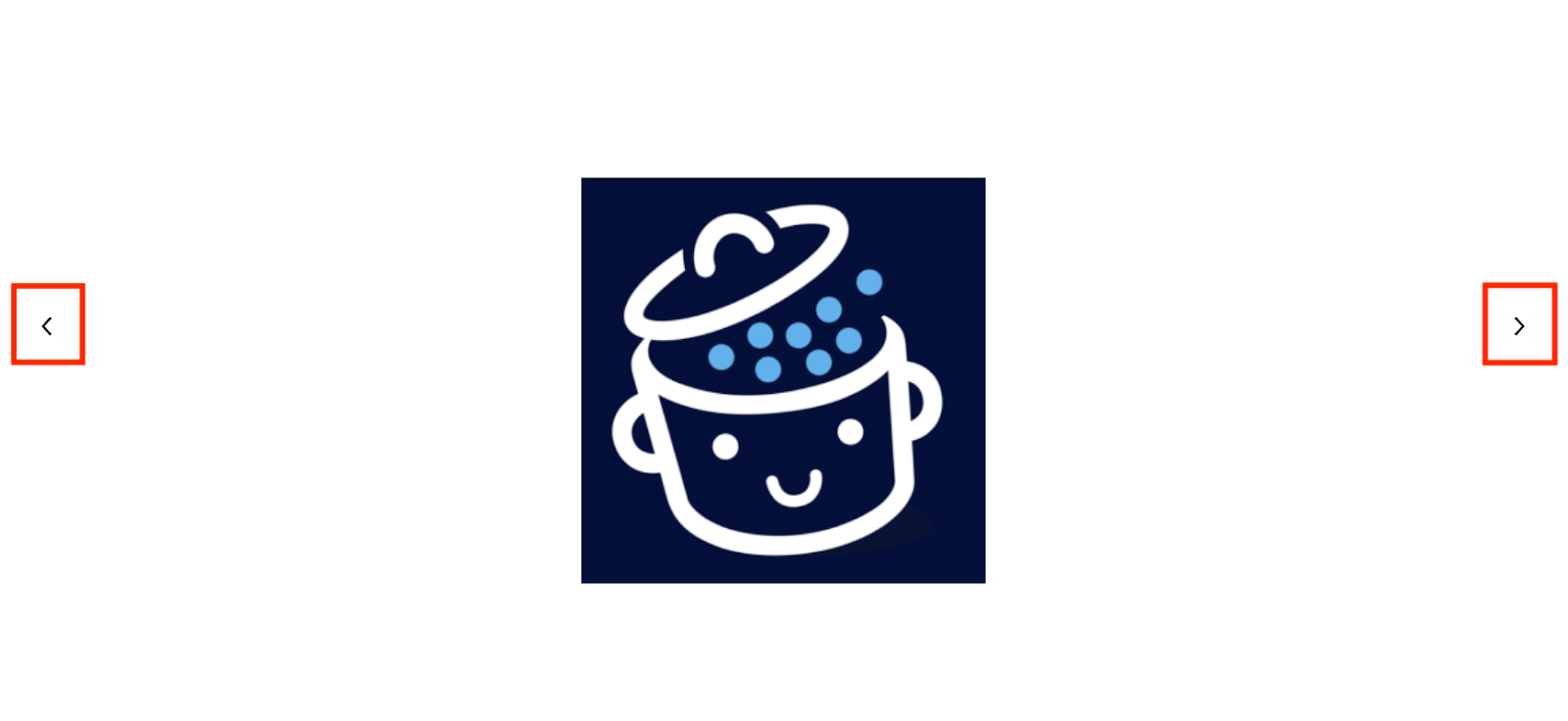
You can now navigate between the different images of a gallery using arrows on each side of the screen or the keyboard.
To do this, activate the “Enlarge on click” option on the Gallery block.
Text block
New options are available in the “Typography” menu for Text blocks:
- columns,
- line indent,
- fit text, to make the text take the full width of the block,
- drop cap.
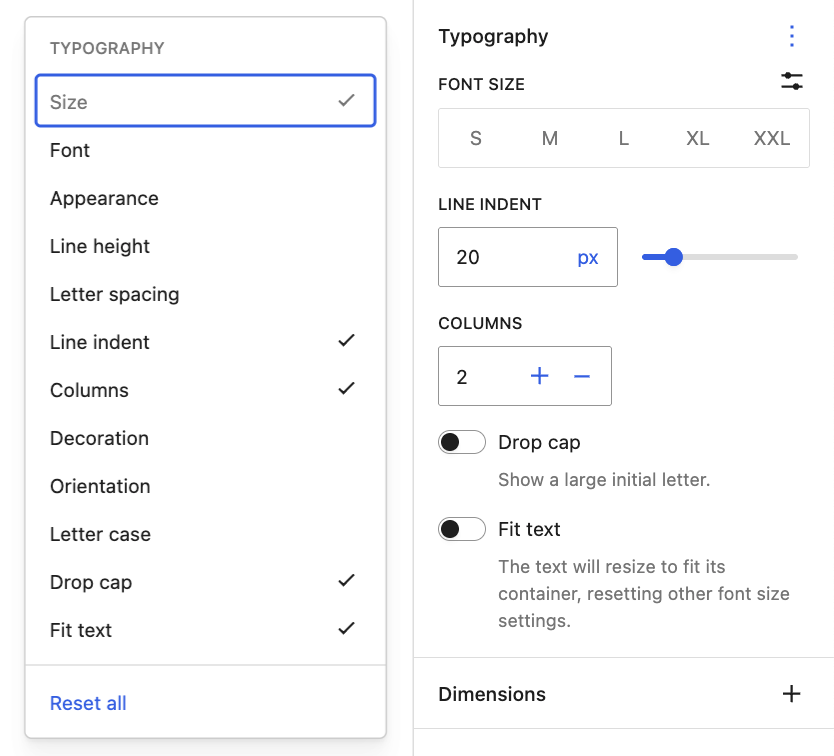
These options can be enabled in the “Typography” settings.
Conclusion
With this version 7.0, WordPress continues its deep transformation.
The CMS no longer only aims to improve its editor. It evolves towards a more complete platform, capable of meeting modern uses:
- an opening to artificial intelligence with a dedicated API,
- an increasingly complete editor for design and customization.
Together, all these new features reflect a clear direction: a more modern, smoother CMS, adapted to current needs.
As always, take the time to back up your WordPress site before updating, and wait a few days or weeks after its release if you prefer to play it safe.
Finally, it will be interesting to see how the ecosystem (plugins, themes, and users) will adapt to these new features in the coming months.
Count on us to keep you informed about what’s next. 😉
Questions about WordPress 7.0?
What is the release date of WordPress 7.0?
The release date of WordPress 7.0 was initially planned for April 9, 2026, but has been postponed to May 20.
Will there be other major WordPress versions in 2026?
Yes, two other major WordPress versions are planned in 2026:
- WordPress 7.1 (in August),
- WordPress 7.2 (in December).
Will my site be compatible with WordPress 7.0?
In the vast majority of cases, yes.
WordPress is designed to ensure maximum backward compatibility between its versions. A site running WordPress 6.x should therefore continue to work properly after the update.
That said, incompatibilities may occur if:
- some WordPress plugins you use are no longer maintained,
- your theme uses obsolete features.
In all cases, remember to back up your site before updating to avoid any unpleasant surprises.
Which PHP version is required for WordPress 7.0?
WordPress 7.0 works with recent PHP versions, starting from 7.4, but the minimum recommended version is PHP 8.3.
If your site uses an older PHP version, updating your PHP version is strongly advised before upgrading to WordPress 7.0.
Is artificial intelligence integrated automatically in WordPress?
No. With WordPress 7.0, you can connect your favorite AI providers to WordPress via API keys in the Settings > Connectors menu.
This will allow plugins and themes to exploit AI in certain features (content generation, SEO optimization, etc.) in the future.

Receive the next posts for free and access exclusive resources. More than 20,000 people have done it, why not you?


Continue reading
Articles posted in WordPress NewsWeglot 2.0 on WordPress: what does this new version really change?
“It doesn’t break three legs to a duck.” Just a few years ago, that is more or less what a machine translation tool would have served you if you had asked it to translate the French idiom “Ça ne casse…
WordPress 7.1: AI, responsive styles, collaboration… everything that’s changing
WordPress 7.1 continues the momentum launched three months earlier by version 7.0, particularly around artificial intelligence: AI connectors are now open to plugins, which can register their own connectors. But that’s not all. This new version makes the editor much…
What if WordPress moved on from blogging?
No, you’re not dreaming. This provocative questioning is very serious. Isn’t it time to remove the “blog” feature from the WordPress core? The idea came to me while reading this article by Jack Kitterhing on WordPress user experience. Let me…