
Optimizing images is crucial for web performance. 1,000,000+ WordPress sites use the EWWW Image Optimizer plugin to improve loading speed and user experience.
This WordPress plugin automatically compresses media, reduces its weight, and offers advanced features such as WebP conversion and lazy loading. With a rating of , EWWW Image Optimizer is an effective tool for optimizing website performance.
Advantages and disadvantages

| Advantages | Disadvantages |
|---|---|
| Ultra-simple installation and configuration, ideal for WordPress beginners | Consumes a lot of server resources, may slow down sites with limited hosting |
| Automatic image optimization without significant size limitations | Unattractive interface compared to competing plugins |
| Free email support for all users, even in the free version | Unclear premium offers, with multiple licensing options |
| Practical, time-saving massive optimization feature | Limited compression in the free version (less than 30% vs. 80–85% for some competitors) |
| Compatible with multiple formats: JPEG, PNG, GIF, PDF, WebP, AVIF | Less efficient compression performance than plugins like Imagify |
| Lazy loading possible even with free version | Advanced options reserved for paid versions |
EWWW Image Optimizer in numbers
| Latest version | 8.4.1 |
| Date of last update | |
| Active installations | 1,000,000+ |
| Average rating | |
| Launch date | 2012 |
| Publisher | Exactly WWW |
| Founder | Shane Bishop |
| Maximum compression ratio | Up to 80% compression |
| Supported languages | Multilingual |
EWWW Image Optimizer prices
| Free version | Standard Plan | Growth Plan | Infinite Plan |
|---|---|---|---|
| Free | $8/month | $16/month | $32/month |
|
|
|
|
User reviews of EWWW Image Optimizer
EWWW Image Optimizer proves to be a globally popular WordPress plugin for image optimization, offering solid performance and ease of use. Users are particularly impressed by its ease of configuration, automation, and excellent customer support.
I’ve been using this plugin for some time and have found it really useful for speeding up my site and improving loading times. I definitely recommend it and install it on all the sites I manage.
Dalibor Družinec
The best thing was the support we received. Absolutely high quality. Support was very responsive to my questions and was able to adjust some of the plugin’s functionality to give us options that helped us.
Alessio Rigoli
After reviewing everything EWWW Image Optimizer has to offer, we can confidently say that this is a pretty good plugin for improving your website speed. The free version is feature-rich and easy to use.
IsItWP user
More testimonials on EWWW Image Optimizer
Find out how EWWW Image Optimizer ranks in terms of user satisfaction on various customer review platforms.
| Platform | Rating |
|---|---|
| WP.org | 4.8 out of 5 |
| TrustPilot | 3.8 out of 5 |
| Capterra | 4.6 out of 5 |
| Get App | 4.6 out of 5 |
Alternatives to EWWW Image Optimizer
Optimole
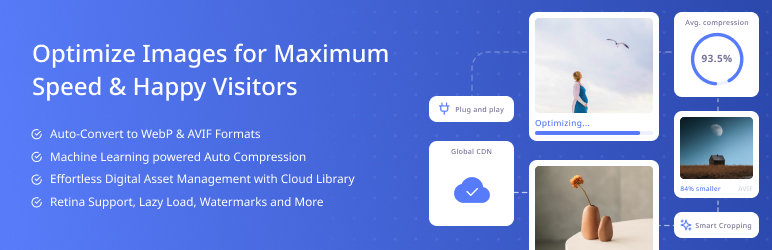
Optimole is a WordPress image compression plugin that uses a CDN to optimize and deliver images in real time. It offers automatic compression and advanced customization options.
Features include resizing large images, lazy loading, converting images to WebP, and adding watermarks to protect photographers’ work. The free plan allows up to 5,000 visitors per month, while paid plans start at $19.08 per month when billed annually.
ShortPixel Image Optimizer

ShortPixel Image Optimizer is a popular plugin that uses advanced compression algorithms to optimize images without sacrificing quality.
It supports JPEG, PNG, GIF, and PDF formats, and offers lossless, lossy, and glossy compression options. The plugin can optimize background images, convert PNG to JPEG, and support WebP and AVIF images.
Compatible with WooCommerce, NextGEN Gallery, and WPML, it offers integration with Cloudflare. The free plan compresses up to 100 images per month, while paid plans start at $4.99 per month for up to 5,000 images per month.
Imagify
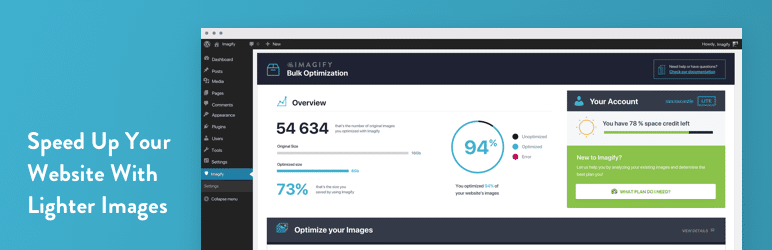
Imagify is a reliable tool for WordPress image compression, offering three levels of compression: Normal, Aggressive, and Ultra.
It uses lossless compression techniques to maintain image quality and supports WebP conversions. Imagify is easy to use, even for non-specialists, and features an intuitive interface.
The plugin requires an API key and offers paid plans with competitive rates.
EWWW Image Optimizer FAQs
How do I install the EWWW Image Optimizer plugin on WordPress?
To install the EWWW Image Optimizer plugin, go to your WordPress dashboard. Click on “Plugins” in the left-hand menu, then select “Add new.” Search for “EWWW Image Optimizer” and click on “Install now.”
Once installed, activate the plugin. Alternatively, you can download the plugin from the WordPress plugin directory and upload it manually via the “Upload plugin” option.
What are the main features of the EWWW Image Optimizer plugin?
The EWWW Image Optimizer plugin offers several key features, including:
- Mass optimization of existing images
- Automatic compression of newly uploaded images
- Conversion to WebP, AVIF, and other formats
- Image resizing and lazy loading
- Image metadata removal
- JS/CSS file optimization
The premium version includes advanced features such as CDN usage and improved compression quality granularity.
How do I optimize existing images with EWWW Image Optimizer?
To optimize existing images, access the plugin’s settings page via Settings > EWWW Image Optimizer. Click on the “Optimize local images” button to start mass optimization.
The plugin will scan your site and optimize all unoptimized images. You can also optimize individual images via the WordPress media library.
What image formats does EWWW Image Optimizer support?
EWWW Image Optimizer supports a variety of image formats, including:
- JPG
- PNG
- GIF
- WebP
- AVIF
The plugin can also convert images to more efficient formats such as WebP and AVIF to improve site performance.
How do I activate lazy loading with EWWW Image Optimizer?
To activate lazy loading, access the plugin’s settings page via Settings > EWWW Image Optimizer. In the options, check the box corresponding to lazy loading.
This will allow images to load only when the user displays them, thus reducing page loading times.
What are the advantages of the premium version of EWWW Image Optimizer?
The premium version of EWWW Image Optimizer offers several advantages:
- Improved image compression, with size reduction of up to 80%
- Use of a CDN to load images at the right size and format
- More granular compression options
- Advanced page caching functionalities
- JS/CSS optimization
How can I check the disk space saved by EWWW Image Optimizer?
To check how much disk space has been saved, access the plugin’s settings page via Settings > EWWW Image Optimizer.
Click on the “View optimized images” button to see a detailed summary of the savings achieved by the plugin.
Thank you for visiting this page dedicated to EWWW Image Optimizer 🙏
The WPMarmite team hopes you’ve been able to find out more about this WordPress plugin!
To find out more, visit the official website and their social networks:
You can also share your experience with EWWW Image Optimizer by writing a review below. 👇
Found an error on this page? Click here to report it.

