
Finding THE right WooCommerce plugin for your needs is no easy task. I’m going out on a limb here, because I’m pretty sure you’ll agree with me.
Take the WordPress directory, for example. Type “WooCommerce” in the search bar: 49 pages of results. That’s 10,000 plugins.
And I’m not talking about famous marketplaces like Code Canyon, which also offer a very wide choice.
It’s hard to keep track, isn’t it?

To help you, make your life easier, and save you time, we’ve set to work.
We’ve selected the 60 best WooCommerce plugins (free and paid), organized into categories (search, payment, personalization, order, delivery, invoicing, etc.).
And that’s not all: we’ve also included suggestions for related searches along the way. You’ll find out all about that as you read on.
As you’ll see below, there are filters to help you find your way around.
Before navigating through the various categories, I’d like to offer you a brief overview of WooCommerce by the numbers, and an answer to the following question: why is it necessary to add plugins to the WooCommerce plugin?
Let’s go find out.

To find out about alternatives to WooCommerce, take a look at our comprehensive comparison.
What is WooCommerce?
The World Champion of WordPress E-Commerce plugins
WooCommerce is a free WordPress plugin that lets you sell any type of product (physical, digital, etc.). It activates directly on your theme, which must be compatible with it (most are).
Then, you can add plugins to add functionality and customize it, so to speak.
Here are a few figures to help you understand its influence:
- It has more than 7M active installations on the WordPress directory
- 24.7% of WordPress sites use WooCommerce
- 14% of e-commerce stores worldwide use the plugin, according to the site BuiltWith
- 3.9 million online stores have been created with WooCommerce, according to the plugin’s official website
Why is it necessary to add plugins to the WooCommerce plugin?
The WooCommerce plugin can’t do everything. Whether you’re looking to boost traffic, increase sales, reduce cart abandonment rates, or diversify payment methods, you’ll need a plugin.
As Automattic (the WordPress parent company that develops WooCommerce) explains, this allows you to“enhance each of your store’s features to meet your customer’s unique needs, or even create your own solution.”
Well, that’s it. I think you’re ready to discover our famous list of plugins. Get ready for a long immersion, starting just below!
I’m looking for a plugin to/for:
and I prefer it to be:
HUSKY – Products Filter Professional for WooCommerce

HUSKY is a plugin that allows your visitors to filter your store’s products by category, price, attributes, labels, etc.
Filtering your products is very important for user experience and conversions.
Sometimes, your visitors will come across your site without being sure which product they want to buy. With a good filter system, you can maximize your chances of making a sale.
Another of HUSKY’s strengths is its flexibility, particularly for experienced developers, who can easily extend its functionalities. The plugin is also available as a paid version for $42.
Product Feed for WooCommerce
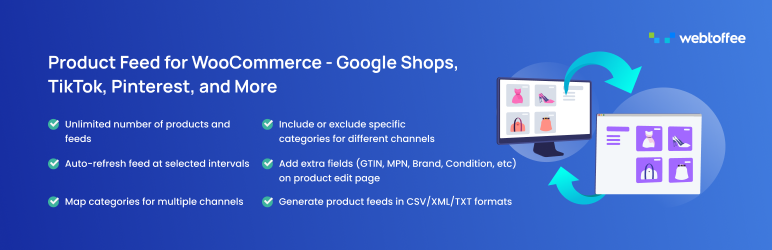
Product Feed for WooCommerce is a plugin offered by WebToffee, to optimize and distribute your WooCommerce products on Google Shopping, Facebook, Instagram, TikTok, Pinterest, Snapchat, Bing, and more. It generates optimized product feeds in XML, CSV, XLSX, and TXT formats, and facilitates their integration with popular sales channels.
The plugin offers quick configuration and numerous features such as automatic catalog synchronization with Facebook, mapping of your store’s categories to Facebook and Google, and smart filters to manage your products.
A free version is available from the official directory. The premium version adds advanced features such as dynamic price updating and multilingual compatibility.
YITH WooCommerce Ajax Product Filter
Remember this name: Yith. You’ll see it appear several times throughout this article.
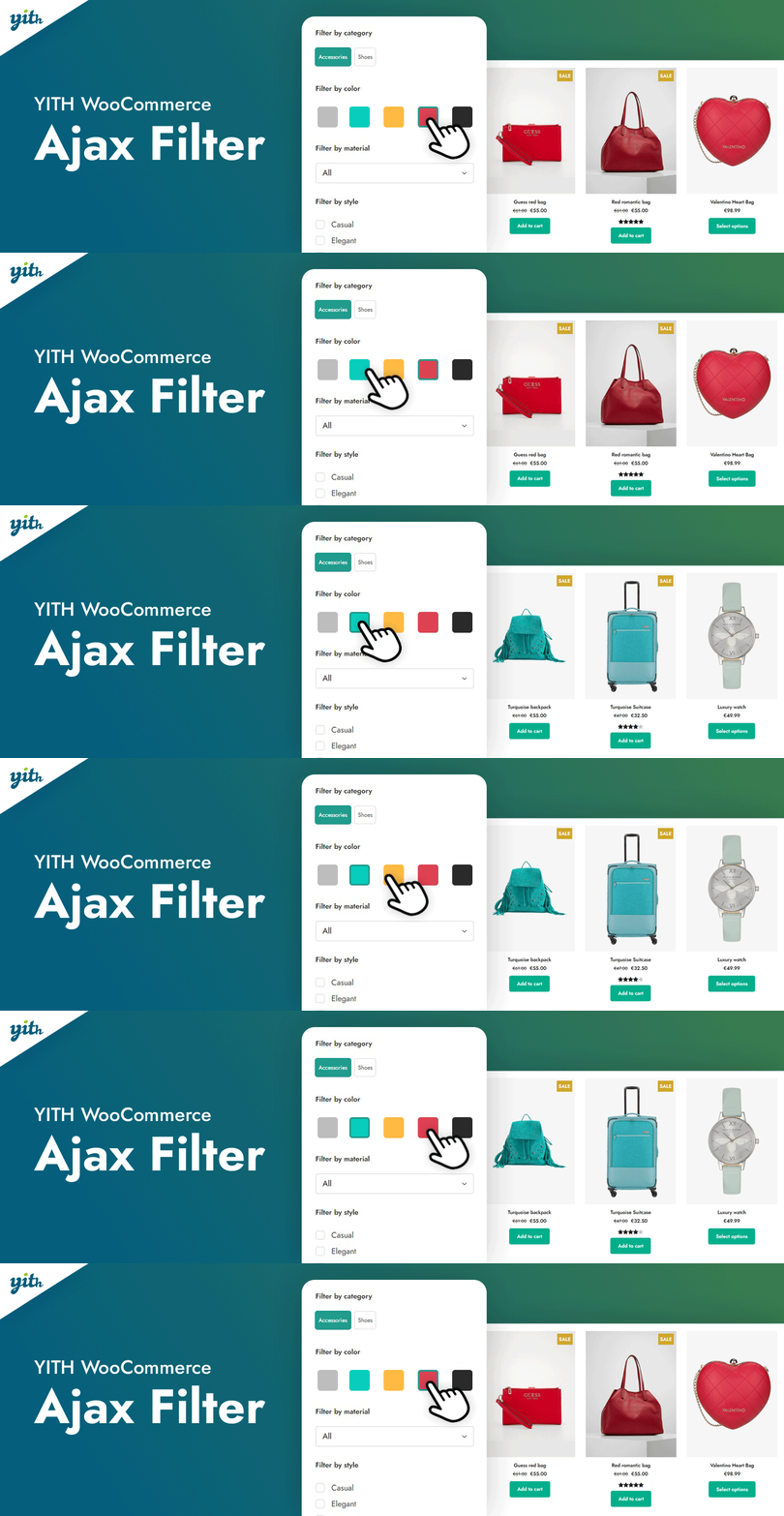
The plugin we’re interested in allows your visitors to filter the products of their choice in the blink of an eye. It uses AJAX, a set of technologies that enable rapid updating of website content.
So much for the technical part. I’m sure you’ll agree that filters are a very useful, if not indispensable, tool for making your customers’ lives easier. Especially if you have an extensive sales catalog.
The free version offers 4 widgets for use in a sidebar: color, label, list, and drop-down menu. The more comprehensive paid version costs $89.99.
Product Filter for WooCommerce
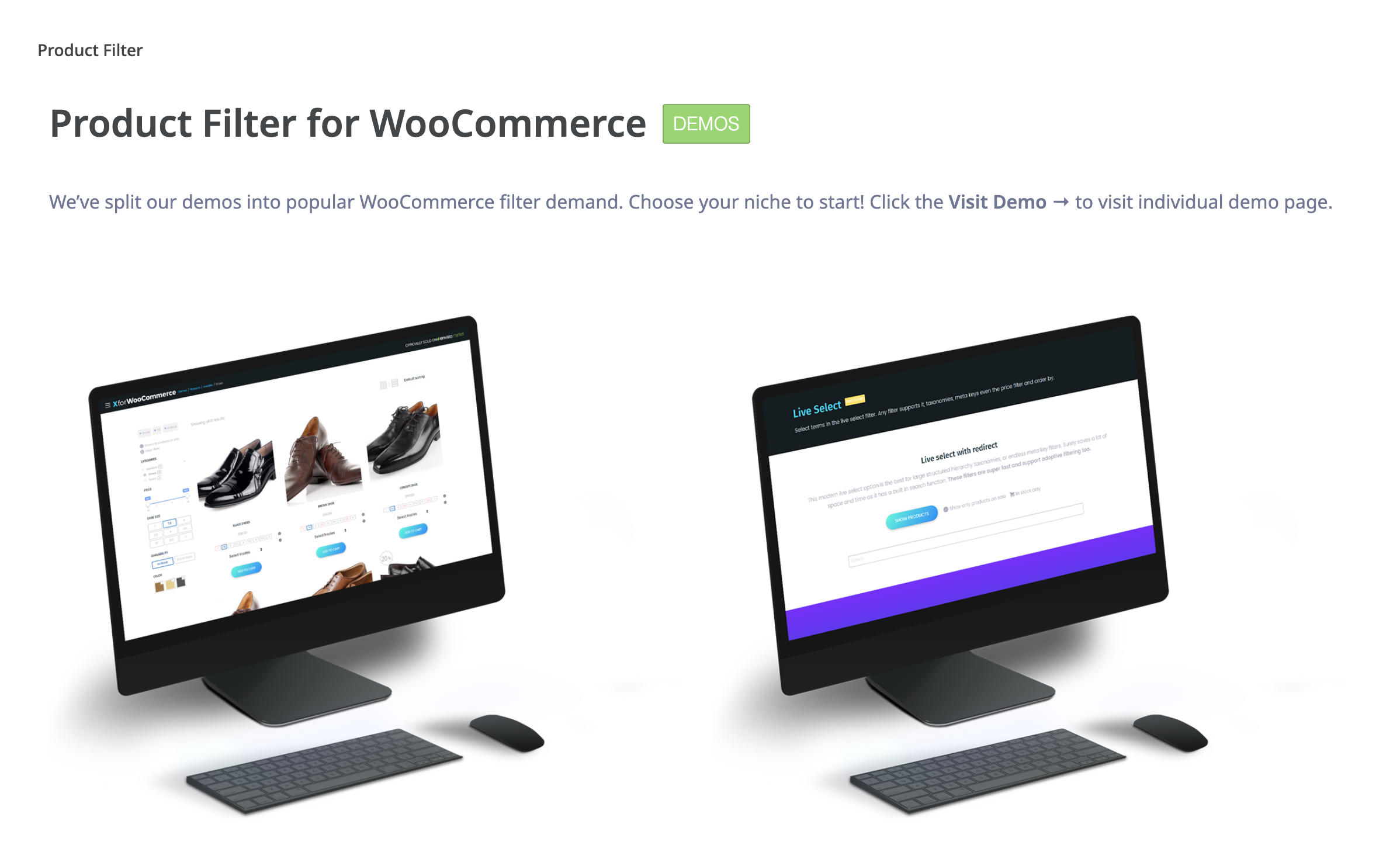
Product Filter for WooCommerce is the best-selling WooCommerce filter plugin on CodeCanyon, with almost 18,000 sales at the time of writing (for $39). Not too shabby.
The plugin offers numerous options for your visitors to filter your products by price, stock, category, seller, sale, etc.
Customizer for WooCommerce

This free plugin creates a settings page in your WordPress administration so you can directly add some very useful settings.
This means you don’t have to get your hands dirty, which is convenient if you don’t know PHP.
In practice, Customizer for WooCommerce lets you modify the text of your buttons, fields, labels, the number of products to be displayed per page, the number of out-of-stock products, and so on.
YITH WooCommerce Ajax Search

Install this plugin and it’s ready to go. It adds a search bar to your WooCommerce store that instantly shows your visitors the products closest to the query they’ve typed.
This saves them time — they won’t have to wade through every category on your site — and reduces the risk of them leaving the page or abandoning their shopping cart.
For the record, the plugin uses AJAX, a set of technologies that allow you to update website content very quickly.
FacetWP

FacetWP is an advanced search tool that uses faceted search. It’s a fairly technical term, but a very powerful one.
It is well defined by the site Adviso, which explains that “faceted search is a design pattern that intersects two concepts, namely site search and faceted navigation, which is a form of navigation where the user can filter content (products, etc.) according to different criteria, which usually add up to offer results that are more and more appropriate to the user’s criteria (which are the facets).”
A visitor can choose from several criteria (e.g. category, price, etc.) to obtain a result. The plugin uses AJAX, a set of technologies that enable rapid updating of website content. It is only available as a paid version, from $99/year. It can be used on 3 sites.
Amazon Pay

I’m pretty sure of one thing: you’ve already ordered at least one item from Amazon, haven’t you? It’s hard to miss out on this e-commerce giant, which recorded sales of $575 billion in 2023. Yes, you read that right.
Your customers are familiar with it, and probably use it. That’s where the Amazon Pay plugin comes in. It enables people with an Amazon account to buy from your online store using their payment and delivery information registered with Amazon.
Please note: for the plugin to work, you must first create an “Amazon Pay merchant” account, and your site must have an SSL certificate.
WooCommerce Stripe Payment Gateway

By default, credit and debit card payments are not available on WooCommerce. That’s quite a problem: according to a Forbes survey, 91% of all purchases in the United States are made by credit or debit card (whether physical or virtual). It’s essential to offer this option to your visitors. To do so, you can use the WooCommerce Stripe Payment Gateway plugin.
Free of charge, it provides the link between WooCommerce and Stripe, an online service that integrates a credit card payment platform.
Note that to use the plugin, you’ll first need to create a Stripe account, set up an SSL certificate, and link your bank account to Stripe.
Wallet for WooCommerce

Wallet for WooCommerce authorizes the creation of a digital wallet available to visitors to your site. Visitors are free to top up their wallet with the amount of their choice.
Then, when it’s time to pay, they won’t need to enter their payment details. This can be useful for regular buyers who frequent your site.
WooCommerce Subscriptions

WooCommerce Subscriptions lets you create and manage products with recurring payments, such as subscription products. In other words, you’ll offer your visitors the chance to pay regularly at set times, for example every month or every 15 days.
This essential plugin has many advantages:
- Users can upgrade to a higher offer or cancel on their own.
- You can include free trials, expiration dates, and registration fees.
- You can view detailed reports to track your revenues and user numbers. Prices start at $279/year for use on one site.
Fancy Product Designer | WooCommerce WordPress

To optimize your chances of selling your store’s products, it’s essential to have your product pages just right.
It’s also important to pay particular attention to your photos, descriptions, and so on. What if you let your visitors take control?
Fancy Product Designer lets you do just that. Thanks to this plugin, the user can personalize the products they’ve selected, using a visual editor to change colors, text, size, and so on. In the end, they’ll be able to design a product that reflects their image (e.g., t-shirts, mugs, business cards, caps, etc.).
The best-selling product customization plugin on CodeCanyon (over 20,000 sales), Fancy Product Designer starts at $59.
Custom Product Tabs for WooCommerce

This plugin lets you add custom tabs to your products to offer additional information to your visitors. They are integrated to the right of the “Description” tab, present by default on WooCommerce.
To add your content, the plugin uses the standard WordPress text editor. You can add text, images, shortcodes, HTML code, and more.
The tabs created can be saved and reused on different product pages.
WooCommerce 360° Image

How about a 360°? If you’re a fan of extreme sports, perhaps you’ve already had the opportunity to perform a complete turn yourself with a bike, skateboard, or skis.
How about WooCommerce? 360° Image makes it possible. This plugin lets your visitors rotate images of your products 360° to check out all their facets.
All this comes at a price, though: $59 for annual use on one site.
Extra Product Options for WooCommerce | Custom Product Addons and Fields
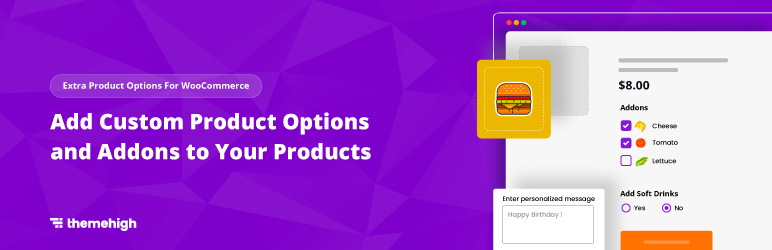
Here’s a less well-known plugin (+ 30,000 active installations when this article was updated), but very useful for highlighting your products.
Here’s how it works. With this plugin, you’ll be able to add options to the items sold on your e-commerce site by creating personalized fields (for example, a text field for your buyers to enter information relevant to their purchase).
Available free on the WordPress directory, there’s also a pro version for $39, for use on one site.
YITH WooCommerce Product Gallery & Image Zoom

You’re convinced: you’ve got the most attractive product range on the market. That’s good news for your sales!
Nevertheless, you have a problem: the quality of your photos leaves something to be desired and doesn’t highlight your creations sufficiently. As a result, your visitors struggle to make out the finer details of your products.
The solution is called YITH WooCommerce Product Gallery & Image Zoom, a free plugin that, as its name suggests, lets you zoom in on your products with a mouseover.
YITH WooCommerce Quick View
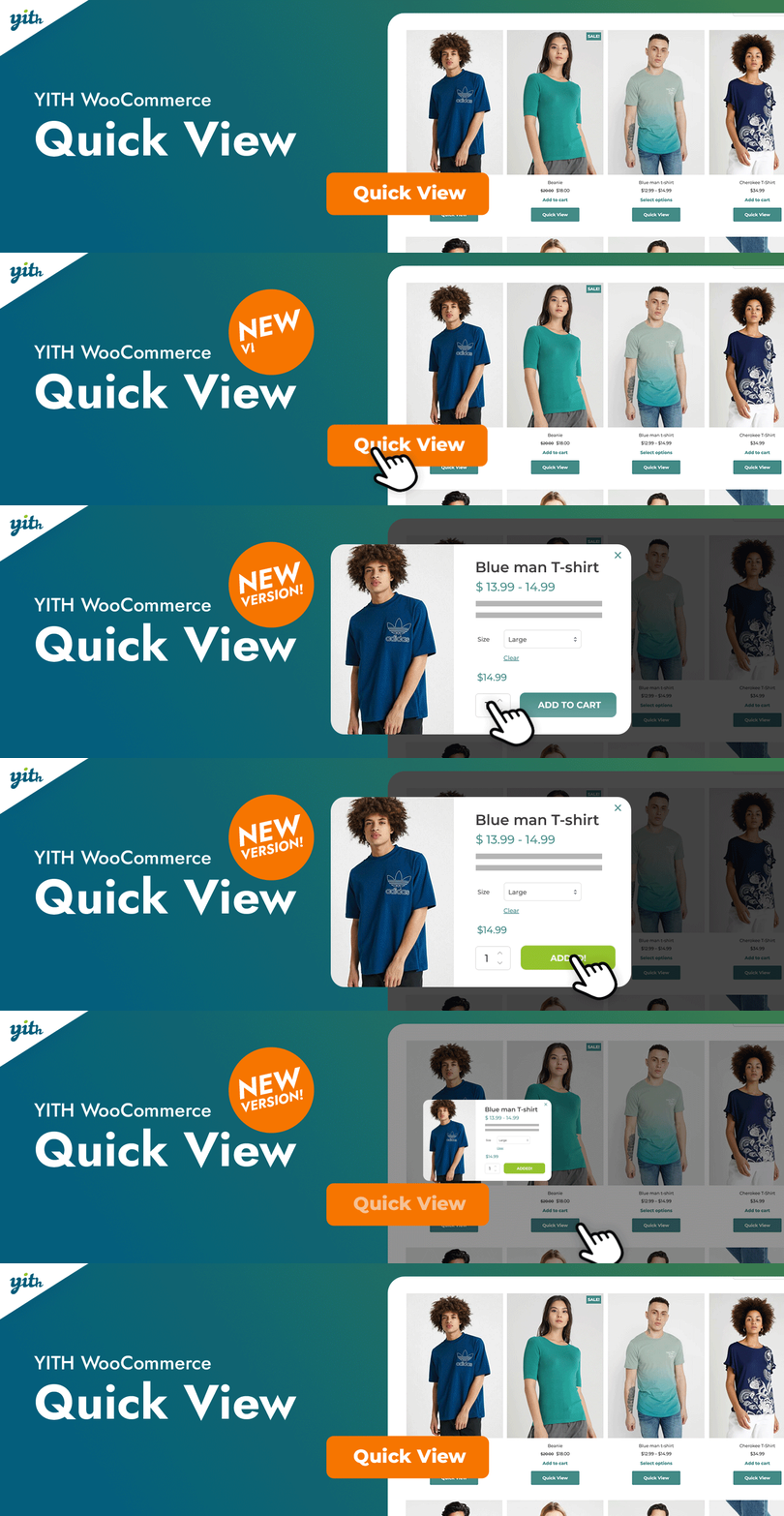
This plugin lets you display a product and its description in a modal window (a window that appears on your entire screen), thanks to the addition of a button. The number of active installations of this plugin is around 90,000.
Your visitors can access the larger product photo with a single click, without having to go to the product page. In particular, you can customize the background color of the modal window and that of the button that triggers its opening.
Product Slider for WooCommerce by PickPlugins
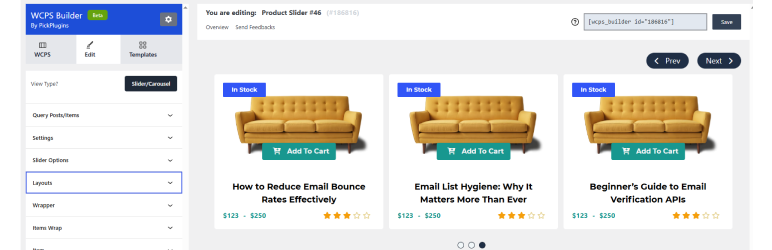
Product Slider for WooCommerce lets you add a slider to showcase your products. A simple shortcode lets you add it wherever you like.
Very much in vogue, sliders should nevertheless be used sparingly. Or, at the very least, in compliance with certain best practices.
YITH WooCommerce Catalog Mode
What’s the value of an e-commerce site making its products unavailable for purchase for a while? At first glance, it’s hard to see.
But imagine that you need to carry out an inventory or maintenance operation on your WooCommerce. How can you avoid making the site totally inaccessible to your visitors?
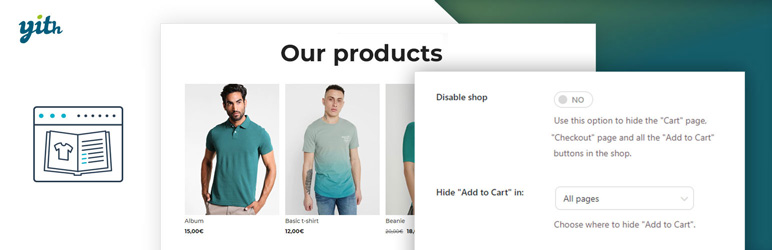
One solution is to transform your store into a catalog. This is what the YITH WooCommerce Catalog Mode freemium plugin offers. In concrete terms, your products are always visible to Internet users, but visitors temporarily can’t buy them. This leaves you time to take care of your tasks.
Your visitors can always contact you, you remain visible online, and you avoid frustrating them with an empty, impersonal maintenance page.
Many other web masters have seen the value of these points. In fact, the number of active installations of this plugin is over 60,000.
A pro version is also available from Yith, the plugin’s development team, for $79.99 per year.
YITH WooCommerce Compare

I think you share my opinion: it’s very unpleasant to make a mistake when buying a product. Especially if you’ve paid a high price for it.
Let’s say you want to invest in a new computer, and you’re hesitating between two models in your favorite retailer’s store. Are you going to write down the features of each one on a piece of paper, so that you can see more clearly?
Well, that’s out of the question: you have no time to lose. A good comparison tool is much handier. That’s what the YITH WooCommerce Compare plugin offers. And it’s one that others have been quick to catch on to, with over 100,000 active installations to date.
As the name suggests, it allows you to compare several products by placing them side by side. That way, you’ll have no excuse if you make a mistake!
WooCommerce HTML5 Video
What about adding interactivity for your visitors? By integrating video, for example, to bring your store to life. WooCommerce HTML5 Video makes it happen.
This plugin creates a new tab on the product description page of your choice, allowing you to integrate the videos you want. You can also add videos from Youtube or Vimeo, for example, thanks to an embed code (an HTML tag used to insert video).
To keep with the video theme, you can also take a look at the YITH WooCommerce Featured Video plugin. This allows you to use a YouTube or Vimeo video in place of your product image.
(Cautionary note: this plugin hasn’t been updated in five years, as of the time of writing, which could lead to compatibility errors or security risks.)
Menu Cart for WooCommerce

When we go shopping, we like to see our basket fill up and check that we’ve found all the products we want before checking out.
It’s the same on an e-commerce site: the shopping cart is essential before you check out. If you’re using a WooCommerce theme, it should be displayed by default. If not, you can use the Menu Cart for WooCommerce plugin to display it within your navigation menu. A must-have to make life easier for your visitors.
In particular, you can add the number of items added, display the price, or even customize the appearance with a little CSS.
The plugin is available free of charge. A premium version is available from $31.
YITH WooCommerce Cart Messages
How would you like to offer your visitors a discount and be sure they’ll see it?
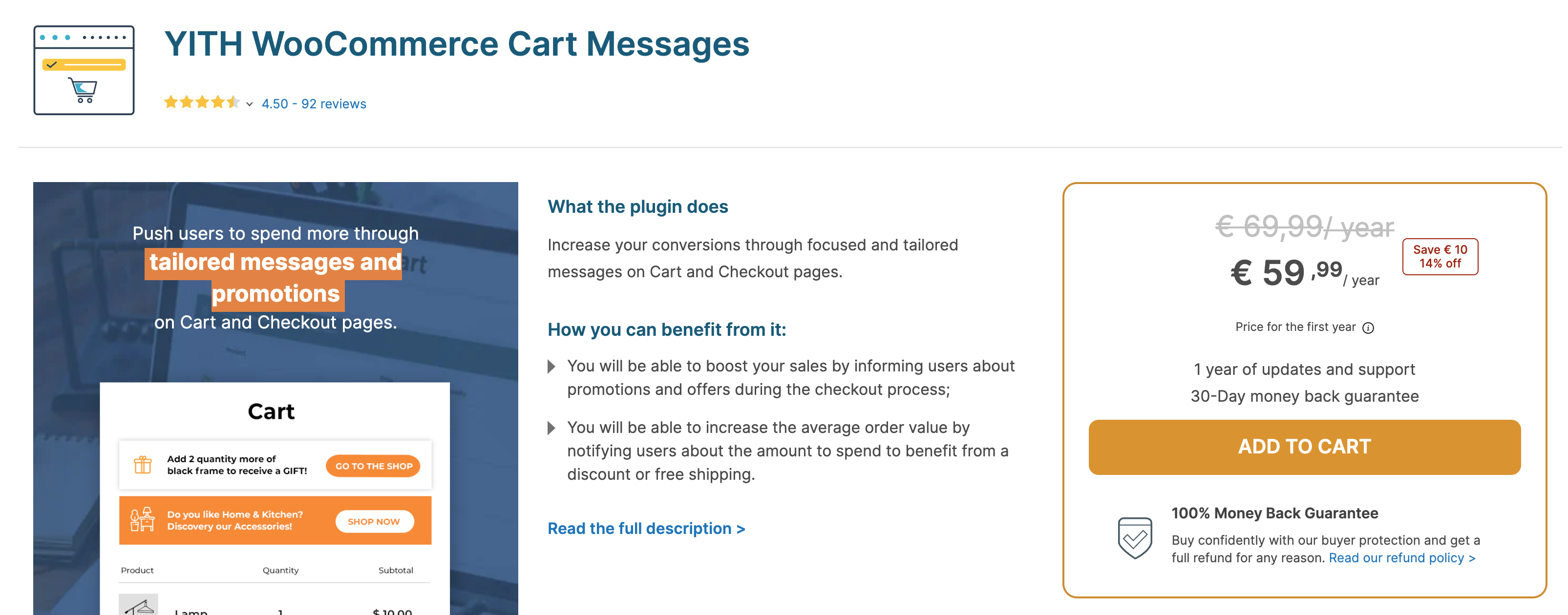
Yith WooCommerce Cart Messages allows you to display a message of your choice on your customers’ shopping cart and/or checkout pages.
Objectives include boosting sales and improving the user experience by displaying personalized messages.
This plugin is only available in a premium version, from $59.99/year for use on one site.
Improved Sale Badges for WooCommerce

There are many ways to attract your visitors’ attention to your product pages. You’ve already seen the zoom, the video, and so on.
Another way of attaching them to an item is to use badges. Badges are small stickers that are attached to a product sheet to indicate a promotional period or special offer, for example.
The aim is to catch the user’s eye and encourage them to discover your product in greater detail. If this sounds relevant to your e-commerce business, you may want to consider Improved Sale Badges for WooCommerce, which costs $49.
There’s also a free version of this plugin. However, it hasn’t been updated for 9 years, so we don’t recommend using it.
If you want to stay on the premium side, you can also try out Yith WooCommerce Badge Management ($79.99).
WooCommerce Wishlists

Every year, we’re sure you face the same problem: how to find original gift ideas. I’m going to buy my brother a book on WordPress. Oh no, I already gave him that 3 years ago.
And there you go again, thinking and thinking. If your favorite boutique had a wishlist, you’d save a lot of time, wouldn’t you?
WooCommerce Wishlists ($89) lets you add this functionality to a WooCommerce site. With this plugin, visitors can add the products they like, so they’ll never run out of ideas.
As an added bonus, this option is advantageous for the store owner. Firstly, it ensures that visitors will return to the site. Secondly, it can have a significant impact on sales and conversion rates. Finally, sharing your wishlist with friends, or on social networks, can bring a significant flow of additional traffic to your site.
For the free version, I recommend you try out YITH WooCommerce Wishlist, which has more than 400,000 active installations on the official directory.
WooCommerce Bookings
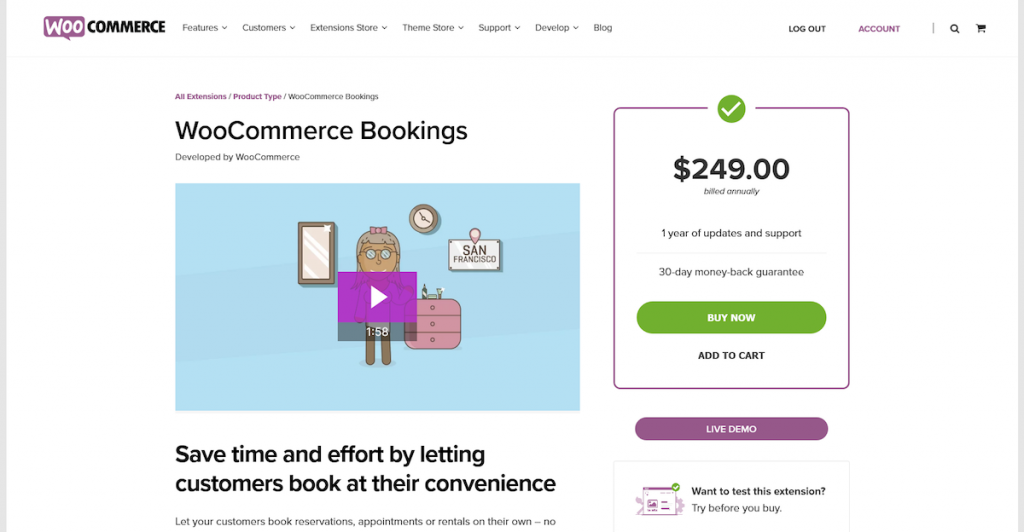
By adding a new product type to your WooCommerce store, this plugin allows you to make reservations based on time or date.
Your visitors will be able to book appointments, services (such as consulting appointments), or rentals.
For your part, as the administrator of your site, you’ll be able to block the time slots of your choice, to let your customers know that you’re not available.
WooCommerce Bookings costs $249/year for use on 1 site.
WooCommerce Products Per Page

How many products would you like to see on a single page? 10? Maybe 20? Or even 30?
With WooCommerce Products Per Page, there’s no need to worry. The plugin lets your visitors display the number of products of their choice, to improve their experience. To date, it has more than 10,000 active installations.
Gone are the days of pages crammed with products, or those that don’t display enough of them. From now on, let them choose!
Booster for WooCommerce

Booster for WooCommerce is a free Swiss army knife that will add a huge number of features — around 100 modules — to WooCommerce, enabling you to manage your online store more efficiently. It’s a great all-in-one plugin, in the style of JetPack (actually, Booster for WooCommerce used to be called WooCommerce JetPack).
It’s impossible to make an exhaustive list of all the features it provides, but we can mention, for example, the automatic addition of world currencies and their exchange rates, PDF invoice features, the addition of personalized fields on products, personalized emails, and so on.
A premium version is available at $14.99/month for use on one site. This page compares the differences between the paid and free versions, if you’d like more info.
WooCommerce Simple Auctions – WordPress Auctions

Sold by auction! If you’d like to set up an auction system on your WooCommerce site, we’ve got you covered. Try the premium WooCommerce Simple Auctions – WordPress Auctions plugin, which will give your store an Ebay-like feel.
With this plugin, simply put, you’ll be able to create auctions for your products, set a start and end date for the auctions, display the latest auctions, and so on.
Plugin cost: $49 for use on 1 site.
Checkout Field Manager (Checkout Manager) for WooCommerce
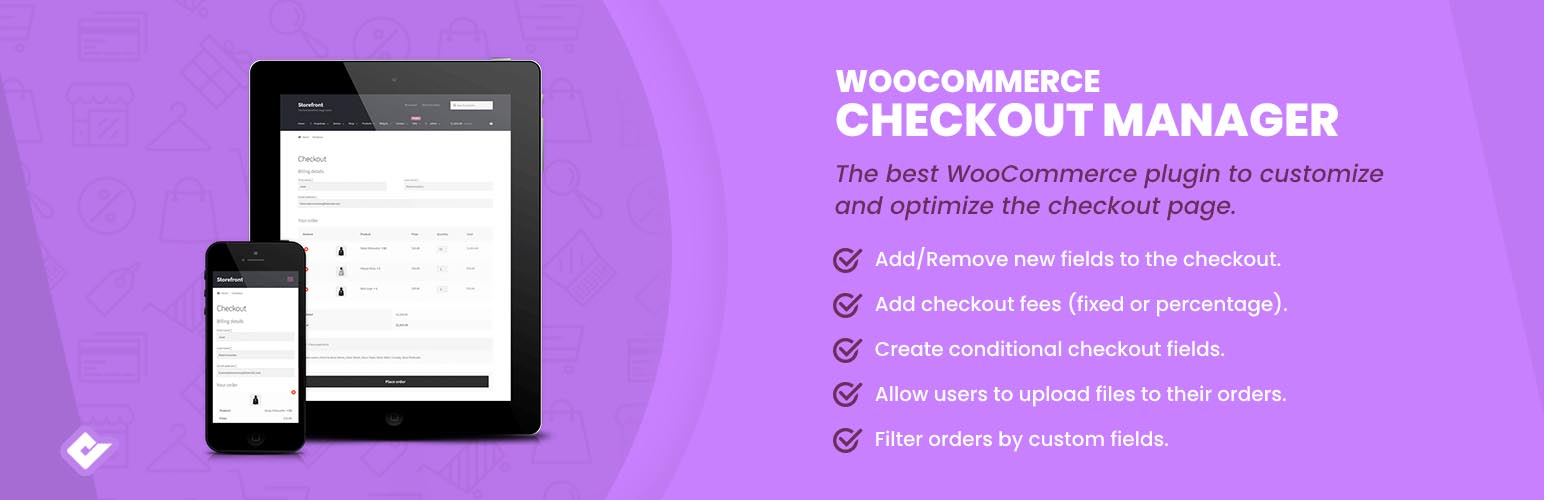
The checkout page is one of the most important pages in your e-commerce store. To ensure that a visitor becomes a customer, it’s a good idea to ask them to provide a number of details, to facilitate the checkout and delivery process.
Checkout Field Manager (Checkout Manager) for WooCommerce lets you customize and manage the fields on this strategic page, adding radio buttons or text fields to select the delivery date and time, etc.
All this additional information will be displayed in the order summary, but also in the WordPress administration (Orders tab).
FOX – Currency Switcher Professional for WooCommerce

Do you know the current exchange rates for the dollar and the pound sterling? Rest assured, neither do we.
When browsing a foreign site that doesn’t use our currency, we like to know right away exactly how much the product we want would cost.
To make life easier for your visitors in this respect, you can use FOX – Currency Switcher Professional for WooCommerce. This plugin lets you switch from one currency to another in real time, for an immediate overview of a price in dollars or euros, for example.
Please note, however, that only two currencies (dollar and pound sterling) are available in the free version. If you don’t want to be limited in this respect, you’ll need to upgrade to the paid version ($36).
Waitlist for WooCommerce

Here’s a really annoying thing that’s probably already happened to you. You’ve fallen for the latest trendy product from your favorite brand. You want to buy it right away.
But just when you’re ready to take action, you realize that it’s no longer in stock. National catastrophe! If only the e-commerce store in question used Waitlist for WooCommerce, you could be kept in the loop.
This plugin enables users to create a waiting list of unavailable products, automatically notifying them by email when they are back on sale.
Price: $14 for use on one site.
WooCommerce MultiStep Checkout Wizard
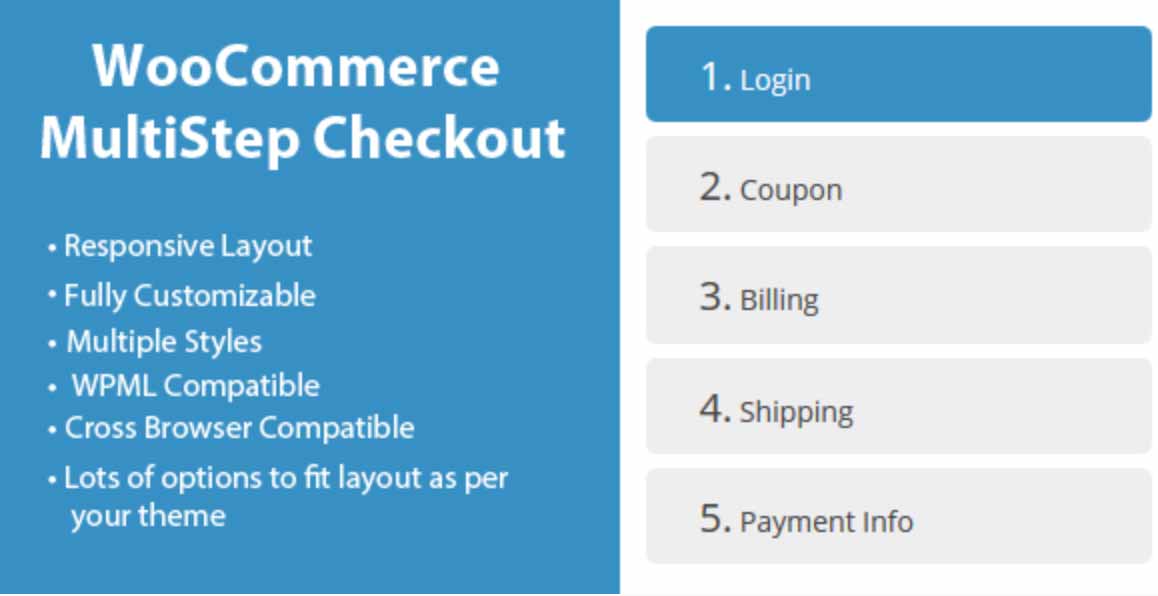
As we’ve seen, the payment page is probably the most important page on your e-commerce site.
It needs to be designed to ensure that your visitors follow through to the end of the buying process and make the sale. But there are a lot of things — sometimes unmeasurable — that can make them turn back at any moment. That’s shopping cart abandonment.
To avoid this hassle and make life easier for them, you can use WooCommerce MultiStep Checkout Wizard ($19). The plugin will separate the process into different sections, allowing your visitors to see at a glance the steps they need to take before purchasing the product (login, billing, delivery, payment information, etc.).
WooCommerce – Gift Cards
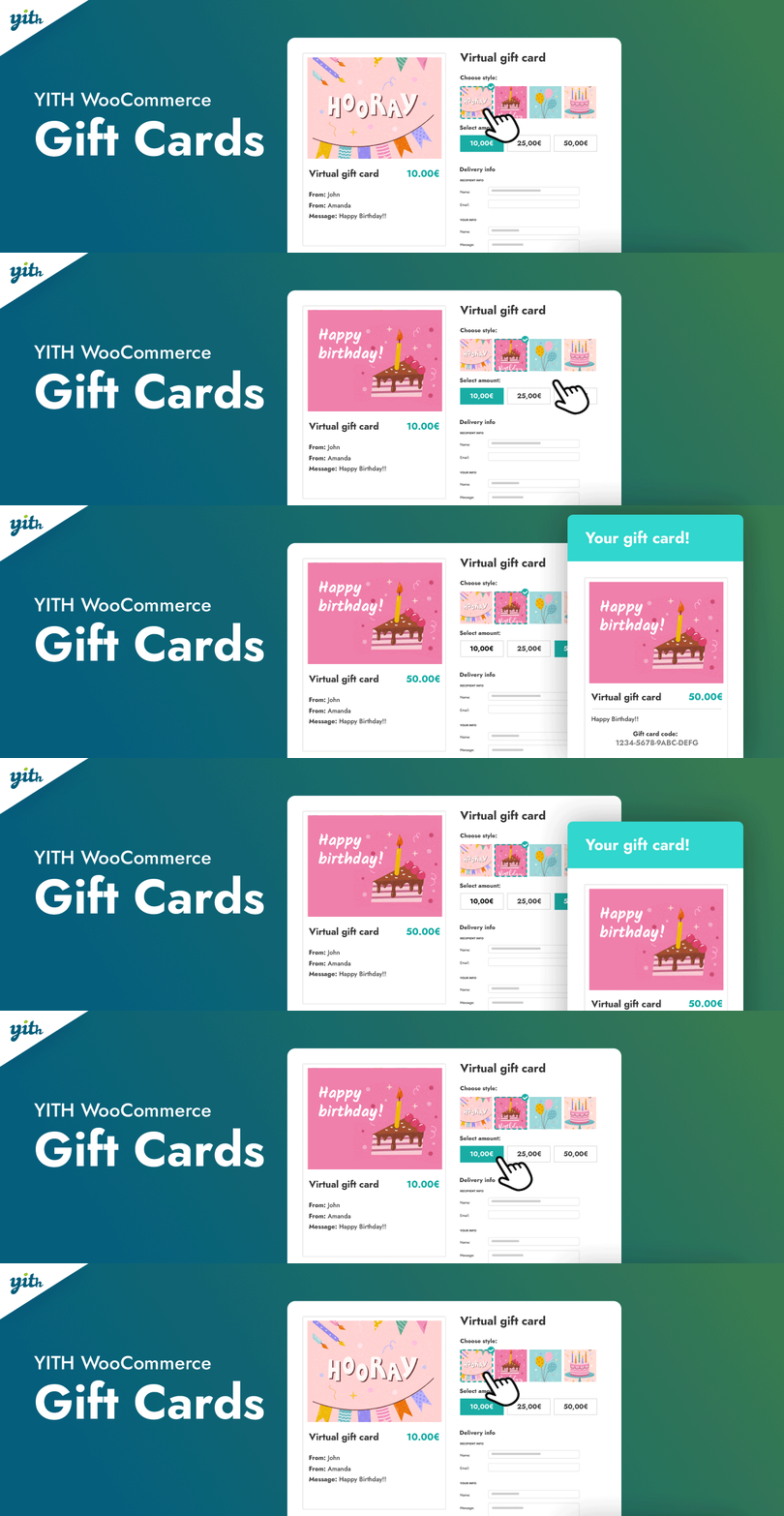
Sometimes you’re not sure what gift you’re going to give someone. Does it suit their tastes? Is it original enough? We ask ourselves a lot of questions. We buy. And, in the end, the person doesn’t like the product.
To make up for this, you know the gift card system. It’s not necessarily very personal, but it saves you from making the wrong choice.
WooCommerce – Gift Cards allows you to offer Gift Cards for sale at various prices on your WooCommerce store. Visitors who own one will also be able to pay with it.
A premium version is available from $69.99/year for use on one site.
For a free version, you can also check out YITH WooCommerce Gift Cards.
Yith Pre-order for WooCommerce

You’re about to launch a new product and you think it has what it takes? Why not offer a pre-order system?
That’s what the Yith Pre-order for WooCommerce plugin offers, at a price of $139.99 for use on one site.
This is nothing new, since this sales technique is widespread in the trade. Take, for example, the launch of a famous new video game. Most of the time, people flock to pre-sales.
Since it’s effective, don’t deprive yourself of this technique, if your product lends itself to it. Once ordered, all you have to do is ship your product to your customers.
Order Delivery Date for WooCommerce
Letting consumers choose their delivery date reduces cart abandonment by 50%, according to the developers of Order Delivery Date for WooCommerce.
With this in mind, this plugin enables your visitors to specify their delivery date at the checkout.
As site manager, you’ll have access to the information selected by your customers via the Orders tab on the WooCommerce administration page.
The premium version costs $149. If you’d like to compare it with the free version before making your choice, go to this page.
WooCommerce Advanced Shipping

Did you know? 62% of online shoppers won’t purchase from retailers that don’t offer free shipping, according to this source.
As the owner of an e-commerce store, delivery is of paramount importance.
The developer of WooCommerce Advanced Shipping ($23) understands this too. This plugin lets you create your own shipping prices based on conditions.
There are many factors available, such as weight, country, zip code, product width and length, stock, etc.
For example, if your customer is in the USA and orders a 20lb product in batches of 50, delivery will cost him X dollars.
Table Rate Shipping for WooCommerce
Table Rate Shipping allows the administrator of a WooCommerce site to create her own rules and conditions to calculate how much a customer will have to pay in shipping costs.
These can be based on a product’s weight, size, quantity, volume, place of delivery, and so on.
The plugin costs $25.
PDF Invoices & Packing Slips for WooCommerce
This plugin lets you automatically add a PDF invoice to the order confirmation email your visitors receive after purchasing from your online store — all free of charge!
An invoice template is available with the plugin. But you can easily create your own with a little HTML/CSS code.
There’s also a pro version for $59 for use on 1 site.
WooCommerce Quaderno – Tax Automation

Quaderno automatically applies the taxes in force according to the buyer’s region.
The plugin also creates invoices in different languages. Not bad if you ship a lot abroad. Imagine having to issue invoices in German, Spanish, or French without knowing these languages. Not easy, is it?
No more worries with Quaderno.
In order to “link” the plugin to WooCommerce, you’ll need to create an account on their official website.
Mailchimp for WooCommerce

When it comes to email and newsletters, I bet you’ve already heard of Mailchimp, a service used by 17 million users worldwide.
If you use it, it can be very useful to synchronize it with your WooCommerce site. This is made possible by this plugin, which proposes to improve your marketing follow-up.
In particular, it enables you to send targeted campaigns once you have access to your online store’s data (shopping cart abandonment rate, purchase history and frequency, etc.).
WooCommerce Marketing Platform – eCommerce Analytics, CRM and Email by Metrilo

Metrilo is a plugin that collects and analyzes data from your e-commerce site. It helps you optimize your sales by combining 3 tools into a single platform:
- A CRM to manage customer relations
- An email marketing tool
- An analytics tool
The plugin is free, but requires a Token key to operate, which you can obtain by registering on the official website. A 14-day trial version is available to test the product. If you wish to upgrade to the pro version, prices start at $99/month.
Metrilo is primarily designed for stores that generate a fair amount of traffic. If you sell a few products a month, there’s no need to spend money on it.
ActiveWoo

ActiveWoo links your WooCommerce store to the Active Campaign marketing platform.
Thanks in particular to email marketing, ActiveWoo will enable you to upsell (offer a deal on a more complete product than the one already purchased by your customer) and cross-sell (sell a complementary product to the one already acquired).
To purchase this solution, you’ll need to pay $79/year.
WooCommerce Google Analytics Pro

When implementing a strategy to sell your products, it’s essential to have a detailed follow-up on the actions taken.
With WooCommerce Google Analytics Pro, you’ll have access to the traffic generated by your e-commerce site to improve your sales funnel and generate more revenue.
The only requirement, of course, is that you have a Google Analytics account. I recommend you create one anyway if you haven’t already.
Once the plugin is installed, it will automatically send your Analytics account metrics, such as average basket, add-to-cart action, pages viewed by your visitors, conversion rate, total number of sales by category or product type, etc.
It costs $79 per year for use on 1 site. There is also a free version of this plugin. It’s called WooCommerce Google Analytics Integration, but it obviously offers fewer settings. You can find a comparison of the 2 versions here.
Advanced WooCommerce Reporting
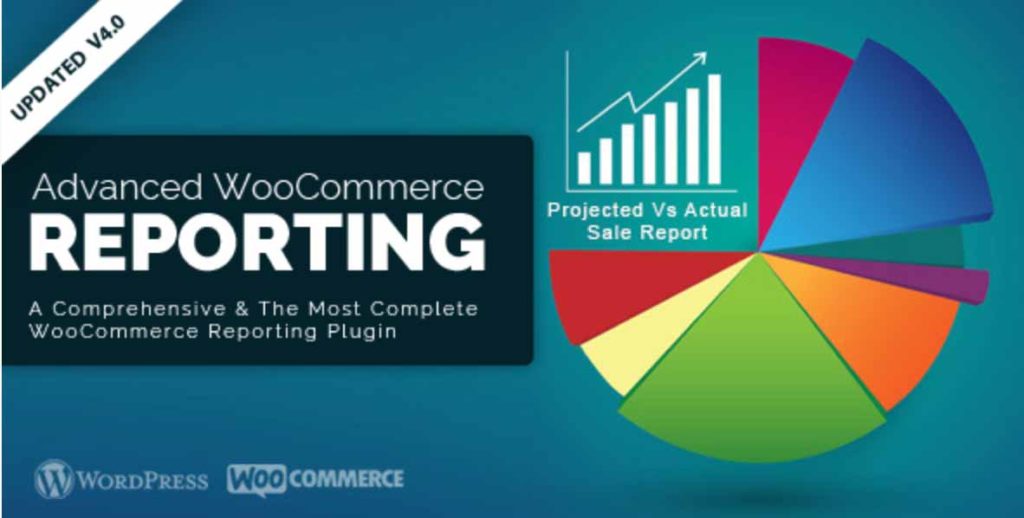
Advanced WooCommerce Reporting is a premium plugin ($45 for use on 1 site) that lets you analyze what’s happening on your WooCommerce site.
It provides access to a wide range of data, including recent orders, most popular products, stock and order status, promotional sales, deliveries, and more.
Product Import Export for WooCommerce
On WordPress, there’s a solution for importing or exporting data. You’ll find it in Tools > Import or Export, on your administration page.
But it’s not really suitable for importing or exporting e-commerce data, such as the creation of new products. The Product Import Export for WooCommerce plugin makes this much easier, using the CSV format (a kind of spreadsheet file like those you can find in Excel).
A premium version is available ($69 for use on 1 site) which, among other things, supports the processing of variable products, which is not possible with the free version.
AutomateWoo
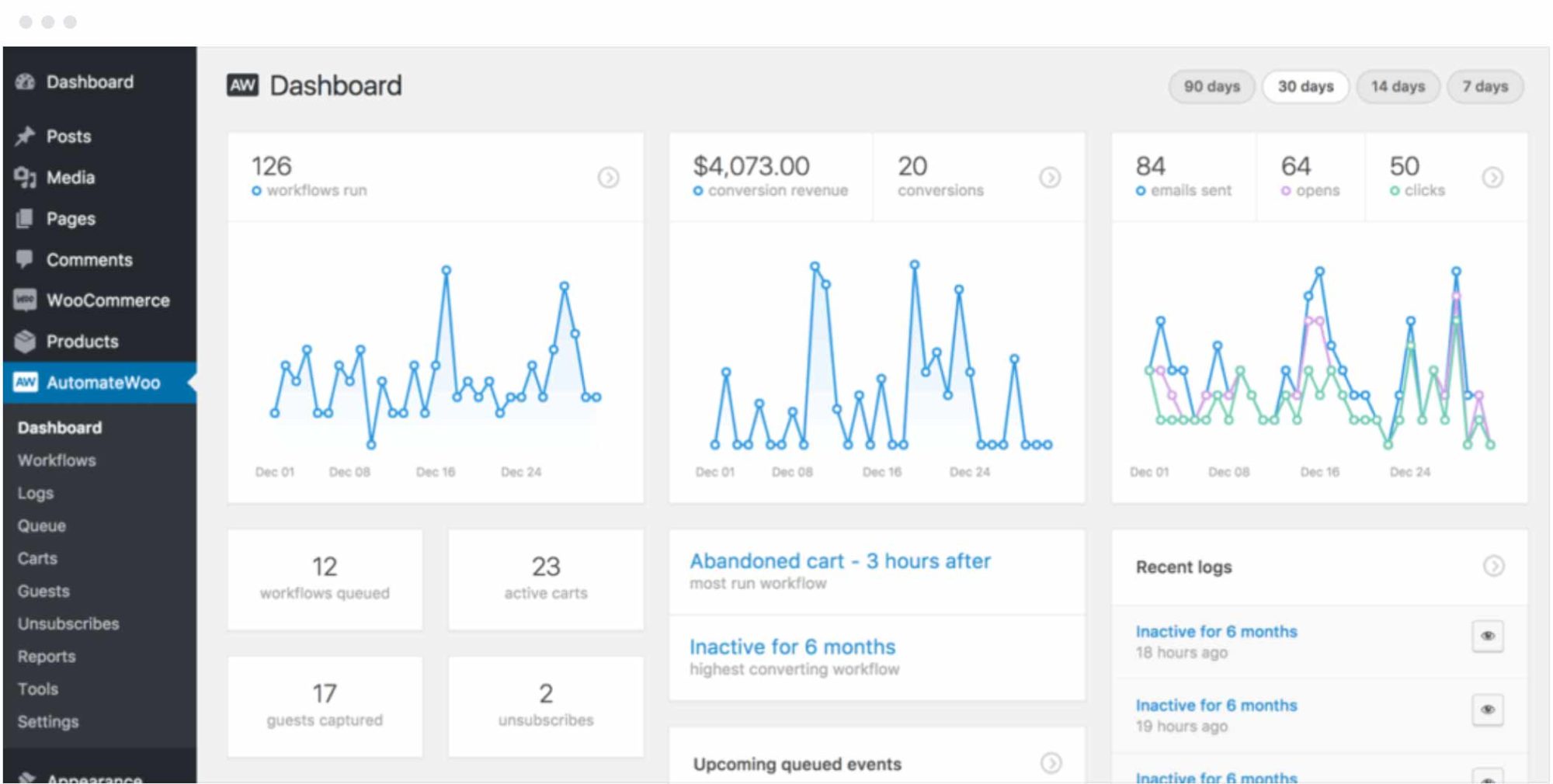
Automate Woo is a powerful marketing automation tool for your e-commerce store.
It integrates many features to help you develop sales on your site.
For example, you can schedule emails to be sent to visitors who have left products in their shopping carts, solicit feedback from buyers, send them SMS notifications, or recommend products based on their previous purchases.
Prices start from $159 for use on 1 site.
Note: when a user abandons their shopping cart, AutomateWoo still collects data, which is not compliant with GDPR, which came into force at the end of May 2018. To solve this problem, I invite you to check out this article from Marmite. As you’ll see, a little code snippet will do the trick to bring the plugin into compliance.
WooCommerce Recover Abandoned Cart
Cost of delivery, lack of product information, lack of choice of payment methods: there are many reasons for shopping cart abandonment.
WooCommerce Recover Abandoned Cart tries to solve this problem by sending targeted emails to visitors who haven’t gone through with the purchase (provided they’ve entered their email address beforehand in the sales tunnel).
The plugin also allows you to integrate a link to the abandoned shopping cart or discount coupons in the reminder email.
Direct Checkout for WooCommerce
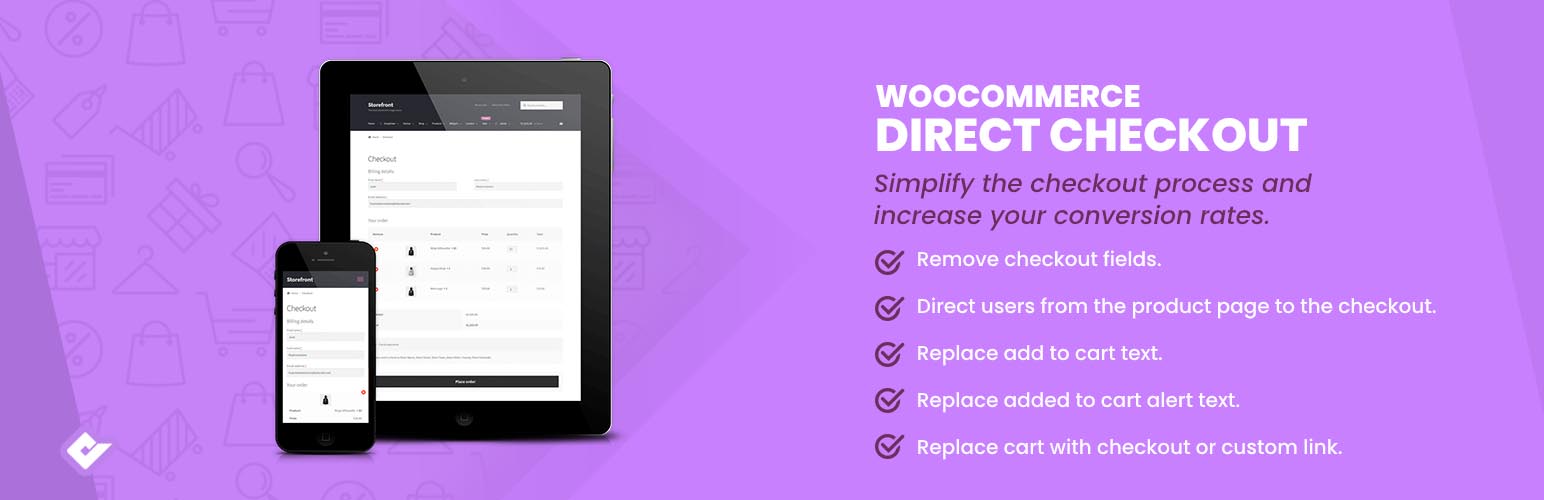
Direct Checkout for WooCommerce is a free plugin that simplifies the checkout process. In particular, it directs visitors directly to the checkout stage when choosing the product to purchase.
The aim is to avoid unnecessary steps to limit cart abandonment and increase conversion rates.
Social Shop for WooCommerce

Social Shop for WooCommerce is a plugin that lets you import your e-commerce store into your Facebook page, so you can showcase and sell products directly on the social network.
You diversify your web presence by offering yourself a second channel for marketing your products.
Several paid versions are available. The first starts at $9.99/month.
WooCommerce Google Ads Dynamic Remarketing

This plugin could prove very useful if you use Google Adwords, Google’s advertising network.
The WooCommerce Google Ads Dynamic Remarketing plugin lets you deploy Adwords remarketing campaigns. How does it work? By adding a pixel to every page of your WooCommerce site.
This pixel collects information on your visitor’s behavior (shopping cart abandonment, purchase amounts, page views, etc.) so that you can set up an appropriate remarketing campaign.
If you’re interested in marketing and conversion rates, you should also check out the WooCommerce AdWords Conversion Tracking plugin, developed by the same agency. It enables you to track the value of orders placed on WooCommerce, so you can optimize your Adwords campaigns.
Product Enquiry for WooCommerce
How many times have you made a compulsive purchase, only to regret it afterwards? Now that’s really infuriating.
Sometimes, to avoid jumping on a coveted product too quickly, we’d like to know more about the merchandise, just to be on the safe side.
For this, there’s Product Enquiry for WooCommerce. The plugin adds a button to each product page. This button allows a potential customer to ask the store owner questions about an item, using a contact form.
A premium version of this plugin is available ($80 for 1 site).
Slack for WooCommerce
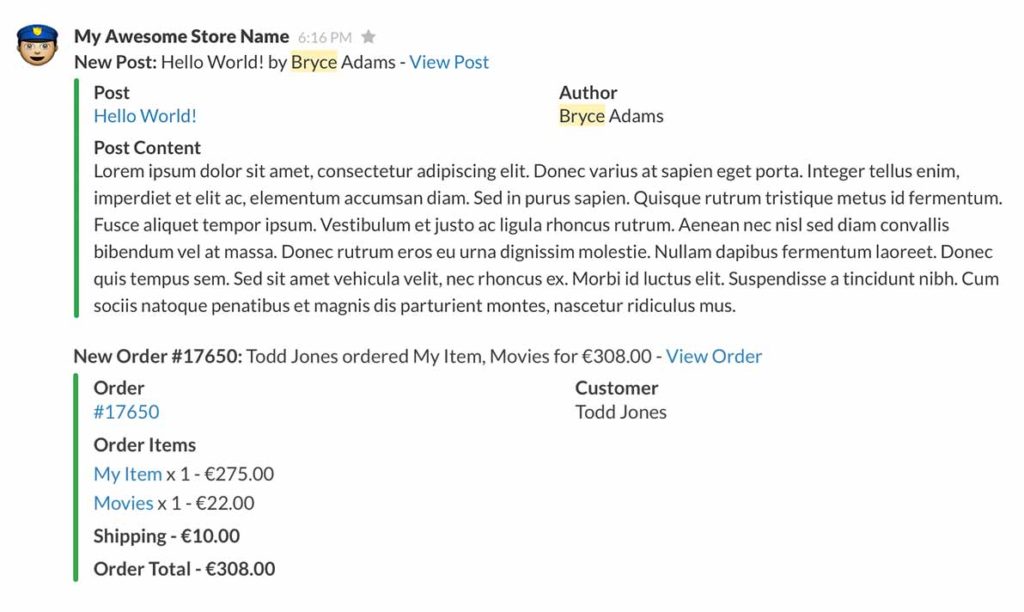
Slack is a digital workspace for team collaboration and interaction. We use it at WPMarmite to communicate among ourselves. It’s a great tool.
Thanks to Slack for WooCommerce, you’ll be able to integrate it into WooCommerce for $59.
You’ll receive direct notifications of new orders, messages from buyers, low or sold-out stock, new customer reviews, and more.
WooCommerce Bulk Discount
As its name suggests, this plugin allows you to apply discounts based on the volume of orders placed by your customers.
For example, you apply a 20% discount if your visitor orders more than 10 units of a given product. Or you could set up a promotion with a $20 discount on the total invoice if your customer buys at least 5 products.
Do you understand the principle? And the possibilities are endless. It’s up to you to use your imagination.
WooCommerce Ultimate Gift Card
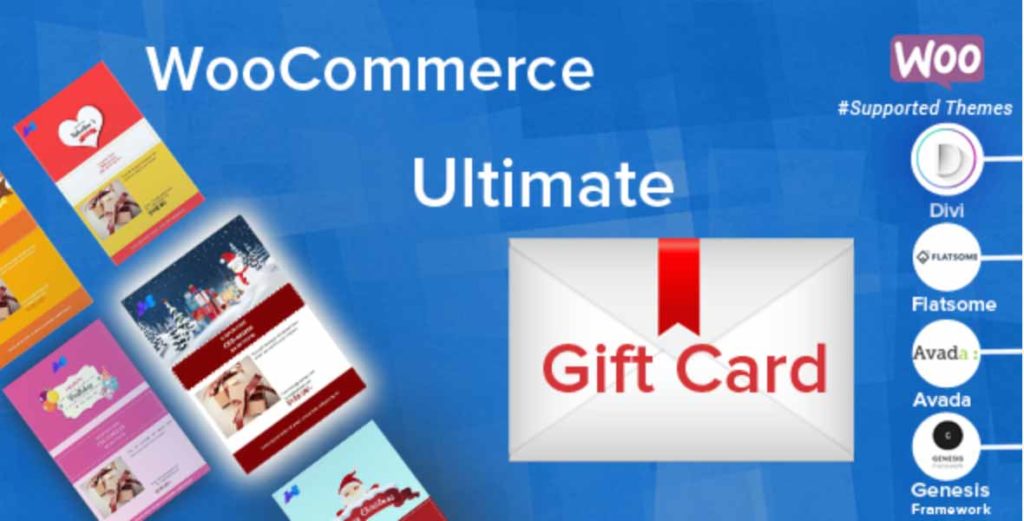
This premium plugin caught our attention because it is highly rated (average rating of 4.6/5) and praised for the quality of its support.
It lets you create gift cards for any type of product. To achieve this, there are 16 available templates (New Year, Birthday, Christmas, Black Friday, etc.), but you can also create your own.
For a premium price ($49 for use on 1 site), there’s also WooCommerce Gift Card. But this plugin has a much lower rating (3 stars out of 5).
WooCommerce URL Coupons

WooCommerce URL Coupons lets you create URLs that will apply a promotion to products added to your users’ shopping carts.
Thanks to this plugin, you’ll also be able to control the validity of your coupons (by excluding, for example, products on special offer), their expiration dates, and so on.
Prices start at $49 for use on 1 site.
WooCommerce Amazon Affiliates – WordPress Plugin

Affiliation is one way of generating additional revenue online. As Wikipedia explains, affiliation is“a marketing arrangement in which affiliates receive a commission for each visit, signup or sale they generate for a merchant.”
If you want to implement it on your site, you’ll find that it can become very time-consuming to do so manually. You’ll need to add content, images, and so on. To optimize the process and save time, you can turn to a plugin.
To create affiliate links to Amazon, the global e-commerce giant, you can refer to Amazon Affiliates – WordPress Plugin ($49 for use on 1 site). In particular, it enables you to automatically import the Amazon products of your choice into your store, using a predefined keyword, for example.
In the same vein and still in premium, you can also look at Amazon eStore Affiliates Plugin, which is a little less expensive ($39 for 1 site).
WooCommerce Multilingual & Multicurrency with WPML

If your e-commerce store generates a lot of sales abroad, you know that you need to translate your site.
If you haven’t already done so, you may want to consider a plugin such as WooCommerce Multilingual & Multicurrency with WPML. Please note: for it to work, you’ll need to activate the “mother” WPML plugin first.
Next, you’ll be able to translate all your products, categories, offers, variations, fields, attributes, and so on.
If you’d like to delve deeper into the subject of multilingualism on WordPress, I recommend this post on WPMarmite’s blog.
CartFlows
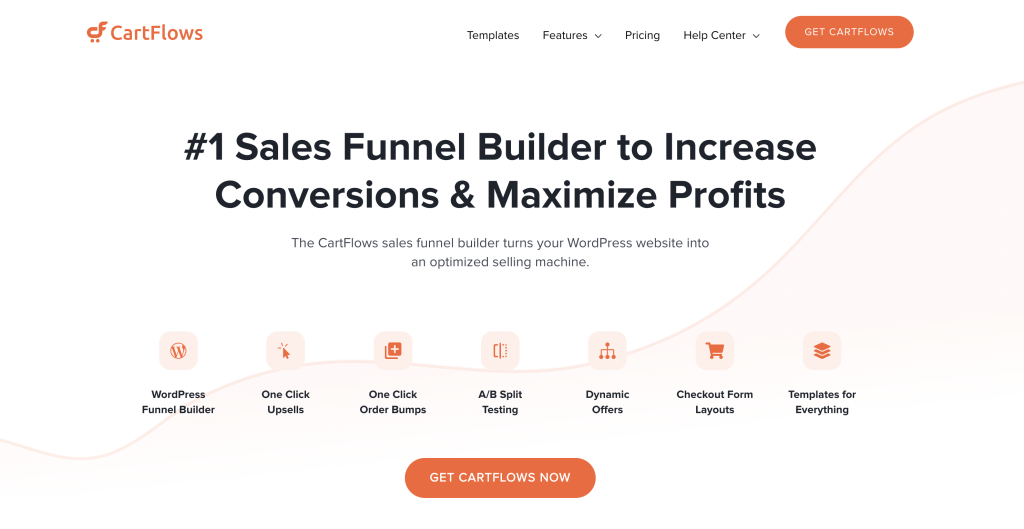
CartFlows is a premium sales tunnel plugin that helps you optimize conversions on your WordPress site. It includes numerous templates, simple instructions, lots of features, and a whole host of tools to increase engagement and revenue from your online store.
CartFlows lets you add upsells and downsells, increase the number of orders, combat shopping cart abandonment, and optimize the payment process on your site.
FunnelKit

FunnelKit (formerly WooFunnels) is a funnel builder plugin for WordPress and WooCommerce that helps e-commerce store owners optimize their sales journeys.
It allows you to create fully customized checkout pages, order bumps, one-click upsells, thank you pages, and opt-in funnels, all without coding.
This plugin also offers a drag-and-drop interface, A/B testing options, in-depth analytics, and marketing automations like cart abandonment recovery and email/SMS broadcasts.
And now, give us your opinion on WooCommerce plugins
Congratulations, you’ve just finished reading this article presenting the 60 best plugins for your WooCommerce site.
To sum up, you’ll have noticed that there are several categories of plugins for the most common needs:
- Payment
- Delivery
- Billing
- Ordering
- Marketing
- Analysis
- Etc.
We hope you’ve found what you’re looking for, and that it will be of service to you.
Now we’d like to know which plugin(s) you’re using, or which ones you’re planning to test. Are there any we’ve missed?
Tell us all about it in the comments, and feel free to share this post on social networks if you think it might be useful to others.

Receive the next posts for free and access exclusive resources. More than 20,000 people have done it, why not you?


Continue reading
Articles posted in WordPress PluginsUpdraftPlus: The must-have plugin to back up, migrate, and restore your WordPress site
I’ll never forget that day. And not just because I thought I was going to throw my computer out of the window… Ah, if only I’d used a plugin like UpdraftPlus to avoid catastrophe. The catastrophe? Let me tell you…
WPML review: Ultimate test of the plugin to make WordPress multilingual
A second job. For a long time, creating and managing a multilingual WordPress site often meant doing the same work twice. Once you’d written a piece of content, you had to translate it. Then you had to check each version,…
Our review of B2BKing: A WooCommerce plugin built for B2B commerce
“Hi, I need 200 units of this product with fast shipping please”. As an online store owner, receiving this kind of message puts a smile on your face. Answering it, on the other hand, becomes a lot less fun… Basically,…