
BigCommerce for WordPress is an e-commerce plugin that simplifies the management of online stores. With over 300+ active installations and an average rating of , this tool offers complete integration for entrepreneurs wishing to develop their commercial activity on WordPress.
User reviews of BigCommerce highlight its key features: centralized channel management, multi-site compatibility, and enhanced security. The plugin allows you to efficiently manage a product catalog, optimize inventory, and analyze sales performance.
Advantages and disadvantages

| Advantages | Disadvantages |
|---|---|
| Robust scalability and performance for handling complex catalogs and high volumes of traffic | Potentially complex initial configuration requiring technical skills |
| Native multi-site integration to connect multiple WordPress sites | Dependence on the BigCommerce platform with risk of limited synchronization |
| Enhanced security with full payment gateway and simplified PCI compliance | Potentially high costs for advanced features and support |
| Full compatibility with WordPress and Gutenberg themes | Limitations in product customization between WordPress and BigCommerce |
| 24/7 customer support with dedicated coaching for businesses | Learning the BigCommerce ecosystem required |
| Comprehensive commerce engine with 65 global payment gateways | Potential rigidity in product management compared to other solutions |
BigCommerce in numbers
| Latest version | 5.1.2 |
| Date of last update | |
| Active installations | 300+ |
| Average rating | |
| Launch date | 2019 |
| Publisher | BigCommerce |
| Founders | Eddie Machaalani and Mitchell Harper |
| Average customer growth rate | 28% |
BigCommerce plugin pricing
| Standard | Plus | Pro | Enterprise |
|---|---|---|---|
| $29/month | $79/month | $299/month | Custom rate |
|
|
|
|
BigCommerce user reviews
The BigCommerce plugin for WordPress has proven to be a robust, high-performance solution for online stores, offering seamless integration between the flexibility of WordPress and advanced e-commerce functionality.
Users highlight its ease of implementation, its ability to manage large product catalogs, and its international functionality.
BigCommerce makes it possible to scale e-commerce more than ever before on WordPress. The interface is designed to be intuitive and organized, greatly reducing the learning curve for new users.
gataf
This plugin frees up server resources for tasks such as catalog management, payment processing, and shipping logistics management, while still using WordPress on the front end.
Ben Butterfield
BigCommerce supports multi-currency sales and has built-in functionality for international tax and shipping calculations, making it easy to expand your global market reach.
Hardeep Asrani
More BigCommerce testimonials
Find out how BigCommerce ranks in terms of user satisfaction on various customer review platforms.
Alternatives to BigCommerce
Ecwid

Ecwid is a solid alternative to SureCart, distinguished by its seamless integration with WordPress and its flexibility in e-commerce management.
It enables the sale of both physical and digital products, while offering advanced features such as coupons, gift cards, and sales via social networks.
Thanks to its secure, PCI-compliant interface and compatibility with numerous payment gateways, Ecwid is a reliable solution, benefiting from regular updates and high stability.
WooCommerce
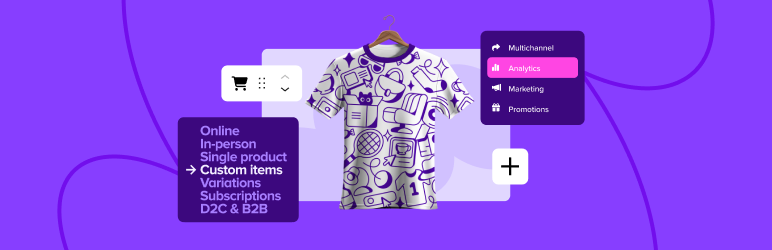
WooCommerce is an e-commerce plugin for WordPress, offering great flexibility and customization thanks to a wide selection of plugins and themes.
It’s ideal for small to medium-sized businesses already using WordPress or looking for a highly customizable e-commerce solution. WooCommerce benefits from a strong community and extensive documentation.
Easy Digital Downloads
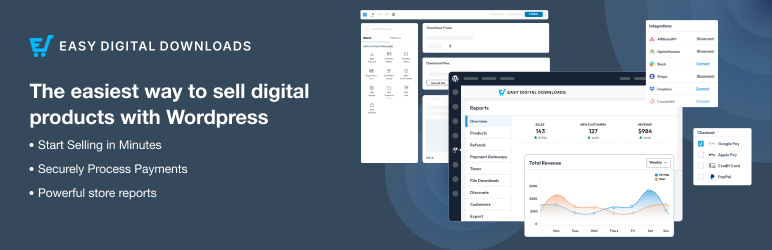
Easy Digital Downloads (EDD) is the ideal solution for those whose main business is selling digital products. Its light, focused structure guarantees optimized loading times and a smooth user experience.
EDD offers powerful tools for content protection, a wide selection of extensions, and simplified download management.
Although designed specifically for digital products, EDD remains a reliable, regularly updated alternative for users who don’t need features linked to the sale of physical products.
BigCommerce FAQs
How do I install the BigCommerce plugin for WordPress?
To install the BigCommerce plugin for WordPress, start by logging into your WordPress dashboard. Go to the left-hand menu, click on “Plugins” and then “Add new.”
Search for “BigCommerce” in the search bar, then click on “Install now” to download and install the plugin.
Once installed, click on “Activate” to activate the plugin. Then connect your BigCommerce account by following the instructions on the plugin’s welcome page.
How do I connect my BigCommerce account to my WordPress site?
Once you’ve activated the BigCommerce for WordPress plugin, you’ll be redirected to the welcome page. Click on the “Get started” link and select “Connect my account” if you already have a BigCommerce account.
If you don’t have one, you can select “Create a new account.” Follow the instructions to connect to your BigCommerce account and confirm the connection.
What are the benefits of using BigCommerce for WordPress?
Using BigCommerce for WordPress offers several benefits:
- Improved site speed by offloading server resources
- Enhanced transaction security thanks to PCI standards
- Access to a wide range of advanced e-commerce features, such as catalog management, diversified payment options, and integrated marketing tools
What’s more, BigCommerce enables you to sell across multiple channels and optimize SEO, thanks to SEO-friendly URLs and meta tags.
How do I manage products with BigCommerce for WordPress?
Once you’ve installed the plugin and logged into your BigCommerce account, you can configure product synchronization. You can choose the synchronization frequency, the automatic listing of new products, and the import batch size.
New products will be automatically synchronized and displayed on your WordPress site. You can also configure the shopping cart and checkout options to allow users to add products to their cart directly from WordPress.
What payment options are available with BigCommerce for WordPress?
BigCommerce for WordPress offers a variety of payment options, including popular solutions like PayPal powered by Braintree, as well as 65 global payment gateways.
This allows for great flexibility in payment processing and competitive credit card processing rates.
How does BigCommerce for WordPress improve search engine optimization (SEO)?
BigCommerce for WordPress includes built-in SEO tools to improve your stock’s visibility in search engine results. It uses SEO-friendly URLs and meta tags, sitemaps, and rich snippets to enrich search results listings.
What’s more, it manages automatic 301 redirects to avoid duplicate content and optimizes site loading speed thanks to a content distribution network (CDN).
Can I use BigCommerce for WordPress with multiple WordPress sites?
Yes, BigCommerce for WordPress lets you connect one BigCommerce account to multiple WordPress sites, multisite networks, or social accounts.
Each site functions as a “channel” in BigCommerce, allowing you to sell your products on multiple platforms.
Thank you for visiting this page dedicated to BigCommerce 🙏
The WPMarmite team hopes you’ve been able to learn more about this WordPress plugin!
To find out more, visit the official website and their social networks:
You can also share your experience with BigCommerce by writing a review below. 👇
Found an error on this page? Click here to report it.

