
Akismet is an essential anti-spam plugin for WordPress sites, designed to protect comment spaces from unwanted content. Developed by Automattic, it automatically blocks malicious messages by comparing them against a global database.
With over 5,000,000+ active installations and an average rating of , Akismet reviews testify to its effectiveness in filtering spam comments in real time.
The plugin offers seamless protection that simplifies content moderation on your WordPress site.
Advantages and disadvantages

| Advantages | Disadvantages |
|---|---|
| Effective anti-spam protection Advanced algorithms and global database block over 7.5 million spam messages per hour | API key required Potentially complex activation process for beginners |
| Native WordPress integration Installed by default, quick and easy to set up | Free plan limitations Limited functionality compared to paid versions |
| Cross-platform compatibility Works with WordPress, Drupal, Joomla, and many popular plugins | Dependence on online database Variable performance depending on quality of updates |
| Detailed statistics Dashboard with history of blocked spam | Server resource consumption May slightly impact site performance |
| Developed by Automattic, publishers of WordPress.com Regular updates | Data confidentiality Data sent to external servers |
| Multisite configuration Automatic activation possible on WordPress networks | Cost for commercial sites Paid plans mandatory beyond personal use |
Akismet in numbers
| Latest version | 5.7.2 |
| Date of last update | |
| Active installations | 5,000,000+ |
| Average rating | |
| Launch date | 2005 |
| Publisher | Automattic |
| Total downloads | 196 million downloads |
| License type | Freemium |
| WordPress version | 5.8 or higher |
Akismet plugging pricing
| Personal | Pro | Business | Enterprise |
|---|---|---|---|
| Pay what you can | $9.95/month | $49.95/month | Custom rate |
| Spam protection for personal sites and blogs. | Single-site use, for professional or commercial sites and blogs | For large networks and multisite installations | Customized spam protection solutions for large enterprises |
|
|
|
|
Akismet user reviews
Akismet is a WordPress plugin that is generally appreciated for its fight against unwanted comments, despite a few points of criticism. Most users recognize its effectiveness in blocking spam, although some report problems with false positives and configuration.
It’s free and easy to install, but frustrations persist regarding filtering accuracy and updates.
Akismet is an essential WordPress plugin, offering everything from top-notch security and performance enhancements to social sharing and analytics tools. At WPHostee.com, our WordPress developers always install Akismet on every project we take on, because it’s a reliable tool that improves the overall quality and functionality of our customers’ sites.
WPHostee
Excellent service, excellent customer support. Very quick to respond and extremely helpful and friendly. Thank you for your attention.
saphiris
Great way to reduce spam. Excellent support. Worth every penny. Works perfectly with Gravity Forms.
driftspin
Other Akismet testimonials
Find out how Akismet ranks in terms of user satisfaction on various customer review platforms.
| Platform | Rating |
|---|---|
| WP.org | |
| TrustPilot | 2.9 out of 5 |
| G2 | 4.5 out of 5 |
Alternatives to Akismet
CleanTalk
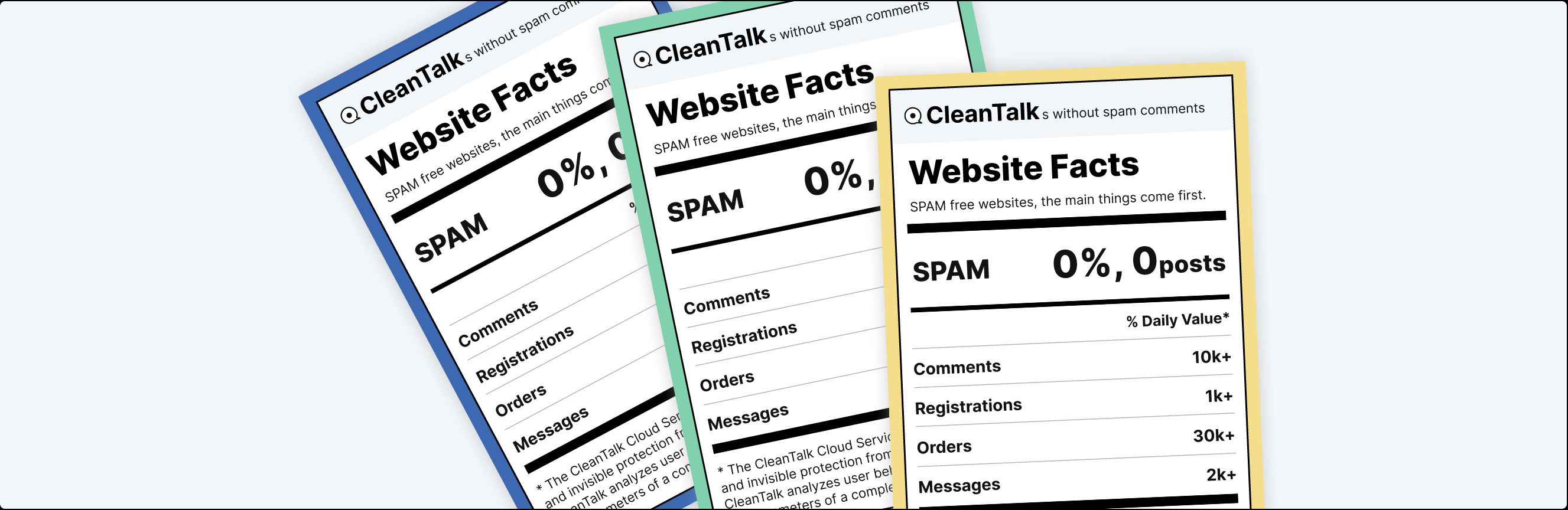
CleanTalk is a universal anti-spam plugin for WordPress, offering real-time protection against comments and malicious traffic. It includes protection against spambots, detailed statistics and analysis, whitelisting of trusted users, and integration with other plugins.
The plugin requires no CAPTCHA, questions, or user testing, and offers affordable pricing.
Antispam Bee

Antispam Bee is a popular anti-spam plugin for WordPress, offering a simple and effective solution for blocking spam comments.
It’s free, ad-free, and fully compliant with the General Data Protection Regulation (GDPR). The plugin features a spam log, automatic spam cleaner, and comment blacklist. It also integrates several plugins, making it easy to use and manage.
Zero Spam

Zero Spam is a WordPress plugin that helps protect your site from spam comments and registrations.
It blocks spam bots, bogus registrations, and trackback spam, improving your site’s security and user experience. Zero Spam uses advanced spam detection algorithms and requires no CAPTCHA or user testing.
Akismet FAQs
How do I install and activate the Akismet plugin on WordPress?
To install and activate the Akismet plugin, start by going to the “Plugins” section of your WordPress dashboard. If Akismet isn’t already installed, use the search bar to find it and click on “Install now,” then “Activate.”
Once activated, go to Settings > Akismet Anti-spam and follow the instructions to create an Akismet account and obtain an API key. Copy this key and paste it into the “Akismet Anti-spam” section of your WordPress settings to complete the activation.
What are the main features of the Akismet plugin?
Akismet automatically checks all comments and form submissions to detect and block spam.
It also provides a history of every comment, displays URLs to indicate hidden or malicious links, and lets moderators see the number of approved comments for each account. What’s more, Akismet blocks the most malicious content to save disk space and speed up your site.
Do I have to pay to use the Akismet plugin?
No, you don’t need to pay to use Akismet if you’re running a personal blog. API keys are free for personal blogs. However, paid subscriptions are available for companies and commercial sites.
How do I get an Akismet API key?
To obtain an Akismet API key, go to Settings > Akismet Anti-spam and click on “Set up your Akismet account.”
You’ll be redirected to the Akismet website, where you can choose your plan and create an account. Once the account creation process is complete, you’ll receive an API key that you’ll need to copy and paste into the “Akismet Anti-spam” section of your WordPress settings.
How do I customize Akismet settings?
You can customize Akismet’s settings by modifying the comment parameters and adjusting the severity level.
You can choose to display the number of posts agreed in front of each commenter and decide whether the most redundant intrusive posts should be deleted directly or stored in the “Undesirable” folder for later checking.
What can I do if Akismet isn’t working properly?
If Akismet isn’t working properly, first check that the API key is correctly entered and active. Also make sure that the plugin is activated in the “Plugins” section of your WordPress dashboard.
If the problem persists, check Akismet’s error logs and configuration settings to identify the root cause. You can also contact Akismet support for further assistance.
Thank you for visiting this Akismet page 🙏
The WPMarmite team hopes you’ve been able to learn more about this WordPress plugin!
To find out more, visit the official website and their social networks:
You can also share your experience with Akismet by writing a review below. 👇
Found an error on this page? Click here to report it.

