
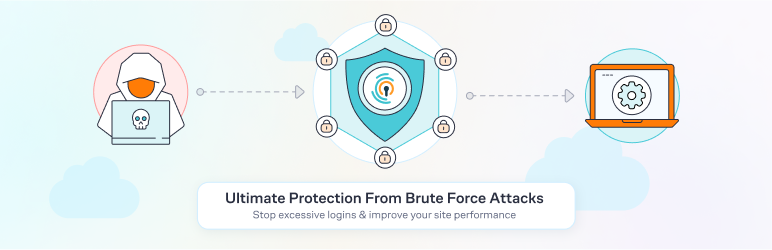
Every day, malicious robots attempt to infiltrate the administration of WordPress sites via brute-force attacks on login pages. The aim: to test login combinations and potentially take control of the site, with the risk of hacking, spreading unwanted content, or stealing data.
Limit Login Attempts Reloaded offers a solution to protect against these threats. With over 1,000,000+ active installations, this plugin effectively secures your WordPress admin space by limiting login attempts, blocking suspicious IP addresses, and generating real-time alerts.
Advantages and disadvantages
| Advantages | Disadvantages |
|---|---|
| Complete protection against brute-force attacks on multiple interfaces (login page, XMLRPC, WooCommerce) | Risk of accidentally blocking legitimate users |
| Flexible configuration with customizable number of attempts, blocking times, and notifications | Complex management of black and white lists for IP addresses |
| Built-in GDPR compliance with privacy message options | Possible email notification overload in case of high traffic |
| Detailed logs and debugging options for developers and administrators | Technical interface may confuse novice users |
| Very popular plugin with over 1,000,000+ active installations | Potential performance impact on high-traffic sites |
| Regular updates guarantee compatibility and security | Requires careful initial configuration to be truly effective |
Limit Login Attempts Reloaded in numbers
| Latest version | 3.3.10 |
| Date of last update | |
| Active installations | 1,000,000+ |
| Average rating | |
| Total downloads | Over 2 million downloads |
| Plugin type | WordPress security |
Limit Login Attempts Reloaded Pro plugin prices
| Premium | Premium Plus | Professional | Agency |
|---|---|---|---|
| $3.33/month | $4.58/month | $6.67/month | $18.75/month |
|
|
|
|
Limit Login Attempts Reloaded user reviews
Limit Login Attempts Reloaded is a WordPress security plugin acclaimed by users for its ease of use and effectiveness against brute-force attacks.
The solution features an automatic protection mechanism that blocks suspicious login attempts, with customizable settings and intelligent management of malicious IP addresses.
I particularly appreciate the feature that automatically blocks suspicious IPs and sends me detailed alerts on connection attempts.
housesitters
The premium version offers a real plus with performance optimization and cloud management of connection requests, which significantly relieves my servers.
rudiexp
I’ve only been using it for a short time. I still have to learn how to use it or read the tracking in certain sections, but it works well for me. I recommend it.
artdivi
Other testimonials about Limit Login Attempts Reloaded
Find out how Limit Login Attempts Reloaded ranks in terms of user satisfaction on various customer review platforms.
| Platform | Rating |
|---|---|
| WP.org | |
| TrustPilot | 3.2 out of 5 |
Alternatives to Limit Login Attempts Reloaded
Loginizer
Loginizer is a WordPress plugin designed to protect your site against brute-force attacks by blocking IP addresses that exceed a certain number of failed login attempts.
It offers features such as limiting login attempts, email notifications for failed login attempts, and the ability to whitelist or blacklist IPs. Loginizer is regularly updated and has a high average rating.
WPS Limit Login

WPS Limit Login is a plugin that limits the number of login attempts to protect your site against brute-force attacks.
It lets you configure the number of attempts allowed, informs users of remaining attempts or lockout time, and offers logging and email notification options. Although less popular than Limit Login Attempts Reloaded, WPS Limit Login is a solid, regularly updated alternative.
Login Lockdown & Protection

Login Lockdown & Protection is a plugin that locks accounts after several failed login attempts and logs suspicious IP addresses.
It offers robust protection against brute-force attacks and is easy to configure. This plugin is less popular than Limit Login Attempts Reloaded, but remains a reliable and regularly updated alternative.
Limit Login Attempts Reloaded FAQs
How do I install the Limit Login Attempts Reloaded plugin?
To install the Limit Login Attempts Reloaded plugin, access your WordPress dashboard, then navigate to Plugins > Add New.
Search for Limit Login Attempts Reloaded, click on the “Install” button, and then activate the plugin once installation is complete.
How do I configure the Limit Login Attempts Reloaded plugin?
Once the plugin has been activated, you’ll need to configure the settings to adapt the plugin to your needs. You can find the configuration options in the menu of your WordPress dashboard.
Here you can set the number of login attempts allowed, the lockout period, and other security parameters.
What is the Limit Login Attempts Reloaded plugin and how does it work?
The Limit Login Attempts Reloaded plugin is a security tool that protects your WordPress site against brute-force attacks by limiting the number of failed login attempts.
It temporarily blocks suspicious IP addresses and logins once the predetermined limit of attempts has been exceeded, reducing the risk of brute-force attacks.
What types of connection are protected by the Limit Login Attempts Reloaded plugin?
The Limit Login Attempts Reloaded plugin protects not only the standard login method, but also connections via XMLRPC, WooCommerce, and custom login pages.
This ensures comprehensive protection against brute-force attacks on various entry points to your site.
Why is it important to limit login attempts on my WordPress site?
By default, WordPress allows an unlimited number of login attempts, which is a vulnerability that makes it easy for attackers to crack passwords using brute-force attacks.
By limiting login attempts, you strengthen your site’s security and protect your data against these types of attacks.
How can I solve the blocking problems caused by the Limit Login Attempts Reloaded plugin?
If you’re blocked by the plugin, check whether your IP address or login has been blocked due to failed login attempts.
You can contact your ISP to obtain a new IP address, or wait until the end of the blocking period configured in the plugin settings.
Also be sure to check the configuration settings to adjust the limits and blocking periods to suit your needs.
Is there a premium version of the Limit Login Attempts Reloaded plugin?
Yes, there is a premium version of the Limit Login Attempts Reloaded plugin that offers additional features and better protection.
Thank you for visiting this page about Limit Login Attempts Reloaded 🙏
The WPMarmite team hopes you’ve been able to find out more about this WordPress plugin!
To find out more, visit the official website and their social networks:
You can also share your experience with Limit Login Attempts Reloaded by writing a review below. 👇
Found an error on this page? Click here to report it.

