
In today’s digital landscape, the security of WordPress sites is a crucial issue. BBQ Firewall offers a lightweight, effective shield against web threats.
Compatible with all WordPress environments, this plugin blocks attacks by SQL injection, malicious files, and suspicious requests, without complex configuration.
With over 100,000+ active installations, user reviews of BBQ Firewall testify to its effectiveness in securing websites against cyberthreats.
Advantages and disadvantages

| Advantages | Disadvantages |
|---|---|
| Robust protection against a wide range of threats (SQL injection, XSS attacks, PHP file execution, etc.) | May lack advanced features for technical users |
| 100% plug-and-play configuration, no setup required | Dependence on regular updates to maintain effectiveness |
| Very light plugin (less than 10 KB), with no impact on performance | Potential limitation for sites with complex security requirements |
| Compatible with all WordPress themes and plugins | May generate false positives in certain configurations |
| Frequent updates guarantee up-to-date protection | Limited customization of security rules |
BBQ Firewall in numbers
| Latest version | 20260809 |
| Date of last update | |
| Active installations | 100,000+ |
| Average rating | |
| Launch date | 2009 |
| Publisher | Independent development |
| Founder | Jeff Starr |
| Plugin size | < 10 KB |
| Available languages | 16 local |
| WordPress compatibility | 4.6 or more |
BBQ Firewall plugin pricing
| Free version | Personal | Business | Advanced | Developer |
|---|---|---|---|---|
| $0 | $30 | $70 | $160 | $380 |
|
|
|
|
|
BBQ Firewall user reviews
The BBQ Firewall plugin is unanimously praised by WordPress users, with an average rating of stars. Users all praise its ease of installation, light weight, and effectiveness against malicious threats without the need for complex configuration.
“Very easy to install and use. No configuration required. Works perfectly with other security plugins. Highly recommend!”
stef1964 (5/5)
“This plugin is lightweight and very effective. It doesn’t slow down our site and offers robust protection against malicious attacks.”
Diamond Digital Marketing (5/5)
“This plugin is simple to install and use, yet offers very powerful protection against malicious threats. I’m very satisfied!”
Chris Yau (5/5)
Alternatives to BBQ Firewall
SecuPress

SecuPress is a comprehensive WordPress security plugin that offers robust protection against a variety of threats. It includes features such as a firewall, protection against brute-force attacks, site health scanning, detection of vulnerable themes and plugins, and two-factor authentication (2FA).
SecuPress is available free of charge from the official WordPress directory, but a paid version is also available to access all its advanced features.
Sucuri

Sucuri is a highly effective WordPress security solution that offers comprehensive protection against online attacks. It includes a firewall that prevents brute-force and malicious attacks, as well as malware detection and removal features.
Sucuri also filters unwanted traffic before it reaches your server, and features a CDN to improve your site’s loading times.
Solid Security (formerly iThemes Security)
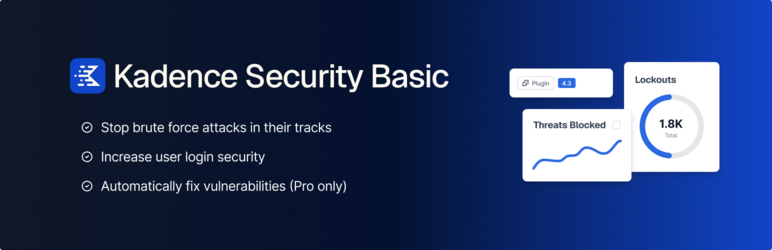
Solid Security, formerly known as iThemes Security, is a WordPress security plugin that protects your site against hacking attempts. It offers features such as protection against brute-force attacks, monitoring of critical WordPress files, and the ability to move the login page.
The plugin also creates regular backups of your site and database. With over a million active installations, it’s a recognized and reliable plugin.
BBQ Firewall FAQs
How do I install and activate the BBQ Firewall plugin?
To install and activate the BBQ Firewall plugin, go to the “Plugins” section of your WordPress dashboard. Click on “Add New” and search for “BBQ Firewall”.
Once found, click on “Install” and then on “Activate.” The plugin will now be operational, with no further configuration required.
What are the main security features of the BBQ Firewall plugin?
The BBQ Firewall plugin offers robust protection against a wide range of threats, including SQL injection attacks, executable file downloads, directory traversal attacks, unsafe character queries, overly long queries, remote PHP execution, and XSS and XXE attacks, as well as protection against bad bots and referrers.
It analyzes all types of request (GET, POST, PUT, DELETE, etc.) and silently blocks malicious requests.
Does the BBQ Firewall plugin require any configuration?
No, the BBQ Firewall plugin is designed to be 100% plug & play, which means it requires no configuration after installation and activation. It works immediately to protect your site without affecting performance.
How does the BBQ Firewall plugin affect my site’s performance?
The BBQ Firewall plugin is extremely lightweight, weighing less than 10 KB, and is designed to be super fast and flexible. It doesn’t slow down your site’s performance and runs silently in the background to ensure your site’s security without any significant impact on server resources.
Does the BBQ Firewall plugin collect user data?
No, the BBQ Firewall plugin does not collect or store any user data. It does not set cookies or connect to any third-party sites, which means it does not affect user privacy in any way.
Can I customize the functionality of the BBQ Firewall plugin?
Yes, although the BBQ Firewall plugin works perfectly by default, there is a customization plugin called BBQ Customize that allows you to control certain features, such as:
- Verification of long requests
- Template match logging
- Customization of response headers for blocked requests
Is the BBQ Firewall plugin compatible with other security plugins?
Yes, the BBQ Firewall plugin is designed to work perfectly with other security plugins, including Blackhole for Bad Bots. It’s compatible with all WordPress themes and plugins, making it a versatile solution for your site’s security.
Thank you for visiting this page dedicated to BBQ Firewall 🙏
The WPMarmite team hopes you’ve been able to find out more about this WordPress plugin!
To find out more, visit the official website and their social networks:
You can also share your experience with BBQ Firewall by writing a review below. 👇
Found an error on this page? Click here to let us know.

