
In today’s digital landscape, securing WordPress sites against brute force attacks is a crucial issue. 100,000+ sites use Login Lockdown & Protection to secure their administrative space.
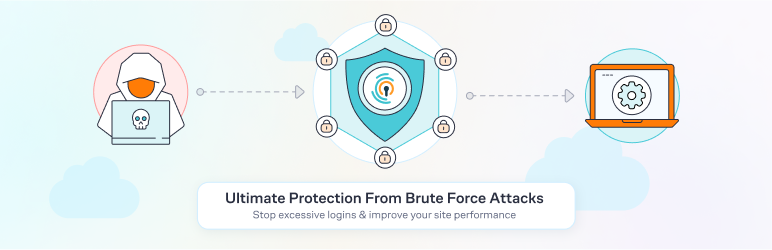
Faced with repeated intrusion attempts, webmasters need an effective protection solution. This plugin offers a multilayered security system: limiting connections, blocking suspicious IP addresses, email notifications, and customizable settings.
With a rating of on the official directory, the Login Lockdown & Protection plugin proves its effectiveness in preventing hacking risks.
Advantages and disadvantages

| Advantages | Disadvantages |
|---|---|
| Robust protection against brute-force attacks with limitation of login attempts | Single plugin dependency for site security |
| Flexible configuration: customize number of attempts, blocking time, and other security parameters | Possible minor installation problems reported by some users |
| Advanced features: IP blacklisting/whitelisting, two-factor authentication (2FA) | No native translation, potentially requiring manual adaptation |
| Email notifications of suspicious connection attempts | Relatively high cost ($89 for a license) |
| Intuitive, easy-to-configure user interface | Risk of accidentally locking out legitimate users if settings are too strict |
| Detailed logs and comprehensive security reports | Potential server overload with advanced monitoring features |
| Compatible with several CAPTCHA solutions (Google reCaptcha, hCaptcha, Cloudflare) | English-only configuration, limiting accessibility for some users |
Login Lockdown & Protection in numbers
| Latest version | 2.19 |
| Date of last update | |
| Active installations | 100,000+ |
| Average rating | |
| Price | Starting at $89 |
| Money-back guarantee | 60 days |
| License | Unlimited sites |
Login Lockdown & Protection plugin prices
| Personal | Team | Agency |
|---|---|---|
| $89 | $99 | $179 |
|
|
|
Login Lockdown & Protection user reviews
The Login Lockdown & Protection plugin has received mixed reviews from WordPress users. Positive feedback praises its efficiency and fast support, while some users experience technical problems with installation and connection.
The most satisfied users appreciate its advanced security features and clear interface.
Just perfect. Does everything I need and it’s straightforward, clear, and just perfect. Thanks for creating such a cool application.
Ivan WebFactory LTD (5/5)
The best of the best! We recently started testing this plugin and it’s amazing! Much more control, and it still retains the functionality to hide the URL. Highly recommended by us!
Verified user (5/5)
Very good deal and very good fast support. I use it on almost every site we have. And last time I had a question for support. In a few minutes my question was answered, it’s a very good service!
Verified user (5/5)
Alternatives to Login Lockdown & Protection
Limit Login Attempts Reloaded
Limit Login Attempts Reloaded is a plugin that prevents brute-force attacks by limiting the number of failed login attempts. It temporarily blocks suspicious IP addresses, reinforcing the security of your WordPress site.
Jetpack

Jetpack is a versatile plugin that includes security features to protect your site against brute-force attacks and automated threats.
It also offers the option of enabling two-factor authentication and monitoring for suspicious login attempts.
Login Lockdown & Protection FAQs
How do I install the Login Lockdown & Protection plugin?
To install the Login Lockdown & Protection plugin, go to the “Plugins” section of your WordPress dashboard. Click on “Add New” and search for “Login Lockdown” in the search bar.
Once you’ve found the plugin, click on “Install now” and activate it once the installation is complete. You can then configure the plugin settings from the Settings > Login Lockdown section.
How does IP locking work with Login Lockdown & Protection?
The Login Lockdown & Protection plugin records the IP address and timestamp of failed login attempts. If a selected number of failed attempts are detected in a given period from the same IP, then access to the site is locked out for all requests originating from that IP.
By default, the plugin locks the IP for 1 hour after 3 failed attempts in 5 minutes, but these settings can be modified in the plugin options.
How do I unlock a locked account with Login Lockdown & Protection?
If a user finds themselves locked out, they can either wait the allotted lockout time (default 60 minutes) or ask the site administrator to unlock their account manually.
To unlock manually, the administrator must access the “Activity” section of the plugin and use the unlock option available in the lock log.
How do I disable the Login Lockdown & Protection plugin?
To deactivate the Login Lockdown & Protection plugin, go to the “Plugins” page in the WordPress administration section and deactivate the plugin.
Alternatively, you can rename the plugin folder via FTP access by renaming the folder /wp-content/plugins/login-lockdown/.
Does the Login Lockdown & Protection plugin slow down my site?
No, the Login Lockdown & Protection plugin does not normally slow down your site. The majority of the code is only executed during login attempts, which does not affect the overall performance of your site.
How do I report security vulnerabilities in the Login Lockdown & Protection plugin?
To report security vulnerabilities, you can use Patchstack’s vulnerability disclosure program. The Patchstack team helps validate, triage, and manage any security vulnerabilities. You can report a security vulnerability via their program.
What advanced security features does the Login Lockdown & Protection plugin offer?
The Login Lockdown & Protection plugin offers several advanced security features, including CAPTCHA protection (including options such as Google reCaptcha, hCaptcha, and Cloudflare Turnstile), two-factor authentication (2FA) via a unique link sent by email, country blocking, and IP whitelist and blacklist management via a cloud dashboard.
These features help strengthen your site’s security against brute force attacks and bots.
Thank you for visiting this page dedicated to Login Lockdown & Protection 🙏
The WPMarmite team hopes you were able to learn more about this WordPress plugin!
To find out more, visit the official website and their social networks:
You can also share your experience with Login Lockdown & Protection by writing a review below. 👇
Found an error on this page? Click here to report it.

