
In the WordPress ecosystem, Oxygen Builder stands out as a unique website builder. This tool makes it possible to create high-performance, highly customizable websites, without the need for advanced development skills. Web professionals appreciate Oxygen Builder for its flexibility and efficiency.
Unlike traditional builders, Oxygen Builder offers total design control, guaranteeing fast, lightweight pages. It meets the needs of developers and webmasters looking for a tailor-made web solution, without compromising performance.
With over 30,000 satisfied customers according to its official website, Oxygen Builder confirms its relevance in the creation of modern WordPress sites.
Advantages and disadvantages

| Advantages | Disadvantages |
|---|---|
| Optimized performance: lightweight code and fast page loading | Steep learning curve and the tool can be unintuitive for beginners |
| Complete customization: total site modification, including header and footer | Limited number of modules and ready-to-use elements |
| Technical flexibility: advanced control via HTML, CSS, and JavaScript | Problematic compatibility with certain plugins (notably multilingual plugins) |
| Extensive, customizable WooCommerce integration | Minimalist, less-than-ergonomic user interface |
| Single lifetime pricing, usable on an unlimited number of sites | Technical skills required to exploit full potential |
| Excellent SEO optimization with precise choice of HTML tags | Not suitable for non-technical customers wishing to manage their own site |
Oxygen Builder in figures
| Latest version | 4.9.1 |
| Date of last update | December 9, 2024 |
| Launch date | July 2016 |
| Publishing company | Soflyy |
| Price | Single-payment license |
| Main language | English |
| Builder type | Visual page builder |
Oxygen Builder extension prices
| Oxygen Basic | Oxygen WooCommerce | Oxygen Ultimate | |
|---|---|---|---|
| S129 | S149 | $179 | |
|
|
| |
| Common benefits: Lifetime updates and support, global customization, ready-to-use templates, drag-and-drop interface | |||
Oxygen Builder user reviews
Oxygen Builder has proven to be a revolutionary WordPress web design tool, particularly appreciated by professionals for its power and flexibility.
Users emphasize its ability to offer total control over website creation, far surpassing the limitations of traditional builders.
I’ve tried a lot of builders, but discovering Oxygen changed everything — now I have the freedom to make my WooCommerce store exactly the way I want it.
Alexandru Dinu
Oxygen is a complete site builder — not just a page builder. The code is much cleaner, lighter, and faster without unnecessary bulk.
Daniel Lester
I’ve been developing websites since the mid-90s, and Oxygen is easily the best web design tool I’ve ever used.
Albert Nurick
Oxygen has changed my career. This builder has made my workflow much faster and easier. It also put us far ahead of the competition.
Thayne Rigby
Other Oxygen Builder testimonials
Find out how Oxygen Builder ranks in terms of user satisfaction on the following customer review platforms.
| Platform | Rating |
|---|---|
| TrustPilot | 3.4 out of 5 |
| G2 | 4.3 out of 5 |
Alternatives to Oxygen Builder
Elementor
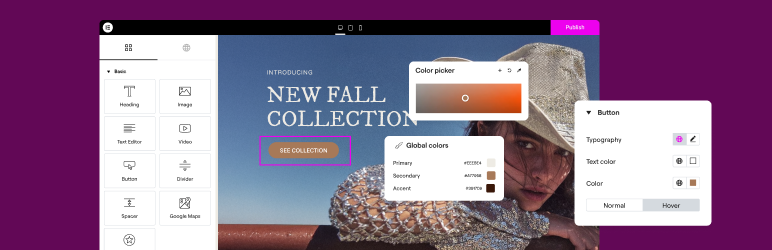
Elementor is an advanced and popular page builder for WordPress, offering an intuitive drag-and-drop interface. It’s particularly popular with beginners and professionals alike for its simplicity and flexibility.
Elementor lets you customize pages without knowing HTML or CSS code, while offering advanced options for developers. It is regularly updated and enjoys a large number of active installations and a high average rating.
Divi Builder

Divi Builder is another powerful page builder for WordPress, known for its intuitive drag-and-drop system and varied content modules.
It’s particularly useful for users looking for a reliable, well-supported business solution. Divi offers great flexibility in page customization and is regularly updated. It benefits from a large user base and a high average rating.
Spectra

Spectra is a powerful, easy-to-use tool that enhances the Gutenberg editor with a wide range of modern, fully customizable blocks.
It integrates seamlessly with Gutenberg, ensuring a smooth user experience and optimum compatibility. With its ready-to-use templates and advanced customization options, it simplifies the creation of professional WordPress websites.
Oxygen Builder FAQs
How do I install Oxygen Builder on my WordPress site?
Oxygen Builder is a premium plugin not found in the official WordPress directory. To install it, you must first purchase one of the three available licenses.
Once you’ve purchased the license, download the plugin and activate it in the “Plugins” menu of your WordPress dashboard. Follow the instructions to choose between a predefined installation or an empty installation.
How do I create page templates with Oxygen Builder?
To create page templates with Oxygen Builder, go to the Oxygen > Templates menu in your WordPress dashboard. Click on “Add New Template,” give your template a name, and publish it.
You can then specify where this template applies using the options under “WHERE DOES THIS TEMPLATE APPLY?” To edit the template design, click on “Edit with Oxygen.”
How do I add dynamic FAQs with Oxygen Builder?
To add dynamic FAQs, you can use custom post types, custom taxonomies, and Oxygen’s repeater. Create a custom post type for FAQs, then add categories and custom fields with Advanced Custom Fields.
Then use Oxygen’s repeater to dynamically query and display FAQs. You can also use the Advanced Query Builder to filter and sort FAQs by category.
How do I integrate Oxygen Builder with WooCommerce?
Oxygen Builder offers advanced integration with WooCommerce, available with the Ultimate and Oxygen Breakdance packages. This integration allows you to customize all WooCommerce pages, such as account, checkout, and shopping cart pages.
You can add custom elements such as images, prices, buttons, reviews, and related products. You can also configure colors, typography, backgrounds, borders, and links for your online store.
What are the advantages of using Oxygen Builder over other page builders?
Oxygen Builder produces around 5 to 10 times less code than other page builders, which improves your site’s performance. It doesn’t use a theme, which makes it lighter and more responsive.
Oxygen is designed for developers, offering a logical interface and clean code. It also reduces the number of plugins and conflicts with the theme, speeding up page loading.
How do I use global colors in Oxygen Builder?
Oxygen Builder lets you customize and change all the colors on your site in just a few clicks, thanks to the “Global colors” feature.
This feature allows you to set colors for your entire site or for specific pages, simplifying the management of your site’s visual consistency.
Thank you for visiting this page dedicated to Oxygen Builder 🙏
The WPMarmite team hopes you’ve been able to find out more about this WordPress plugin!
To find out more, visit the official website and their social networks:
You can also share your experience with Oxygen Builder by writing a review below. 👇
Found an error on this page? Click here to report it.

