Time that relentlessly flies by. Hair pulled out (when you still have some hair on your head). Not to mention a good dose of frustration and the urge to throw everything away.
Creating a professional WordPress site often feels like this kind of hassle when you’re just starting out. What if you could shortcut all this in just a few minutes, without touching a single line of code?

This is the promise made by Hostinger’s AI Website Builder for WordPress.
But you know us: a promise is something to verify. So, we tested this tool from A to Z for you.
Getting started, user experience, quality of generated design, content relevance, pricing, and limits to know before you get started: we reveal everything on the subject.
After reading this article, you will know if this AI website builder is really effective and, above all, if it suits your needs.
Ready? Let’s go!
- What is Hostinger’s AI Website Builder?
- Features and advantages of Hostinger’s AI Website Builder for WordPress
- How to create a site step by step with Hostinger’s AI Website Builder?
- Experience feedback on the site created with Hostinger’s AI
- How much does it cost?
- Our final opinion on Hostinger’s AI Website Builder
Transparency point : This page is sponsored. Some links to the hosting provider Hostinger are affiliate links. If you purchase hosting from them, WPMarmite will earn a commission.
Thanks to affiliation, WPMarmite is able to compensate the blog’s writers for their research and writing work. Know that we remain impartial. If a product is not worth it, we say so (or we don’t talk about it).
What is Hostinger’s AI Website Builder?
Introduction to this AI-powered WordPress website builder
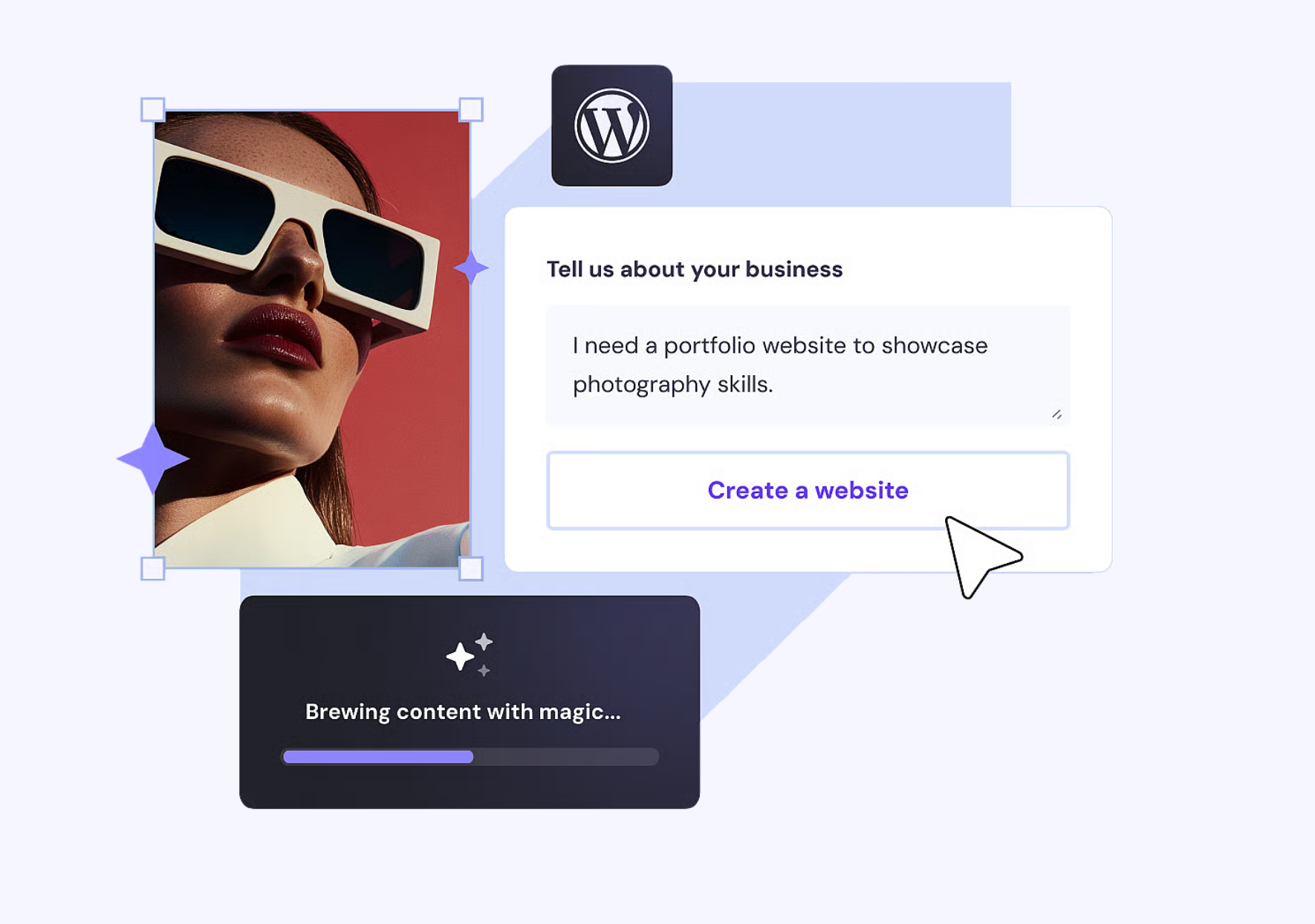
Hostinger’s AI Website Builder for WordPress is an automated website creation tool, integrated directly into the Lithuanian hosting platform’s WordPress hosting offer.
Basically, it is an assistant powered by artificial intelligence (AI) that generates a complete WordPress site for you (showcase site, blog, online store, etc.): structure, design, content, logo, and even basic optimization for search engines.
The idea is simple. You answer a few questions about your business, industry, and visual preferences. Then the AI takes care of the rest.
In a few minutes, you get a published site (without touching a single line of code), ready to be used as you wish.
Of course, you can customize every element of the site thanks to an intuitive drag and drop editor and professional ready-to-use templates.
If needed, you can add and modify any type of content: posts, pages, images, texts, background colors, fonts to respect the style guide of your website and your brand identity.
Who is Hostinger’s AI WordPress website builder for?
“The perfect solution for beginners as well as entrepreneurs eager to grow their online presence quickly.”
This is the main target of Hostinger’s AI WordPress website builder, according to what is stated in the FAQ of its presentation page.
More precisely, this tool primarily targets people who have little or no technical knowledge and want to move fast. This is especially true for very small to medium businesses (SMBs).
Examples? Think of the artisan who wants to get known online, the blogger starting their first site, the independent consultant looking for a professional showcase, or the owner of a small physical store who needs an online presence quickly.
In summary, Hostinger’s AI Website Builder for WordPress is for you if:
- you’re new to WordPress and web development
- you don’t have time to build your site step by step
- you are already a Hostinger customer or plan to become one
- you want a solid starting point, even if you’ll customize later (which we actually recommend)
On the other hand, this AI WP site builder tool is clearly not designed for experienced developers, or WordPress agencies and freelancers who need full control over every technical aspect of the site they will create (for themselves or clients).
What is Hostinger?

Before going further, let’s briefly remind what Hostinger is. Founded in 2004 in Lithuania, Hostinger is today one of the most widely used web hosts worldwide, with over 5 million customers in more than 150 countries.
Its reputation is based on several strengths, such as:
- very competitive entry-level prices, starting from $1.99 ex. VAT/month
- hosting that does not compromise on performance and security, with support available 24/7
- an easy-to-use interface – hPanel – accessible at all technical levels, from beginner to advanced technician
Hostinger offers shared hosting, VPS servers, cloud hosting, and optimized WordPress hosting plans.
Clearer now? Let’s continue with a presentation of the main features of Hostinger’s AI Website Builder for WordPress.
Features and advantages of Hostinger’s AI Website Builder for WordPress
Looking more closely at Hostinger’s AI WordPress website builder presentation page, we notice that the host positions its tool around three main promises:
- Speed. “Simply describe your project and get a professional site ready to go online in just a few seconds”, it says.
- Simplicity. No coding or design skills required.
- Customization and scalability.
To uphold its commitments, Hostinger goes all out on different aspects, detailed right below.
A fully conversational user experience
A personal assistant for creating your WordPress site? That’s kind of what Hostinger’s AI Website Builder offers.
Unlike other AI site-building solutions, Hostinger’s in-house tool clearly stands out on one key aspect: creation starting from your vision.
What does that mean concretely? Well, it’s very simple. Instead of starting with configuration steps or technical choices, you begin by communicating your intention (the main goal you want to achieve with your site).
In other words, instead of asking “What steps should I follow?”, you start by explaining (with or without AI assistance) the purpose (what your business is and what your site should look like), allowing you to stay true to your original idea.
To illustrate and summarize: you create from a vision, not from a to-do list in order.
The ability to create any type of site
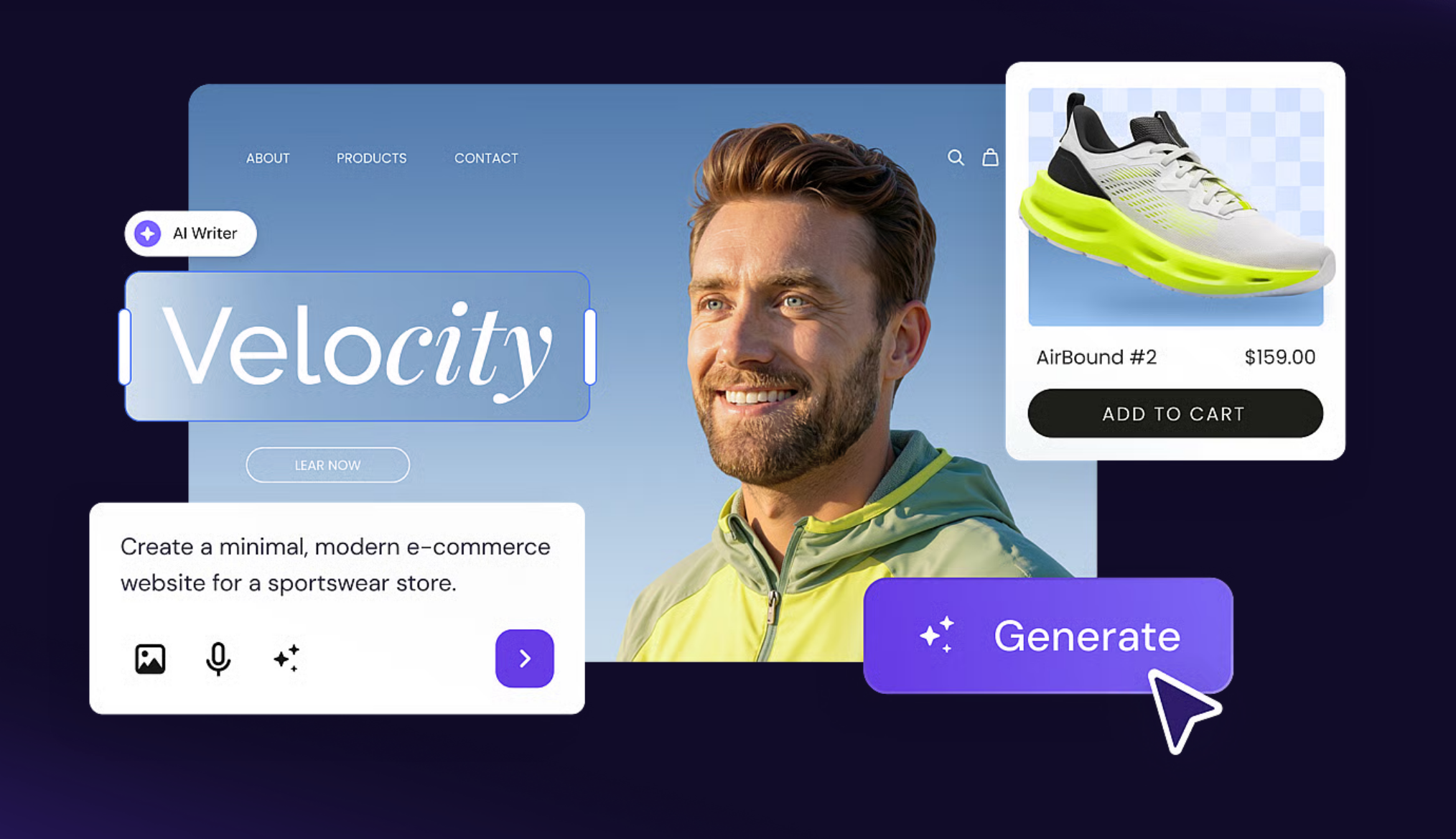
Create, OK, but create what exactly? On this topic, there is no limit to “finally creating the site you dream of”, as Hostinger claims.
Thanks to AI, the creation tool automatically builds a WordPress site with a suitable WordPress theme, relevant sections and pages, and starter content (texts, images, etc.).
In practice, Hostinger’s solution adapts to your wishes. So you can rely on it to design, for example:
- a blog,
- an online store WooCommerce to sell physical or digital products with built-in features like stock management, order tracking, and multiple payment methods (with no transaction fees),
- a showcase site to present your services,
- a portfolio to showcase your work,
- a personal or events site, with RSVP management,
- a bio link page or a landing page to share your important links, promote offers, or generate leads.
Whatever type of site you plan to set up, you benefit from features that make the experience much more practical and user-friendly.
To name just two examples to illustrate this:
- your brand identity applies consistently across the entire site, including logo and colors,
- you have a responsive preview directly in the user journey, to visualize how your site looks on different devices (desktop, smartphone) during creation.
Unlimited customization and native integration with WordPress
One of the strongest arguments for Hostinger’s AI Website Builder for WordPress is that it doesn’t lock you in… to a closed environment!
Once your site is generated, you have access to a real WordPress, with all the freedom that implies.
You can edit every element of your site: colors, typography, block layouts, images, navigation menus.
The great thing is that right from the tool’s launch, you can choose between creating a site based on WordPress’s native block editor (Gutenberg) OR relying on the page builder Elementor (the most popular in the WordPress ecosystem).
But if needed, nothing prevents you from completely redesigning your layout with another tool, like Divi Builder, for example. Or changing your theme to adopt a completely different visual identity.
Another important point: the catalog of WordPress plugins remains fully accessible. Want to add an advanced contact form, an online store, a booking system, or a newsletter solution?
Just install the corresponding plugin from the official WordPress.org directory, exactly as you would on any other WordPress site.
In practice, this means you don’t have to choose between fast launch and long-term flexibility.
You get a fast start thanks to AI, then you evolve your site at your own pace, never limited by the constraints of a proprietary platform like Wix or Squarespace. This is a big plus if you want to grow later.

Built-in SEO and marketing tools
Finally, note that the AI Website Builder includes several features focused on visibility and acquisition.
From the moment the site is generated, fundamental SEO elements are taken care of. Title tags and meta descriptions are automatically filled out for each page, consistent with your industry.
The heading structure (H1, H2, H3) is respected, which facilitates indexing by search engines like Google. You start on the right foot without diving into technical SEO subtleties.
Beyond organic SEO, Hostinger also offers useful marketing integrations to grow your audience.
Depending on your chosen plan, you can:
- connect Google Ads, Meta Pixel, and Google Analytics to track your traffic, ad campaigns, and increase visibility,
- create email campaigns in a few clicks with AI and maximize audience engagement thanks to Hostinger Reach.
Note that with the AI WordPress site builder, you can automatically sync new subscribers to your email list: your contacts are transferred in real time to Reach.
For more information, watch this video:
Note that these SEO and marketing features lay the foundation but don’t replace a serious content strategy. To progress sustainably in search engine results, you’ll need to publish quality content regularly, work on your keywords, and get relevant backlinks. The tool gives you the starting point. The rest depends on your editorial investment.
Admit it: all this has made your mouth water, right? Come on, we won’t tease you any longer. In the next part, we tackle the main course.
And believe us, you’re going to be well informed, in every sense of the word. If you want to discover how to install and configure Hostinger’s AI WordPress website builder, don’t go anywhere. Keep reading.
How to create a site step by step with Hostinger’s AI Website Builder?
Step 1: Get a WordPress hosting plan at Hostinger
First of all, you need to have an active hosting plan with Hostinger. Be aware there’s a subtlety to know here: you must subscribe to a plan that includes the AI tool.
For this, you have two options at the WordPress managed hosting service from Hostinger:
- Go for the “Business + AI” plan (starting from $1.99/month).
- Opt for the “Cloud Startup + AI” plan (starting from $9.99/month).
For more information about the offers, we refer you to our detailed test page of Hostinger WordPress hosting, where everything is explained step by step.
The “Premium” hosting plan does not include Hostinger’s AI tools.
Step 2: Install your WordPress site on hPanel
Once you are a Hostinger customer, log in to their proprietary control panel: hPanel.
On the homepage, go to the “Websites” menu, then click the “Add Website” button. Select “WordPress”:

Then, set:
- the language of the WordPress admin interface
- your admin email
- a password
Continue by clicking the “Next” button:

Then you’ll be asked to choose or link an existing domain name to your future WordPress site (you can also choose a temporary domain if you don’t have a specific idea yet).
Next, select a datacenter. The best practice? Choose the datacenter closest to your audience, to optimize your pages’ loading speed.
For example, if you have a showcase site or an online store mainly targeting the U.S. East Coast, you can pick a datacenter location in Massachusetts:

Wait about one to two minutes for Hostinger to install your WordPress site.
Your site is functional for now but is absolutely not personalized according to your wishes.
It runs on a “classic” theme, without any design or content related to your core business. It’s time to fix that!
Step 3: Start customizing your WordPress installation with Hostinger’s AI site builder
Now we enter the core of the reactor: Hostinger’s AI website creation tool. To start, you must explain the general idea of your future site, i.e., the result you want to achieve.
You can describe your idea in the text area provided. If you’re stuck, Hostinger offers several suggestions (“Meditation app landing page,” “Event organizing services,” “Local wine tasting page,” etc.) to help you avoid starting with a blank page.
You can improve the text written with AI. The more details you provide, the closer the result will be to what you have in mind.
Once you’re happy with it, select two elements:
- Elementor or Gutenberg: the tool will base the structure of your site on your choice.
- The site language.
If you don’t want to use the AI builder, you can also use ready-made templates (“Use pre-built templates”) or go directly to your WordPress dashboard (“Go to WordPress”).
Click the white arrow in a purple circle to launch the creation of your site:

On the next page, enter your brand name:

Step 4: Customize the style
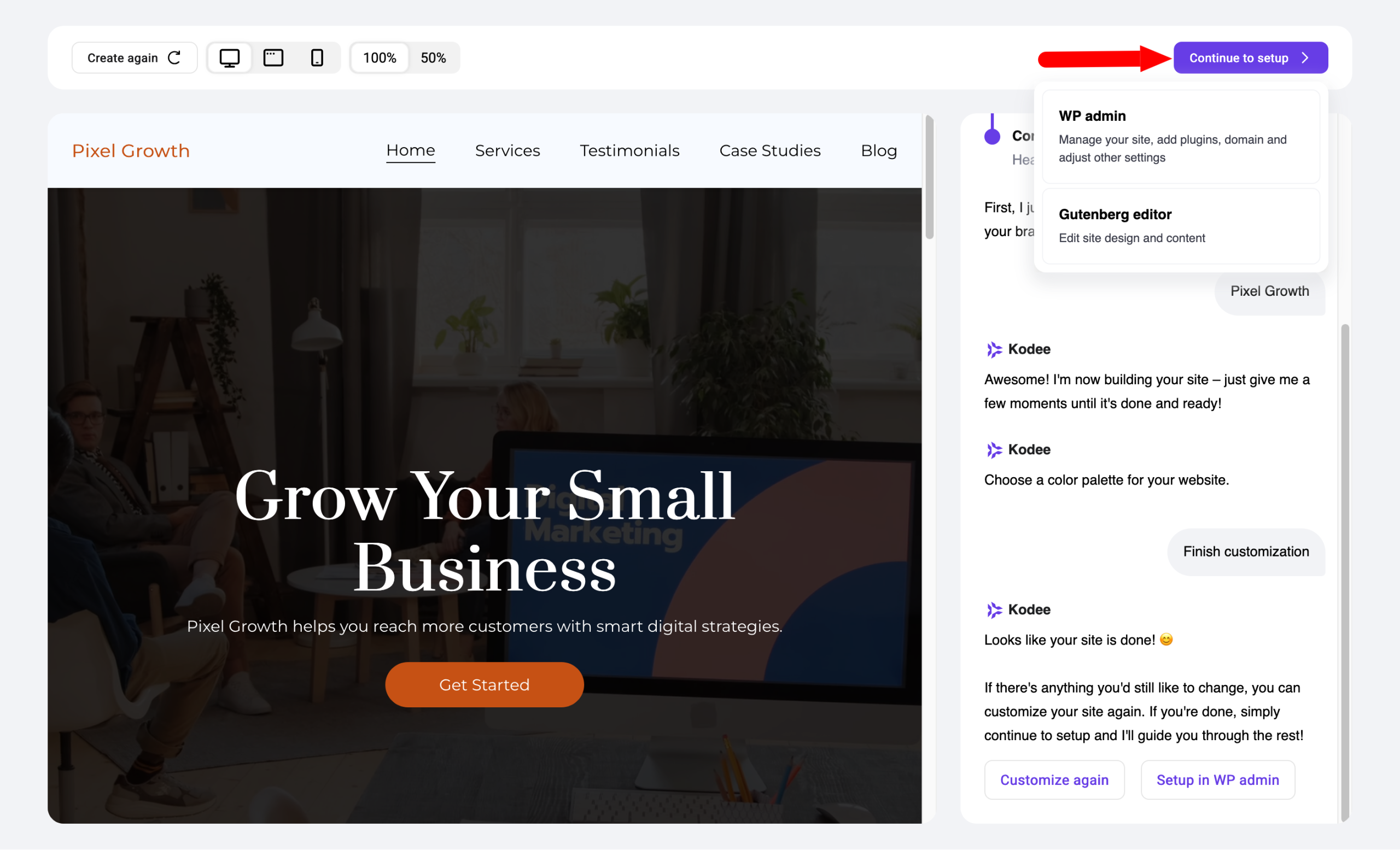
In barely a minute, our site was already created. The next step is to choose your colors and logo.
For this, click the button of your choice. For colors, you can select from several palettes, or add your own custom color palette:

Then, you can upload your logo if you have one on hand. When ready, click the “Continue to setup” button at the top of the page to go either to your WordPress admin interface or to the Gutenberg editor:
Step 5: Polish the details on your WordPress admin interface
Once in your WordPress back office, you’ll see Hostinger has its own menu with several tabs:
- “Onboarding”, with steps to follow to configure your site
- “Tools”, with several options like the possibility to disable XML-RPC
- “Reach”, to create email marketing campaigns
- “Affiliate marketing”. A tab specific to the type of site we just created, which you won’t have if you build a showcase site or an online store, for instance
- “AI Content Creator”, to generate AI-powered posts, pages, and forms with options like writing tone and article length

If you want to learn more about all the AI tools offered by Hostinger, we refer you to our dedicated article.
To edit your content, proceed the same way as on a “classic” WordPress site.
Go to “Posts” or “Pages,” then select the content you want to edit.
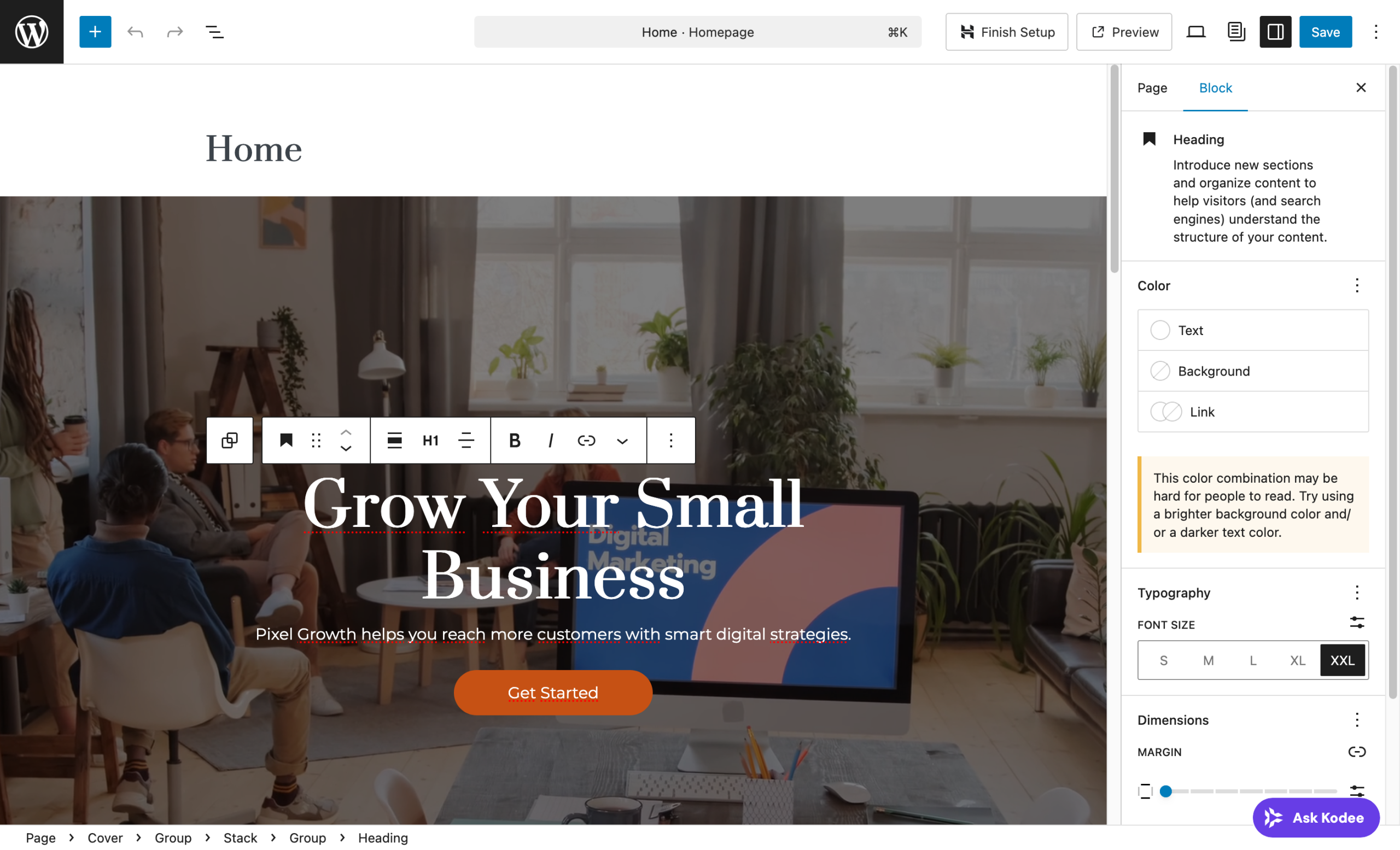
Then it’s the usual thing. We had chosen to create the site with Gutenberg.
So we can edit texts and images, add new content and blocks of our choice directly in the Content Editor interface:
If you choose Elementor, the principle will be the same, except that you’ll be redirected to the page builder interface to edit your content.
Pretty straightforward, right? Let’s move on. Now, let’s get to what probably interests you the most: our concrete feedback on the quality of the generated site.
Experience feedback on the site created with Hostinger’s AI
Site setup
During our test, the site was generated in barely a minute after the ideation phase ended.
From account creation to getting a site online, the whole process took less than ten minutes, including hosting installation. For a beginner, this is a tremendous advantage.
There is no blocking moment, no technical decision to make, no plugin to configure manually.
Everything is simple and the interface is intuitive and clear, which makes it easy to get started. You feel (well) guided from A to Z.
Quality of the generated design
The design of the generated site is clean and professional. Hostinger relies on its own in-house theme (Hostinger AI Theme), which you can also find in Appearance > Themes.

The visual result is consistent with current web standards: spacious layout, readable typography, well-balanced sections.
That said, the site does not particularly stand out. The design is acceptable but quite generic.
If you’re looking for a strong and original visual identity, you’ll need to invest time to customize further or hire a professional.
For a simple showcase or a starter blog, however, the result is perfectly acceptable.
Quality of generated content
This is probably the point that calls for the most nuance in our feedback. The texts generated by AI are grammatically correct and logically structured. They correspond to the indicated industry. Nothing to complain about there.
However, they remain generic. The AI produces template texts, without the personality, tone, or specific arguments unique to your business.
So, you’ll need to roll up your sleeves to improve all that. Use these texts as a working base, not as final content.
Take the time to rewrite them in your own words, putting your true values and precise offers. That’s what will make the difference between a site that converts and a site people leave quickly.
Overall user experience
The user experience is smooth, well guided, and truly accessible. However, and this is not Hostinger’s fault, you need to fetch certain elements from different places.
For example, all page templates and the navigation menu are found in the WordPress Site Editor (menu Appearance > Editor):

Editing the body of your content (post or page) happens directly in the Content Editor on the article or page of your choice.
If you discover WordPress and are new to its interface, this is something to keep in mind.
On its side, Hostinger’s own management interface, hPanel, is one of the clearest dashboards in the hosting market. Links to WordPress admin, site settings, and support are readily visible.
A beginner will have no trouble navigating.
Overall, the learning curve is very gentle compared to a manual WordPress installation.
How much does it cost?
Without further ado, let’s now look at what is commonly called the “sinews of the war.” That is: the price.
Hostinger’s AI Website Builder for WordPress is included in the host’s WordPress hosting plans. There is no additional cost to access the tool itself.
To benefit from it, you must subscribe to either the “Business + AI” plan or the “Cloud Startup + AI” plan.
Hostinger’s WordPress hosting plans are available at very affordable prices (starting at $1.99 ex. VAT/month for the “Business + AI” plan the first year).

If you’re not yet hosted at Hostinger, know that you can test their website builder for free for 14 days, with no functional limitations.
Once your site is ready to be published, just choose one of the two plans that include the AI tools to put it online.
Our final opinion on Hostinger’s AI Website Builder
Still here? Great. You’ve reached the end of this test and review of Hostinger’s AI WordPress website builder.
We just have to deliver a final recap, with our frank opinion on the matter as a bonus.
Advantages
- Exceptional speed: from subscribing to the hosting offer to the final result, you get a complete WordPress site in minutes, with no technical skills required from you.
- Smooth integration with WordPress: you stay within the WordPress ecosystem, without being locked into a proprietary platform.
- Intuitive interface: hPanel makes daily site management easy even for complete beginners.
- Good value for money: the builder is included in affordable hosting packages.
- Considerable time savings. Without Hostinger’s AI site builder, creating a WordPress site from scratch, even with a premium theme and a page builder, requires hours of work.
- Customizable foundation. Unlike white-label site builders, you work on a “real” WordPress. You can install any plugin, change themes, or even hire a developer later on.
- Bundled with hosting. You don’t need to find a separate host: the tool is included with a WordPress hosting plan purchase at Hostinger. This simplifies administrative and technical management.
Limits
- Generic design and content: the visual result is acceptable but lacks uniqueness. Customization is often needed to differentiate yourself, especially regarding content.
- Limits for complex projects: the tool is not suitable for advanced e-commerce sites, complex multilingual platforms, or projects requiring custom features.
- No option to use the AI site builder with the “Premium” hosting plan.
What does WPMarmite think?
In our opinion, Hostinger’s AI Website Builder for WordPress honestly fulfills its mission: to enable anyone, even without the slightest technical knowledge, to launch a functional WordPress site in minutes.
It’s an excellent starting point, especially if you’re a beginner, short on time, or simply want to validate an idea before investing more.
We recommend considering the generated site as an advanced prototype, not a final version.
Build on this base and complete it with your own texts, photos, and personality to get a site that really looks like you.
If you are already with Hostinger or looking for affordable WordPress hosting to get started, this tool is a real asset in the package.
It saves you from starting from scratch and significantly simplifies the often discouraging first hours of site creation.
Want to try Hostinger’s AI Website Builder for WordPress yourself? Head straight to Hostinger’s site to discover their plans:
