
Formidable Forms meets the essential needs of webmasters: create high-performance, personalized forms with ease.
300,000+ WordPress sites already use this plugin, with an average rating of .
From basic contact forms to complex interactive quizzes, Formidable Forms offers an intuitive approach to transforming data collection into a fluid user experience.
The plugin offers a drag-and-drop editor to design custom forms without technical skills, with over 220 templates available.
Formidable Forms reviews highlight its key features: visual customization, spam protection, file uploads, multi-step forms, and native marketing integrations.
Advantages and disadvantages

| Advantages | Disadvantages |
|---|---|
| Intuitive drag-and-drop editor for creating forms without technical skills | Advanced features reserved for paid versions, which may limit users on a tight budget |
| Over 220 ready-to-use form templates, covering a wide range of needs | Relatively long learning curve to master all complex functionalities |
| Responsive design for optimal display on all devices | High renewal costs after the first year (prices double) |
| Native spam protection (reCAPTCHA, Akismet, hCaptcha) | Limited number of fields in the free version |
| Ability to create complex forms: calculations, multiple steps, quizzes, surveys | Advanced customization requiring technical skills for complex configurations |
| Native integration with numerous marketing and CRM tools | Faster technical support only available for Premium licenses |
| Data management and visualization features with Formidable Views | Conditional logic available only in paid versions |
| Design customization options directly in the interface | Limited number of templates compared to some competitors |
| Compatibility with Gutenberg, Elementor, and other page builders | Performance potentially impacted by addition of new features |
Formidable Forms in numbers
| Latest version | 7.0 |
| Date of last update | |
| Active installations | 300,000+ |
| Average rating | |
| Number of form templates | 220 |
| Spam protection | 5 integrated methods |
| Integrations | CRM, Email marketing, Payments |
Formidable Forms plugin pricing
| Plan Basic | Plan Plus | Plan Business | Plan Elite |
|---|---|---|---|
| $39.50 | $99.50 | $299.50 (approx. €276) | $299.50 |
|
|
|
|
Formidable Forms user reviews
Formidable Forms has proven to be a WordPress plugin that users particularly appreciate for its robustness, ease of use, and outstanding technical support.
In particular, users praise its great flexibility, its many advanced features, and its ability to handle complex forms efficiently.
“I’ve used just about everything out there, and nothing compares to Formidable Forms. I love everything about Formidable: the ease of use, the large template library, and the ability to create reusable custom templates.”
Tony D.
“A very robust forms solution for WordPress. I’ve been using Formidable Forms for a long time and it’s a very reliable solution. The advanced features like Directories and Views are perfect.”
Tomas S.
“World class forms with calculator and excellent support. The support team responds very quickly and is exceptionally kind and helpful.”
joepvandrunen
More Formidable Forms testimonials
Find out how Formidable Forms ranks in terms of user satisfaction on various customer review platforms.
| Platform | Rating |
|---|---|
| WP.org | |
| TrustPilot | 4.8 out of 5 |
| G2 | 4.8 out of 5 |
| Capterra | 4.9 out of 5 |
| Get App | 4.9 out of 5 |
Alternatives to Formidable Forms
WPForms
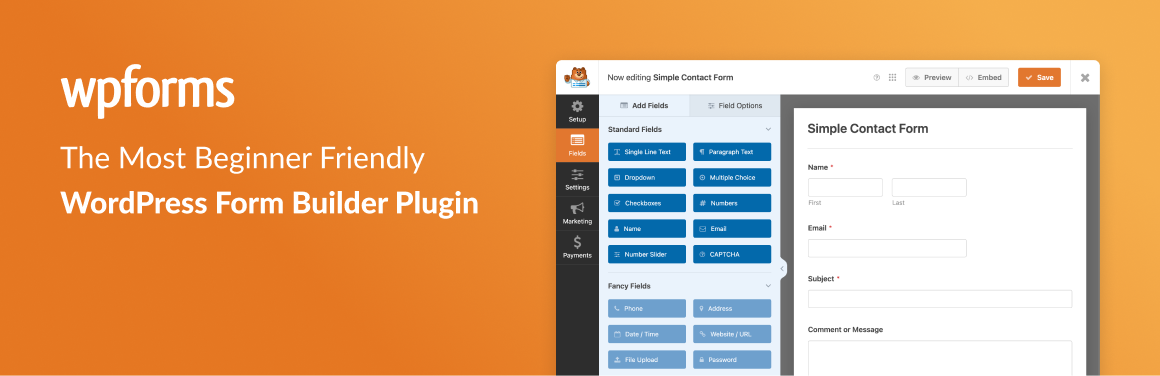
WPForms is an excellent alternative to Formidable Forms, particularly for its ease of use and wide range of functions. It features an intuitive drag-and-drop form builder, allowing you to quickly create contact forms, surveys, polls, and even user registration forms.
WPForms also offers ready-to-use templates and conditional logic options, making it ideal for developers and non-technical users alike.
Fluent Forms
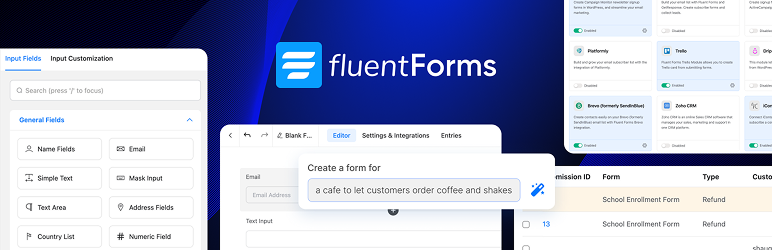
Fluent Forms is another solid alternative to Formidable Forms, renowned for its speed and efficiency. This lightweight plugin ensures that your site remains fast and responsive, even with complex forms.
It offers a user-friendly interface with a drag-and-drop form builder, ready-to-use form templates, and conditional logic options. Although there are fewer third-party integrations than some other plugins, Fluent Forms remains an excellent choice for those who value performance.
Gravity Forms

Gravity Forms is an advanced alternative to Formidable Forms, which specializes in the creation of complex forms. It features an easy-to-use drag-and-drop form builder and offers robust functionalities for surveys, user-submitted content, quizzes, and even web directories.
Gravity Forms boasts numerous integrations with popular applications and premium support. However, there is no free version, and some advanced features require add-on modules.
Formidable Forms FAQs
How do I install and activate Formidable Forms on WordPress?
To install and activate Formidable Forms, access your WordPress dashboard. Go to Plugins > Add new, then search for “Formidable Forms.” Click “Install” and then “Activate” once the installation is complete.
You can also download the plugin from the official WordPress website and upload it manually via the “Upload plugin” option.
What are the main features of Formidable Forms?
Formidable Forms offers a variety of advanced features, including a drag-and-drop form builder, conditional fields, multi-page forms, multiple file uploads, dynamic field calculations, and integrations with payment gateways like Square and Authorize.Net.
It also lets you create quizzes and polls, and view submissions in customized tables and charts via Formidable Views.
How do I create multi-page forms with Formidable Forms?
To create multi-page forms with Formidable Forms, install and activate the plugin, then add page breaks to your form.
You can insert these multi-part forms on any page or post using the Formidable block in your WordPress editor. This feature is included in the Basic plan and higher.
What third-party integrations are available with Formidable Forms?
Formidable Forms offers robust integrations with various CRM systems such as HubSpot, as well as payment gateways such as Square and Authorize.Net.
The plugin also supports webhooks to integrate with numerous third-party applications, enabling workflow automation and data synchronization.
How do I view and manage data submitted via Formidable Forms?
With Formidable Views, you can display and manage submitted data in a personalized way. You can create job boards, event calendars, and company directories directly from form submissions.
This feature allows you to present data in a visual and interactive way.
How can I protect my forms against spam with Formidable Forms?
Formidable Forms includes invisible spam protection, which helps prevent spam submissions without affecting the user experience. This feature is built into the plugin and requires no additional configuration.
Can I customize the appearance of my forms with Formidable Forms?
Yes, Formidable Forms allows advanced customization of form appearance. You can use the visual style creator to adjust colors, fonts, and layouts without the need for coding. This lets you match forms to your brand.
Thank you for browsing this page dedicated to Formidable Forms 🙏
The WPMarmite team hopes you were able to learn more about this WordPress plugin!
To find out more, visit the official website and their social networks:
You can also share your experience with Formidable Forms by writing a review below. 👇
Found an error on this page? Click here to report it.

