
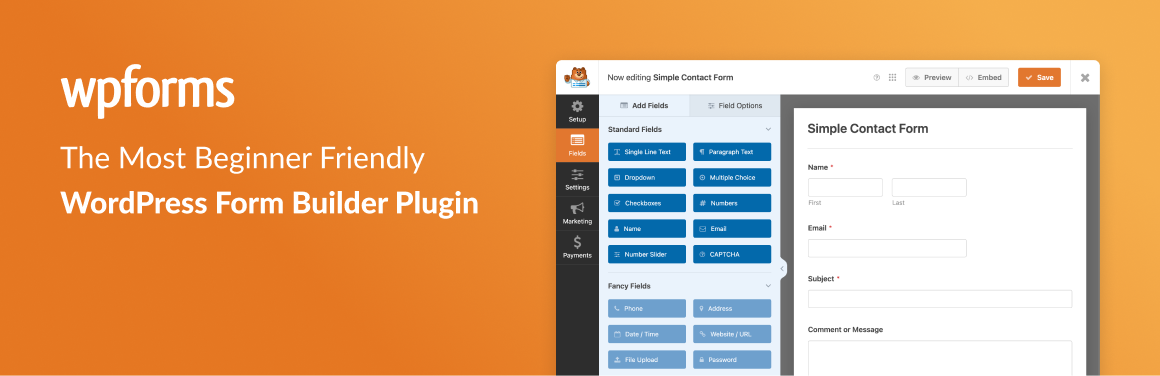
In the digital world, web forms are essential for communication and interaction. WPForms presents itself as an intuitive solution for creating forms on WordPress, meeting the needs of webmasters and entrepreneurs alike.
With over 5,000,000+ active installations and an average rating of , this plugin simplifies the design of data collection tools.
Whether for a contact form, newsletter, or reservation, WPForms offers an accessible, code-free approach, enabling anyone to create professional forms quickly and efficiently. User reviews of WPForms reveal its ability to transform a technical constraint into a simple, high-performance opportunity.
Advantages and disadvantages
| Advantages | Disadvantages |
|---|---|
| Ultra-intuitive user interface with drag-and-drop editor | Very limited free version (only 10 standard fields) |
| Over 300 ready-to-use form templates | High price for premium version, especially for Elite subscription |
| Native, high-performance anti-spam protection | Complex visual customization without CSS knowledge |
| Compatibility with numerous page builders (Elementor, Divi) | No ability to activate add-ons individually |
| Wide variety of form types (contact, payment, survey) | Expensive license renewal after the first year |
| Integrations with marketing and CRM tools | Advanced customization reserved for paid versions |
WPForms in numbers
| Latest version | 2.0.2.2 |
| Date of last update | |
| Active installations | 5,000,000+ |
| Average rating | |
| Launch date | 2016 |
| Publisher | WPForms, Inc. |
| Number of form templates | 2,000 |
| Number of languages supported | 33 |
| Number of ratings | 13,200 |
WPForms plugin prices
| Basic | Plus | Pro | Elite |
|---|---|---|---|
| $99/year | $199/year | $399/year | $599/year |
| – Use on 1 site – Unlimited forms – Unlimited submissions – Unlimited users
– Input management Advanced form fields – Field validation – Intelligent conditional logic – File upload – Form notifications – Spam protection – Privacy compliance – Email summaries
-Form layouts – Customized thank-you pages – Import/export tools – Compatibility with page builders – Overview of entries – WPForms AI – Standard support |
– Use on 3 sites – Unlimited forms – Unlimited submissions – Unlimited users
– AWeber – Constant Contact – GetResponse – Campaign Monitor – ConvertKit – Drip – Brevo – MailerLite
– Data routing – User segmentation – Newsletter subscription forms
– Twilio – Standard support |
– Unlimited forms – Unlimited submissions – Unlimited users
– Stripe Pro – Square – PayPal – Recurring subscriptions – No transaction fees – Discount coupons – Advanced calculations
– Polls and surveys – Backup and recovery – Digital signatures – Geolocation – Google Sheets integration – Dropbox integration – 7,000 integrations via Zapier
– Landing pages for forms – Lead capture forms – Form abandonment tracking – User journey reports
– Article submission – Offline forms – Form permissions management – Priority support |
– Unlimited forms – Unlimited submissions – Unlimited users
– Salesforce – ActiveCampaign – HubSpot – Webhooks
– Advanced access control – Customer management – Premium support |
User reviews of WPForms
WPForms stands out as a WordPress forms plugin that’s particularly popular with users, who point to its ease of use, intuitive interface, and extensive functionality.
Users also highlight its fast configuration, customizable templates, and excellent customer support.
WPForms is the perfect solution for creating custom forms in WordPress. It’s easy to use, offers integrations with popular services, and has excellent customer support. Highly recommended!
Yanis Ouerghemi [5/5]
WPForms is by far the best forms plugin I’ve used in recent years. It’s incredibly reliable, and paired with its companion plugin WP Mail SMTP, it creates the perfect combination for seamless functionality.
Tom Vesey [5/5]
The interface is simple, the creation process is easy, and the range of options and templates is everything one could wish for. Impossible to criticize.
Noureddine Yous [5/5]
More testimonials for WPForms
Find out how WPForms ranks in terms of user satisfaction on the following customer review platforms:
| Platform | Rating |
|---|---|
| WP.org | |
| TrustPilot | 4.8 out of 5 |
| G2 | 4.7 out of 5 |
| Capterra | 4.3 out of 5 |
| Get App | 4.4 out of 5 |
Alternatives to WPForms
Formidable Forms

Formidable Forms is a robust alternative to WPForms, offering great flexibility and advanced functionality. It features an intuitive drag-and-drop form-building interface and numerous ready-to-use templates.
The plugin stands out for its calculator forms, particularly useful for businesses in the financial or real estate sector, with pre-designed templates for mortgage calculations, car payments, etc.
Gravity Forms

Gravity Forms is a professional plugin for creating WordPress forms, offering similar functionality to WPForms.
It includes conditional logic, multi-step forms, and calculations. The plugin is compatible with numerous add-ons and integrations, making it very versatile for advanced form needs.
Ninja Forms
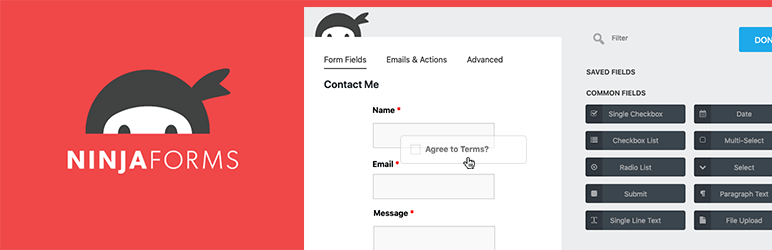
Ninja Forms is another solid alternative to WPForms, offering a drag-and-drop form-building interface and great flexibility.
The basic plugin is free, and you can add advanced features like conditional logic, file uploads, and integrations with payment gateways and email marketing tools via paid add-ons.
WPForms FAQs
How do I install WPForms on my WordPress site?
To install WPForms, you first need to log in to your WordPress dashboard. Go to Plugins > Add new, then search for “WPForms.” Click on “Install” and then on “Activate” once the installation is complete.
Alternatively, you can download the plugin from the official WPForms website and upload it manually via the “Upload plugin” option in your WordPress dashboard.
What are the main features of WPForms?
WPForms offers several key features, including a drag-and-drop form builder, over 2,000 ready-to-use form templates, conditional logic to show or hide fields based on user responses, anti-spam tools like CAPTCHA and Honeypot, and integrations with email marketing services like MailChimp and AWeber.
It also includes advanced features like multi-step forms, instant notifications, and the ability to collect payments via PayPal and Stripe.
How do I customize form notifications with WPForms?
With WPForms, you can customize form notifications in depth.
You can configure notifications to send emails to multiple recipients, create customized notifications with specific subject lines and messages, and use Smart Tags to include dynamic information in notifications. You can also enable or disable notifications to suit your needs.
What anti-spam tools are available in WPForms?
WPForms includes several anti-spam tools to protect your forms from spam. These tools include CAPTCHA, Honeypot, and other advanced filters to prevent bots from submitting forms.
These features are automatically activated when a form is created, helping to reduce spam submissions.
Can I use WPForms to collect online payments?
Yes, WPForms allows you to collect online payments thanks to its integrations with payment gateways such as PayPal and Stripe.
You can create payment forms to sell products or services, collect donations, or process online orders. These features are available in the Pro version of WPForms.
How do I manage form entries with WPForms?
WPForms offers a form entry management feature that allows you to view all submissions in one place.
You can view, export, and manage form entries directly from the WordPress dashboard. This feature is particularly useful for standardizing your workflow and tracking your leads efficiently.
Can I use WPForms to create multi-step forms?
Yes, WPForms lets you create multi-step forms to enhance the user experience. You can divide long forms into several pages, which helps to reduce form abandonment rates.
WPForms automatically adds a progress bar so visitors can see their progress at each step.
Thank you for visiting this page dedicated to WPForms 🙏
The WPMarmite team hopes you were able to learn more about this WordPress plugin!
To find out more, visit the official website and their social networks:
You can also share your experience with WPForms by writing a review below. 👇
Found an error on this page? Click here to report it.

