
Bit Form is a lightweight, powerful WordPress forms solution. This plugin stands out for its optimized architecture (10 Kb of JavaScript and 3 Kb of CSS), guaranteeing fast loading that benefits SEO and conversions.
The tool features a drag-and-drop builder, conditional logic, and over 40 customizable field types. With its 50 native connectors, Bit Form integrates easily with third-party services (CRM, payment platforms, marketing tools).
User reviews of Bit Form highlight its ability to create professional forms tailored to specific needs, while ensuring an optimal user experience on all devices.
Advantages and disadvantages

| Benefits | Disadvantages |
|---|---|
| Intuitive user interface with drag-and-drop builder makes it easy to create forms without advanced technical knowledge | Some advanced features are reserved for the premium version |
| Optimized performance with lightweight code (only 10KB JS and 3KB CSS) that doesn’t weigh down site loading | Relatively high learning curve to fully exploit even the most complex functions, such as conditional calculations |
| Over 40 field types for creating complex, customized forms | Less extensive documentation than established competitors such as Gravity Forms or Contact Form 7 |
| Advanced conditional logic to display fields dynamically according to user responses | Smaller user community, which may limit community support and the availability of third-party resources |
| Numerous integrations with over 50 external services (CRM, marketing platforms, payment systems) | Less intuitive visual customization options for beginners wishing to move away from default styles |
| Robust anti-spam features (reCAPTCHA, email validation, honeypot) to secure forms | Technical support sometimes slow during periods of high demand |
| Multi-stage forms for more engaging user experiences and complex questionnaires | Some advanced integrations require additional configurations that may be technical in nature |
| Full compatibility with popular page builders such as Elementor, Divi, and Beaver Builder | Occasional compatibility issues with some highly customized WordPress themes |
Bit Form in numbers
| Latest version | 3.3.3 |
| Date of last update | |
| Active installations | 10,000+ |
| Average rating | |
| Launch date | September 2020 |
| Publishing company | Bit Apps |
| Founder | Arif Uddin |
| Number of fields available | 40+ |
| Available integrations | 50+ |
| Layout capacity | Up to 60 columns |
| Payment gateways | 5 (PayPal, Stripe, Razorpay, Mollie, WooCommerce) |
Bit Form plugin prices
| Free | Starter | Plus | Agency |
|---|---|---|---|
| Free | $39/year | $92/year | $132/year |
|
|
|
|
User reviews of Bit Form
Bit Form is a WordPress form builder plugin with an excellent reputation among users, as evidenced by its high average rating on the official directory.
Users particularly appreciate its modern interface, flexibility, and rich functionality. Several reviews also highlight the quality of support and performance optimization, positioning this plugin as a serious and affordable alternative to more established solutions such as WPForms or Gravity Forms.
“The most modern builder I’ve seen to date, I highly recommend it. The simple interface, the flexibility of the builder, and the variety of fields… you have to see it to believe it.”
@wecowebpioneer
“Incredible plugin for creating forms. I’m very grateful to have Bit Form for my website.”
@abrenwal
“I use Bit Form Pro and their other products. They listen to customers, add features, and provide support (even on video calls). The Razorpay integration is the most powerful on the market.”
Anonymous user
Alternatives to Bit Form
WPForms

WPForms is a versatile premium forms plugin used by over 5,000,000 WordPress sites. It features an intuitive visual builder accompanied by numerous pre-designed templates to easily create forms to suit every need.
The plugin also offers advanced integrations with leading marketing services. Its quality is widely recognized, with an average rating of on the official WordPress directory.
Gravity Forms

Gravity Forms is a powerful yet flexible premium plugin, ideal for designing complex forms. It features an intuitive interface and a wide range of advanced functionalities.
Key features include conditional logic, data export in CSV format, and robust integrations with numerous third-party services.
Although more expensive than some competitors, it is renowned for its reliability and wealth of options.
Ninja Forms
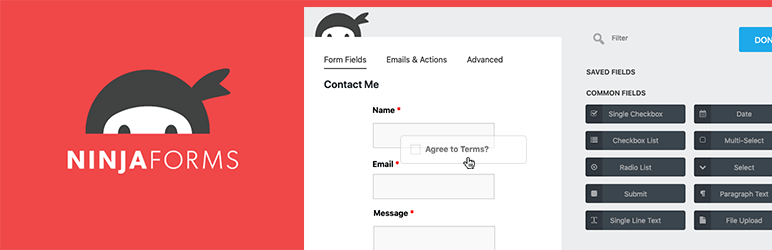
Ninja Forms is an easy-to-use WordPress plugin that lets you create custom forms without coding. It features an intuitive drag-and-drop builder, ready-to-use templates, and advanced functionality.
Highlights include the ability to add file uploads, generate PDFs, and connect forms to services such as Google Sheets or PayPal.
The plugin also includes spam protection and guarantees optimum compatibility with mobile devices.
Bit Form FAQs
How do I install Bit Form on WordPress?
To install Bit Form, go to Plugins > Add New from your WordPress table. Use the search bar to find “Bit Form,” click “Install” and then “Activate.” The plugin will be accessible via the left-hand side menu.
How do I create a form with Bit Form?
After activation, go to Bit Form > New form. Choose a predefined template or create a custom form using the drag-and-drop editor.
Add fields (text, email, files), configure sending parameters, and save.
Does Bit Form support online payments?
Yes, Bit Form integrates Stripe, PayPal, and Razorpay. Activate gateways via Form settings > Payments. Configure your account API keys and customize currency/amount options.
How do I manage files uploaded via Bit Form?
Files are stored in /wp-content/uploads/bit-form/ by default. To change the location or limit file types, go to Upload field > Advanced settings. The maximum configurable file size is 256 MB.
How can I protect a Bit Form from spam?
To protect a Bit Form from spam, activate reCAPTCHA v3 in General Settings > reCAPTCHA, and add your Google keys.
Bit Form also offers the following options:
- Limit of submissions per IP
- Honeypot protection
- Real-time field validation
How do I export Bit Form submissions?
To export Bit Form submissions, go to Bit Form > Entries and select your form. Use the filters if necessary, then click on “Export to CSV/Excel.”
Exports can be automated via Zapier integration.
Thank you for visiting this page dedicated to Bit Form 🙏
The WPMarmite team hopes you’ve been able to learn more about this WordPress plugin!
To find out more, visit the official website and their social networks:
You can also share your experience with Bit Form by writing a review below. 👇
Found an error on this page? Click here to report it.

