
Looking for a WordPress plugin that makes creating forms simple? Everest Forms is an affordable solution, with 90,000+ active installations and an average rating of .
Creating custom forms can be a complex task. Everest Forms offers an intuitive alternative, suitable for all skill levels, with a drag-and-drop builder for quickly designing contact, reservation, order, or registration forms.
With its ready-to-use templates and advanced customization options, Everest Forms simplifies form management for entrepreneurs and webmasters alike.
Advantages and disadvantages

| Advantages | Disadvantages |
|---|---|
| Intuitive drag-and-drop user interface, ideal for beginners | Some advanced features reserved for the premium version |
| Wide variety of ready-to-use form templates | Performance can be slowed by complex forms |
| Advanced form fields available in free version | Limited compatibility with some WordPress themes |
| Simple style customization with Elementor integration | Technical support varies according to plugin version |
| Easy management and export of form entries | Dependence on regular security updates |
| Multi-step, multi-purpose functionality (contact, booking, surveys) | Possible conflicts with other form plugins |
Everest Forms in numbers
| Latest version | 3.6.3 |
| Date of last update | |
| Active installations | 90,000+ |
| Average rating | |
| Launch date | 2018 |
| Publisher | WPEverest |
| Type of plugin | WordPress form builder |
| Available form templates | 20 ready-to-use templates |
| Form field types | 30 customizable fields |
Everest Forms plugin pricing
| Free | Personal | Agency |
|---|---|---|
| $0 | $48.30/year | $99/year |
|
|
|
Everest Forms user reviews
Everest Forms is proving to be a particularly popular WordPress plugin with users, notably for its ease of use, rich functionality, and outstanding customer support.
The comments converge towards overall satisfaction, underlining the plugin’s flexibility, its customization possibilities, and the responsiveness of the support team.
Feature-rich!
Everest Forms, especially the Pro version, offers all the features you could wish for. Surveys, quizzes, PDF export, mail templates, conditional fields, form styling, and more.
We use several forms with several hundred to over a thousand entries, and everything works without a hitch.shanksum
Good support
I was having trouble getting the form to look a certain way to fit my theme. The support team answered my ticket quickly and helped me until the problem was solved. And I prefer Everest Forms to WPForms because they allow you to see the entries in your CMS.heatherb1011
Essential WordPress plugin
I am extremely pleased with this form builder plugin, and highly recommend it to anyone looking for a simple and effective way to create beautiful and functional forms for their WordPress site.devkabir
Alternatives to Everest Forms
Ninja Forms
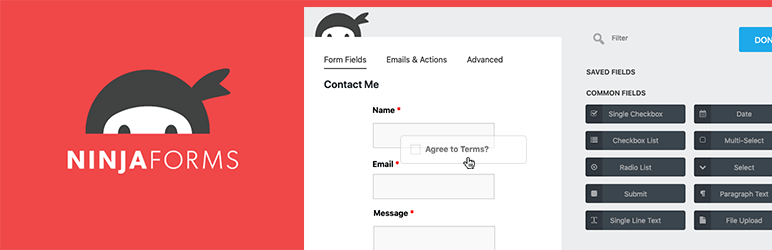
Ninja Forms is a popular WordPress plugin that lets you create custom forms without coding. It features an intuitive drag-and-drop form builder, predefined templates, and advanced functionality.
Key features include file uploads, PDFs, and integrations with services such as Google Sheets and PayPal. It also offers spam protection and forms compatible with mobile devices.
Fluent Forms
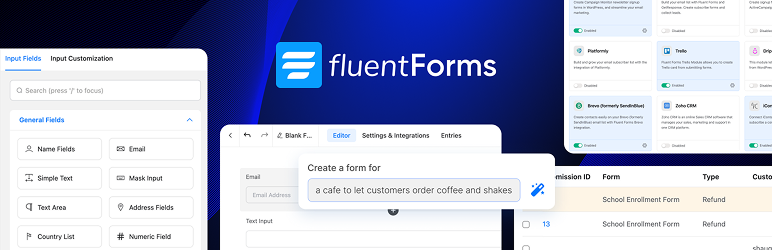
Fluent Forms is a light and fast alternative to form plugins, with a smart interface that guides even the most novice users.
There’s no need for code, except for custom CSS, and it offers a wealth of features in its free version. These include conditional fields, third-party integrations, and efficient input management.
Gravity Forms

Gravity Forms is a powerful and flexible premium plugin for creating complex forms. It offers an intuitive interface and advanced features.
Highlights include conditional logic, CSV exports, and robust third-party integrations. Although more expensive than some other plugins, it is highly appreciated for its reliability and detailed functionality.
Everest Forms FAQs
How do I install and activate the Everest Forms plugin?
To install and activate the Everest Forms plugin, you must first download it from the WordPress directory or from the official Everest Forms website.
Once downloaded, access your WordPress dashboard, go to Plugins > Add new > Upload, and upload the plugin ZIP file. Activate the plugin once installation is complete.
Does Everest Forms require coding skills?
No, you don’t need any coding skills to use Everest Forms. The plugin uses a drag-and-drop interface to add and organize form fields, and you can display forms using built-in shortcodes.
What types of forms can I create with Everest Forms?
With Everest Forms, you can create a variety of forms, such as contact forms, online registration forms, newsletters, surveys, polls, quizzes, feedback forms, booking forms, and much more.
The plugin offers advanced functionality and numerous integrations to suit your needs.
Can I integrate payment services with Everest Forms?
Yes, you can integrate payment services like PayPal, Stripe and Razorpay with Everest Forms. These integrations allow you to create payment forms and accept payments on your WordPress site.
How can I protect my Everest Forms from spam?
Everest Forms has robust spam protection features, including Google reCAPTCHA integration as well as custom CAPTCHAs such as mathematical equations or questions and answers. These tools help protect your site against spam and bots.
Can I integrate Everest Forms with email marketing services?
Yes, you can integrate your Everest Forms with popular email marketing services such as Mailchimp, Sendinblue, Constant Contact, Drip, and many others.
The plugin offers dedicated add-ons for these integrations, as well as the Zapier add-on for connecting your forms to hundreds of other online applications.
How do I activate Everest Forms’ premium features?
To activate Everest Forms premium features, you need to download and install the Everest Forms Pro ZIP file from your account. Once installed, activate the plugin and enter your license key.
You can then activate the add-ons and premium features available in your plan.
Thank you for visiting this page dedicated to Everest Forms 🙏
The WPMarmite team hopes you’ve been able to learn more about this WordPress plugin!
To find out more, visit the official website and their social networks:
You can also share your experience with Everest Forms by writing a review below. 👇
Found an error on this page? Click here to report it.

