
weForms, an innovative WordPress plugin, makes it easy to create forms. With over 10,000+ active installations and an average rating of , this tool offers a complete solution for online data collection.
Designed with the needs of webmasters in mind, weForms features an intuitive drag-and-drop interface that lets you quickly generate customized forms without any prior technical skills. Its simple, efficient approach makes form creation a quick and accessible task.
Advantages and disadvantages

| Advantages | Disadvantages |
|---|---|
| Intuitive drag-and-drop form creation interface | Advanced features limited to paid version |
| Over 35 ready-to-use field types and templates | Some third-party integrations may be limited or complex |
| Robust integrations with marketing tools (MailChimp, HubSpot) and payment services (PayPal, Stripe) | Potential learning curve for advanced features |
| Effective anti-spam protection with Google reCaptcha | Performance may be impacted by multiple integrations |
| Easy collection, visualization, and export of submitted data | Potentially limited technical support in the free version |
| Compatibility with Gutenberg, page builders, and widgets | Advanced customization sometimes complex without technical skills |
weForms in numbers
| Latest version | 1.6.28 |
| Date of last update | |
| Active installations | 10,000+ |
| Average rating | |
| Type of plugin | WordPress form builder |
| Framework used | Vue.js |
| Number of field types | 35 |
| Main integrations | MailChimp, AWeber, HubSpot, PayPal, Stripe |
WeForms plugin prices
| Personal | Professional | Business | Developer |
|---|---|---|---|
| $89/year | $109/year | $189/year | $399/year |
|
|
|
|
WeForms user reviews
weForms is a WordPress form creation plugin that’s appreciated for its simplicity and speed of implementation.
Offering numerous templates and an intuitive drag-and-drop interface, it lets you quickly generate complete forms with advanced features like email integrations, redirects, and notifications.
This plugin allowed me to create forms in a matter of minutes, with ready-to-use templates and a build system that’s really easy to get to grips with.
wavedoc1956
A quality extension with a modern, clean design that effectively meets the needs of creating forms on WordPress.
ashleygrey
Positive points: drag & drop builder, numerous templates, responsive. Negatives: limited customization.
softweave
Alternatives to weForms
Formidable Forms

Formidable Forms is an excellent alternative to weForms, especially if you need to create advanced forms with complex functionality.
It offers an easy-to-use drag-and-drop form builder and predefined templates for mortgage, car payment, and salary calculations.
It also features conditional logic, user-specific views, and great flexibility for developers thanks to its well-documented API and hooks and filters.
Ninja Forms
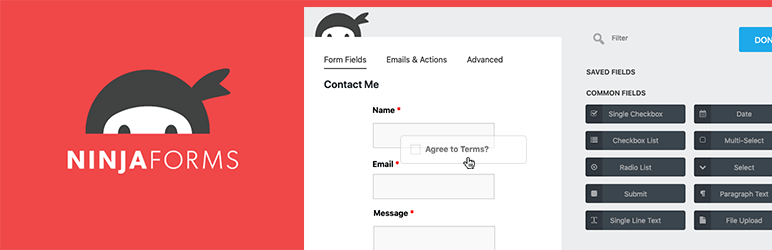
Ninja Forms is another solid alternative to weForms, offering an intuitive drag-and-drop interface and great flexibility thanks to its system of extensions.
The free version offers a solid foundation, and the extensions allow you to customize the plugin to your needs, including payment processing and user management options. Ninja Forms is practical for those seeking a balance between functionality and cost.
Everest Forms

Everest Forms is a user-friendly alternative to weForms, designed to be accessible to novices while offering advanced features for more experienced users.
It features predefined templates, conditional fields, multi-part forms, and integrations with marketing and payment services.
The free version is generous, and the premium version offers additional features such as conditional logic and spam protection.
weForms FAQs
How do I install the weForms plugin on WordPress?
To install the weForms plugin, access your WordPress dashboard, then go to Plugins > Add new.
Search for “weForms” and click on “Install now,” then “Activate” once the installation is complete.
What are the main features of the weForms plugin?
weForms offers several key features, including a drag-and-drop form builder with live preview, predefined form templates for quick setup, over 20 customizable fields, form submission notifications for admin and user, and integrations with third-party services like Mailchimp and Slack.
How do I create a form with weForms?
To create a form with weForms, use the drag-and-drop form builder. Select a predefined template or start from scratch.
Add fields from the sidebar and adjust settings to suit your needs. Live preview lets you immediately see the changes you make to the form.
Can I integrate weForms with third-party services such as Mailchimp or Google Drive?
Yes, weForms supports integrations with third-party services such as Mailchimp, AWeber, HubSpot, and many others. These integrations enable you to synchronize your form data with your favorite marketing tools.
How do I manage and analyze form submission data with weForms?
With weForms, you can easily manage and analyze form submission data. The plugin offers submission management features, allowing you to export and import entries, as well as use conditional logic to enhance the user experience.
How can I prevent spam in forms created with weForms?
weForms includes built-in spam protection to prevent spam entries in your forms. This feature helps maintain the quality of submitted data and reduce false positives.
Can I use weForms with page builders and Gutenberg?
Yes, weForms is compatible with page builders and the Gutenberg editor. You can use short codes to publish forms in your pages and articles, or integrate them directly into your page templates and widgets.
Thank you for visiting this page dedicated to weForms 🙏
The WPMarmite team hopes you’ve been able to find out more about this WordPress plugin!
To find out more, visit the official website and their social networks:
You can also share your experience with weForms by writing a review below. 👇
Found an error on this page? Click here to report it.

