
WS Form is a WordPress plugin dedicated to form creation, with over 10,000+ active installations and an average rating of .
It meets the needs of webmasters and developers looking for an intuitive solution for generating custom forms without advanced programming skills.
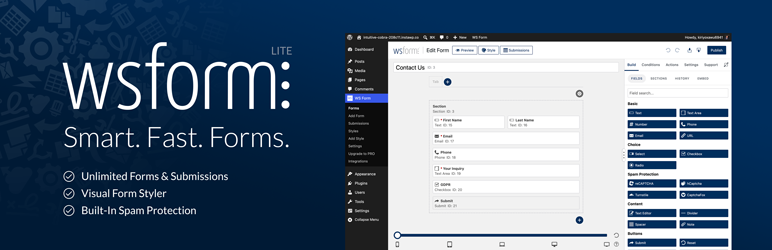
With over 55 field types, WS Form offers a flexible approach to designing interactive forms for different uses: contact, reservation, registration, or WooCommerce product configuration.
Advanced features include conditional fields, automatic calculations, and complex conditional logic.
Advantages and disadvantages
| Advantages | Disadvantages |
|---|---|
| Advanced form creation with over 55 field types | Potential complexity for novice users |
| Powerful native integration with WooCommerce | High cost for Pro version and extensions |
| Advanced conditional logic with over 100 conditions | Frequent updates required |
| Multi-step forms to improve conversion rates | Possibility of information overload in forms |
| Broad compatibility (responsive, accessibility) | Potentially time-consuming interface training |
| Dynamic calculations and variables (over 200 available) | Performance potentially impacted by complex forms |
WS Form in numbers
| Latest version | 1.12.15 |
| Date of last update | |
| Active installations | 10,000+ |
| Average rating | |
| Available field types | More than 55 |
| Variables and functions | More than 200 |
| Publisher | WSForm Ltd (United Kingdom) |
WS Form plugin prices
| Personal | Freelance | Agency |
|---|---|---|
| $59/year | $149/year | $249/year |
|
|
|
WS Form user reviews
WS Form has proven itself to be a particularly powerful and popular WordPress plugin for creating forms.
Users unanimously praise its great flexibility, advanced features, and excellent technical support. Developers and novice users alike seem won over by its ease of use and power.
wsform has an excellent knowledge base! As a non-coder, I can tell you it’s the best! The step-by-step explanations, including extensions, conditional logic, variables, and even cheat sheets, guided me safely through the installation. And the perfectly prepared demo forms saved me a lot of time and effort, and I was able to do my forms even better than I’d planned. And first-class support! Excellent product!
rebecca65
This WP plugin is a cut above the rest. Its value for money is excellent: the basic version covers 99% of needs, and the addons meet advanced requirements without requiring any code. Support is exemplary, with a responsive developer who knows his product inside out. Finally, it offers extensive compatibility with tools such as WooCommerce and ACF. Bravo to Mark for this high-performance solution.
vbdigital
I love this plugin. Very powerful. Works great with AutomaticCSS and Bricks in particular.
robmaric
Other WS Form testimonials
Find out how WS Form ranks in terms of user satisfaction on various customer review platforms.
Alternatives to WS Form
Formidable Forms

Formidable Forms is a great alternative to WS Form, especially if you need to create advanced forms with complex functionality. It offers an easy-to-use drag-and-drop form builder.
This freemium plugin offers ready-to-use templates for mortgage, car payment, and salary calculations, as well as conditional logic features and advanced calculations. It is particularly useful for companies in the financial or real estate sector.
Fluent Forms
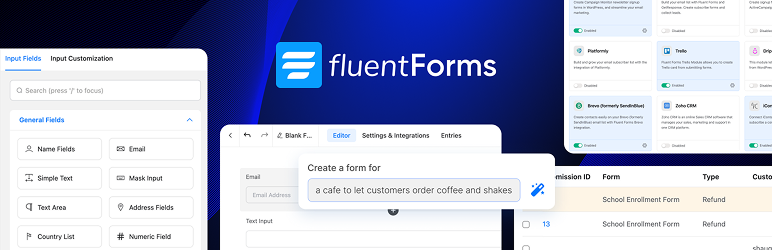
Fluent Forms is another solid alternative to WS Form, known for its ease of use and rapid set-up.
It offers over 66 ready-to-use form templates and more than 50 types of form fields. The plugin is accessible and fast, and offers advanced features such as conditional logic and third-party integrations.
It also has a free version and paid plans.
Gravity Forms

Gravity Forms is a premium alternative to WS Form, offering a robust range of features for advanced users and developers.
It includes features such as conditional logic, workflow routes, and automation triggers. The plugin is particularly appreciated for its developer-friendly approach, with a well-documented API and various hooks and filters.
However, it may present a steeper learning curve for new users.
WS Form FAQs
How do I install and activate the WS Form plugin on WordPress?
To install and activate the WS Form plugin, start by logging into your WordPress dashboard. Go to Plugins > Add new, then search for “WS Form.”
Click on “Install now” and then on “Activate” once the installation is complete. You can also download the plugin from the official WS Form website and upload it manually via the “Upload plugin” option in your WordPress dashboard.
What are the main features of the WS Form plugin?
The WS Form plugin offers a variety of advanced features, including AI-driven form generation with OpenAI, over 55 field types, multi-step forms, logical conditions, calculated fields, and repeating sections.
It also features real-time debugging and detailed statistics. What’s more, WS Form allows deep integration with custom field plugins such as ACF, Meta Box, and Pods.
How do I use calculated fields in WS Form?
Calculated fields in WS Form can be used to create dynamic field values that are updated in real time. You can use the #calc function to perform simple or complex calculations, including arithmetic operations and trigonometric functions.
For example, you can use #calc(1 + 2) or #calc(#field(123) * 5) to multiply a field value by 5. Calculations can also include repeating section values and round or sum functions.
How do I set up logical conditions in WS Form?
WS Form offers advanced conditional logic with over 100 IF conditions and 50 contextual THEN/ELSE actions. You can configure these conditions to control the visibility of fields and sections according to the user’s responses.
This allows you to create interactive, dynamic forms that adapt to the specific needs of your site.
What third-party integrations are available with WS Form?
WS Form offers deep integrations with various plugins and platforms, including WooCommerce, ACF, Meta Box, and Pods. With the WS Form PRO Product Custom Fields Add-Ons for WooCommerce, you can create customizable products with conditional fields, repeating sections, and real-time pricing calculations.
WS Form can also integrate chat, moderation, and image generation functionality via the OpenAI add-on.
How do I solve debugging problems with WS Form?
To solve debugging problems with WS Form, use the integrated, real-time debugging console. This console tracks logs and errors in real time, making it easy to identify and correct problems.
You can also consult the documentation and resources available on the official WS Form website for guides and solutions to common problems.
How do I use the AI-based form generation feature in WS Form?
To use AI-generated forms in WS Form, navigate to “Add New” in the WS Form administration interface, click on the “OpenAI” tab, and choose “AI Generated Form.”
Describe the form you wish to create, specifying form type, fields, and functionality.
The form will be generated automatically in a few seconds, and will be fully customizable via WS Form’s layout editor.
Thank you for visiting this WS Form page 🙏
The WPMarmite team hopes you’ve been able to find out more about this WordPress plugin!
To find out more, visit the official website and their social networks:
You can also share your experience with WS Form by writing a review below. 👇
Found an error on this page? Click here to report it.

