
Forminator is a WordPress plugin dedicated to the creation of high-performance, customizable forms. Designed to simplify data collection, it offers webmasters and entrepreneurs a complete solution for generating leads and interacting effectively with their audience.
With over 600,000+ active installations and an average rating of , the tool offers an intuitive editor for creating various types of forms: contact, surveys, quizzes, orders.
Advantages and disadvantages

| Advantages | Disadvantages |
|---|---|
| Intuitive drag-and-drop interface for easy form creation | Some advanced features reserved for the Pro version |
| Wide variety of form types (contact, order, payment, quizzes, surveys) | Possible performance limitations with complex forms |
| Extensive integrations with over 1000 third-party applications | Learning curve to master all advanced features |
| Real-time statistics for surveys and quizzes | Dependence on regular updates |
| GDPR-compatible and compliant with privacy policies | Potential impact on site speed if too many forms activated |
| Customization possible with personalized CSS | Technical support sometimes limited in free version |
| Possibility of submitting posts from the front-end | Need to configure settings for optimal performance |
| Integrated Google reCAPTCHA to prevent spam | Potentially limited compatibility with certain WordPress themes |
Forminator in numbers
| Latest version | 1.58.0 |
| Date of last update | |
| Active installations | 600,000+ |
| Average rating | |
| Publishing company | WPMU DEV |
| Supported form types | Contact, order, payment, surveys, quizzes, polls |
| Number of third-party integrations | More than 1000 |
| GDPR compliance | Yes |
Forminator Pro extension prices
| Basic | Standard | Plus | Premium |
|---|---|---|---|
| $15/month | $25/month | $50/month | $100/month |
|
|
|
|
Forminator user reviews
The Forminator WordPress plugin stands out for its versatility and ease of use, with a very high average rating of .
Users particularly appreciate its intuitive interface and its many free features, which stimulate creativity in form creation.
“A surprising plugin, it really seems that your imagination is the limit for its uses. Many features such as taking payments, calendar… all for free.”
araca (5/5)
“This plugin has an excellent user interface, well thought out and well designed, it offers everything I was looking for.”
tvsmvp (5/5)
“By far the best free form builder! I’ve tested many but this one is so easy to use… ”
johncarteroz (5/5)
Alternatives to Forminator
WPForms

WPForms is a very popular and easy-to-use WordPress plugin, ideal for creating contact forms, surveys, quizzes, and even payment forms.
It features an intuitive drag-and-drop interface, conditional fields, and robust third-party integrations with services like Mailchimp, Stripe, and PayPal.
With over 6 million active installations, WPForms is renowned for its ease of use and compatibility with the latest versions of WordPress.
Fluent Forms
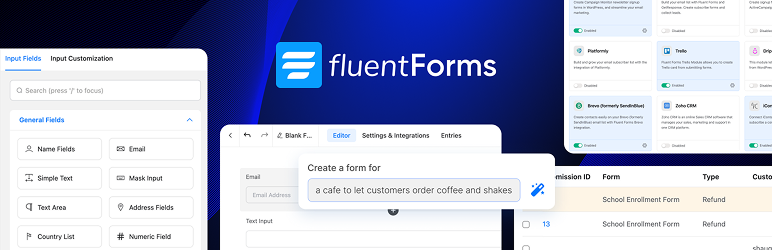
Fluent Forms is a lightweight and efficient WordPress form builder, offering an intuitive interface and advanced functionality without the need for coding.
It includes conditional fields, third-party integrations, and efficient input management. Fluent Forms is particularly appreciated for its ease of use and compatibility with the latest versions of WordPress.
Formidable Forms

Formidable Forms is a powerful and flexible WordPress plugin, ideal for creating advanced forms, surveys, quizzes, and payment forms.
It offers conditional fields, robust third-party integrations, and the ability to view submissions in custom charts and graphs.
With over 300,000 active installations, Formidable Forms is an excellent option for users requiring complex functionality.
Forminator FAQs
How do I install and activate the Forminator plugin on WordPress?
To install and activate the Forminator plugin, start by logging into your WordPress dashboard. Click on “Plugins” in the left-hand menu, then select “Add new.”
Search for “Forminator Plugin” in the top-right search bar, click “Install now,” and then “Activate” once the installation is complete.
What are the main features of the Forminator plugin?
The Forminator plugin lets you create various types of forms, including contact forms, payment forms, surveys, and quizzes. It offers an intuitive drag-and-drop interface, conditional fields, and integrations with Stripe and PayPal.
You can also collect information, make your content interactive, and generate more conversions.
How do I create a quiz or survey with the Forminator plugin?
To create a quiz or poll with Forminator, go to the “Forminator” option in the left-hand menu of your WordPress dashboard. Select “Quizzes” or “Polls,” then click “Create” to add a new quiz or poll.
You can choose the type of quiz (personality or knowledge) and customize the layout, including enabling pagination.
How do I integrate PayPal with the Forminator plugin?
To integrate PayPal with Forminator, you need to enter your publishing keys to activate the payment module.
Forminator supports fixed and variable payments via PayPal, and you can configure triggers for specific actions such as form submission or payment transactions.
What are the differences between the free and Pro versions of Forminator?
The free version of Forminator offers essential functionality for creating forms, surveys, and quizzes.
The Pro version, available with a WPMU DEV subscription, adds advanced features such as Stripe subscription forms, dynamic PDF generation, geolocation, and autocompletion, as well as other premium options.
How do I resolve compatibility issues with other WordPress plugins or themes?
If you’re experiencing compatibility issues with other plugins or themes, make sure Forminator is up to date and that you’re using the latest versions of WordPress and your other plugins.
You can also contact WPMU DEV support for help, as Forminator is maintained by their team.
How can I protect my forms from spam with Forminator?
Forminator doesn’t specifically mention spam protection features in its free version, but you can use additional spam protection plugins for WordPress, such as reCAPTCHA or Akismet, to enhance the security of your forms.
Thank you for visiting this page dedicated to Forminator 🙏
The WPMarmite team hopes you’ve been able to find out more about this WordPress plugin!
To find out more, visit the official website and their social networks:
You can also share your experience with Forminator by writing a review below. 👇
Found an error on this page? Click here to report it.

