
Gravity Forms is a complete form creation solution for WordPress, addressing the technical challenges faced by webmasters. With an average rating of 4.7 out of 5, this tool makes designing custom forms simple and efficient.
Adapted to different needs — from basic contact forms to complex data collection systems — Gravity Forms offers an intuitive interface and advanced functionality without requiring programming skills.
Advantages and disadvantages
| Advantages | Disadvantages |
|---|---|
| Comprehensive functionality Wide variety of form fields, powerful conditional logic, and advanced customization | High cost Paid plugin with licenses ranging from $59 to $259 per year |
| Intuitive user interface Drag-and-drop form creation, easy and accessible even for non-developers | Complexity for advanced configurations Some configurations require technical knowledge |
| Responsive and mobile-friendly Forms automatically adapted to mobile devices | Performance May weigh down website slightly, depending on number of forms |
| Numerous integrations Compatible with CRM, marketing services, payments, and third-party tools | Limited compatibility Some potential problems with certain themes or plugins |
| Customizable notifications and confirmations Fine-tuned management of email notifications and redirects | Technical support Support limited to one year, depending on license |
| Security Anti-spam, captcha, and input management features | Learning curve Learning curve to master all functionalities |
Gravity Forms in numbers
| Latest version | 2.9.3 |
| Date of last update | february 13, 2025 |
| Average rating | 4.7/5 |
| Launch date | 2009 |
| Publisher | Rocketgenius, Inc. |
| Country of origin | United States |
| License price | From $59 per year |
| Main integrations | PayPal, Stripe, Mailchimp, Salesforce |
| Form types | Contact, Payment, Registration, Quiz |
Gravity Forms plugin pricing
| Basic License | Pro License | Elite License |
|---|---|---|
| $59/year | $159/year | $259/year |
|
|
|
Gravity Forms user reviews
Gravity Forms has proven to be a particularly popular WordPress plugin, with users praising its ease of use, power, and technical support.
Users also emphasize its ability to create both simple and complex forms, with remarkable flexibility and ergonomics.
My WordPress hero plugin of the day is Gravity Forms. It’s so useful in so many situations.
Rachel Baker
From simple contact forms to the ability to create e-commerce forms, there’s nothing you can’t do.
Jason Luntz
Data is stored logically, and notifications and conformations are intuitive and easy to use.
Donovan Maidens
More Gravity Forms testimonials
Find out how Gravity Forms ranks in terms of user satisfaction on various customer review platforms.
| Platform | Rating |
|---|---|
| TrustPilot | 4.6 out of 5 |
| G2 | 4.7 out of 5 |
| Capterra | 4.6 out of 5 |
| Get App | 4.6 out of 5 |
Alternatives to Gravity Forms
WPForms
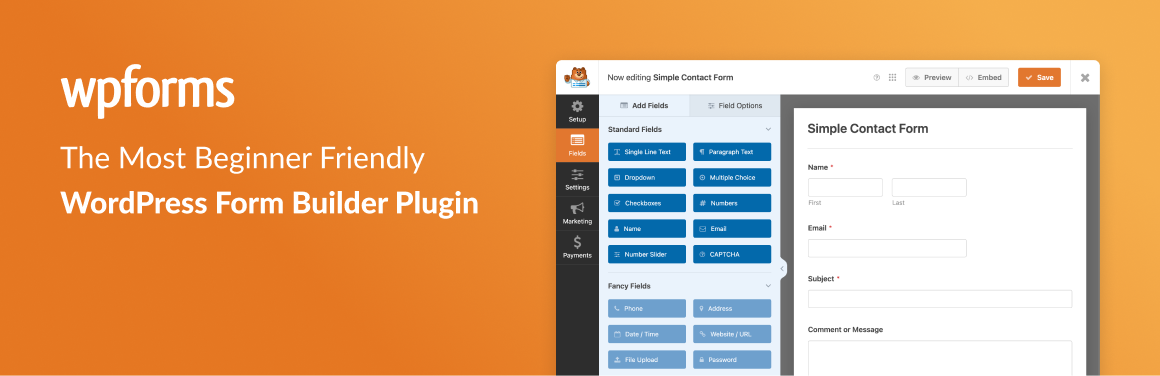
WPForms is an excellent alternative to Gravity Forms, thanks in particular to its intuitive drag-and-drop form-building interface and multiple form templates.
It’s ideal for users of all levels, from novice bloggers to professional marketers. WPForms offers advanced features such as conditional logic, geolocation, and integrations with various payment and email marketing platforms.
The free version is available and sufficient for basic needs, while the premium version offers more advanced features and additional integrations.
Formidable Forms

Formidable Forms is a powerful and flexible alternative to Gravity Forms, backed by experts in the WordPress community.
It lets you create complex forms, applications, and custom solutions from collected data. Formidable Forms offers a variety of form types, including calculators, payment forms, registrations, surveys, and lead forms.
A free version is available, and the plugin is regularly updated, with a large user base.
Ninja Forms
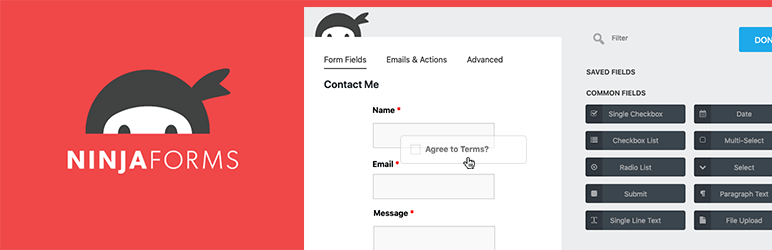
Ninja Forms is another popular and well-established WordPress plugin for building forms.
It offers an intuitive visual interface and a wide range of form field types. Ninja Forms lets you create lead generation forms, newsletter signups, payment forms, and more.
Although some of Gravity Forms’ advanced features are not available, Ninja Forms remains an excellent option for those looking for an easy-to-use, regularly updated solution.
Gravity Forms FAQs
How do I install Gravity Forms on WordPress?
To install Gravity Forms on WordPress, you must first purchase and download the plugin from the official Gravity Forms website.
Then log in to your WordPress dashboard, go to Plugins > Add new, click on “Upload plugin” and select the downloaded file.
Click “Install Now” and wait for the installation to complete. Once installed, activate the plugin by clicking on the Activate button.
How do I create a form with Gravity Forms on WordPress?
Creating a form with Gravity Forms is relatively straightforward. Click on “New Form” and select a starting form template. Add the desired form fields using drag & drop.
You can also customize the appearance of your form by choosing a theme and color palette and adding custom CSS.
How do I add a Gravity Forms form to a WordPress page?
To add a Gravity Forms form to a WordPress page, create or edit a form in the Gravity Forms interface, copy the form’s short code, and paste it into the page editor where you want to display the form. Save and publish the page.
You can also use a widget by going to Appearance > Widgets, dragging and dropping the Gravity Forms widget into the desired widget area, and selecting the form to be displayed.
What types of fields are available in Gravity Forms?
Gravity Forms offers a variety of fields for creating your forms, including standard fields, advanced fields, fields for posts and custom post types, and calculation fields.
You can include fields such as file uploads, lists, logins, and passwords, and even a captcha for spam protection.
Does Gravity Forms work with my WordPress theme?
Gravity Forms is coded following WordPress best practices, which means it should work with most themes that respect these practices.
However, if you encounter problems, try activating a default WordPress theme to see if the problem persists. If it doesn’t, contact the author of your theme for help.
How do I submit a feature request for Gravity Forms?
To submit a feature request for Gravity Forms, go to the Gravity Forms support page and select “View our roadmap.” You can vote or comment on proposed ideas, or raise your own request via the “+” button at the bottom right of the page.
Does Gravity Forms offer third-party integrations?
Yes, Gravity Forms offers several third-party integrations, including the Zapier add-on that connects your forms to a variety of third-party services.
This add-on is included with Pro, Elite, and Nonprofit licenses, and enables actions to be triggered in Zapier from form submissions.
Where to place custom CSS and PHP code for Gravity Forms?
Custom CSS rules for your forms should be placed at the end of your theme’s style sheet. Action hooks and filters should be placed in your theme’s functions.php file.
You can find more information in the Gravity Forms documentation section.
Thank you for visiting this page dedicated to Gravity Forms 🙏
The WPMarmite team hopes you were able to learn more about this WordPress plugin!
To find out more, visit the official website and their social networks:
You can also share your experience with Gravity Forms by writing a review below. 👇
Found an error on this page? Click here to report it.

