
Spectra is a WordPress plugin that lets you create and customize web pages without technical skills.
With 1+ million active installations on WordPress sites, and an average rating of , it offers an affordable solution for site builders.
Directly integrated with the Gutenberg editor, Spectra offers over 35 blocks, many pre-designed page templates, and advanced customization options.
The tool enables entrepreneurs, bloggers, and creatives to design professional websites simply and quickly.
Advantages and disadvantages

| Advantages | Disadvantages |
|---|---|
| Smooth, native integration with WordPress Gutenberg editor | Limited functionality in the free version |
| 35 free, custom blocks that offer added value over native blocks | Unsuitable for users who don’t use the native WordPress editor |
| Intuitive, ergonomic user interface | Less advanced customization options than builders like Elementor |
| Container management with Flexbox for responsive layouts | No support for dynamic content in the free version |
| Wide range of ready-to-use templates for different sectors | Potentially lower performance on complex websites |
| Performance and SEO optimization | Additional cost to unlock full functionality with Spectra Pro |
| Compatibility with all WordPress themes and plugins | Learning curve required to master all features |
Spectra in numbers
| Latest version | 2.19.21 |
| Date of last update | |
| Active installations | 1M+ |
| Average rating | |
| Launch date | January 2019 |
| Publisher | Brainstorm Force |
| Number of blocks (free version) | 35 |
Spectra extension prices
| $49/Year | $79/Year | $149/Year |
|
|
|
Spectra user reviews
Spectra is a WordPress plugin that is particularly appreciated by users for its ease of use and numerous advanced customization features.
With 1+ million active installations and an average rating of on the official WordPress directory, the plugin makes creating professional designs quick and easy.
Spectra is one of the best WordPress plugins on the market. It has great features and is really easy to use.
assassin1717
We re-launched our old site using the Spectra Pro template and blocks. It’s beautiful and so customizable. Best of all, it’s compatible with the new WordPress FSE features, something we insisted on to make it sustainable! Great product!
petek61
I use spectra for my website and love it.
floharris86
Alternatives to Spectra
Kadence Blocks

Kadence Blocks is a robust, easy-to-use WordPress plugin that enhances the Gutenberg block editor with an extensive collection of over 25 customizable blocks.
It offers seamless integration with the Gutenberg block editor, guaranteeing 100% compatibility. Users can take advantage of pre-built templates for easy website creation.
Kadence also benefits from regular updates to improve performance and introduce new features.
Stackable
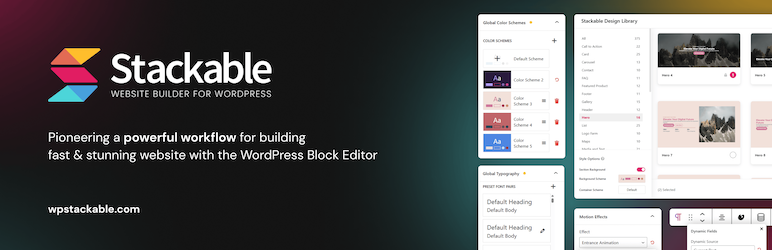
Stackable is a flexible WordPress plugin that enhances the Gutenberg block editor by offering a wide selection of over 35 blocks.
Each block can be customized to meet specific user needs. Stackable features an intuitive interface and highly customizable blocks.
Stackable allows you to easily create engaging, interactive content.
Elementor
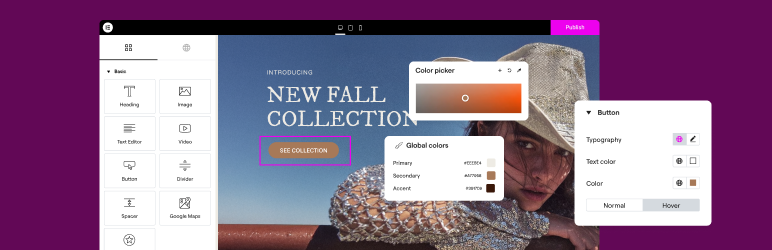
Elementor is one of the most popular page builders for WordPress, renowned for its simplicity and varied functionality.
It lets you create professional designs thanks to an intuitive drag-and-drop interface accompanied by hundreds of widgets, templates, and customization options.
Compatible with the majority of WordPress themes, Elementor is regularly updated to offer new features.
Spectra FAQs
How do I install the Spectra plugin on WordPress?
To install the Spectra plugin, log in to your WordPress dashboard. Navigate to Plugins > Add new and search for “Spectra.” Install and activate the plugin.
Alternatively, you can download the plugin ZIP file from the WordPress directory and install it manually via FTP.
What are Spectra‘s main blocks and features?
Spectra offers a variety of advanced blocks for customizing your content. The free version includes around 35 blocks, divided into categories such as content, posts, social networks, SEO, and forms.
Spectra Pro blocks add additional features such as dynamic content display, blocks for Instagram feeds, login and sign-up forms, and a loop builder to display content items according to your criteria.
How do I add and customize Spectra blocks in WordPress?
To add a Spectra block, create a new post or page and click on the ” +” icon to access Spectra blocks. Select the desired block and add it to your content area.
Each block offers advanced customization options, including settings for colors, typography, borders, shadows, and margins. You can also add animations and visual effects to blocks.
Is Spectra compatible with other page builders and WordPress themes?
Yes, Spectra is designed to be compatible with most WordPress themes and page builders. It works particularly well with the Astra theme (created by the same company, Brainstorm Force), and does not interfere with other major page builders.
Does Spectra slow down my WordPress site?
Spectra is optimized for performance and is not intended to slow down your site.
Its modular structure and clean code keep it light and fast, without affecting the speed and performance of your site.
How do I import starter templates with Spectra?
Spectra offers a wide range of predefined starter templates that you can import and customize. These templates include designs for entire sites, pages, and blocks, making it easy to create your site to suit your needs.
Thank you for visiting this page about Spectra 🙏
The WPMarmite team hopes you’ve been able to find out more about this WordPress plugin!
To find out more, visit the plugin’s official website.
You can also share your experience with Spectra by writing a review below. 👇
Found an error on this page? Click here to report it.

