
WPBakery Page Builder is a website creation tool that simplifies design for entrepreneurs and webmasters without technical skills.
This WordPress plugin lets you build professional web pages through an intuitive drag-and-drop interface.
The first choice of over 5,800,000 websites worldwide according to its official website, WPBakery offers a complete solution for creating custom websites, without the need for coding skills.
Advantages and disadvantages

| Advantages | Disadvantages |
|---|---|
| Drag-and-drop interface makes it easy to create content without coding skills | Interface can be difficult to understand for beginners |
| Automatic responsive design on all devices | May generate superfluous or obsolete code, impacting performance |
| Back-end and front-end editing possible | May conflict with certain plugins or themes |
| Large library of pre-designed templates and content elements | Need to purchase numerous paid add-ons for advanced functionality |
| Compatible with almost all WordPress themes | Potential problems with WordPress updates |
| Ability to customize page elements in detail | Shortcode system generates content portability issues |
WPBakery in numbers
| Latest version | 8.1 |
| Date of last update | December 11, 2024 |
| Average rating | 4.6/5 |
| Launch date | 2011 |
| Publisher | WPBakery |
| Market share | 9.8% of WordPress sites |
WPBakery plugin prices
| Regular | 5 sites | 10 sites |
|---|---|---|
| $69 | $256 | $499 |
|
|
|
WPBakery user reviews
WPBakery Page Builder is a WordPress page builder with mixed reviews.
Renowned for its ease of use and drag-and-drop interface, it enables users with no technical skills to create custom layouts.
However, professionals point to its limitations and potential conflicts with other plugins.
WPBakery is a fantastic plugin developed by WP Bakery that adds a drag-and-drop page builder to your WordPress theme.
WPExplorer
WPBakery makes creating WordPress websites fast, easy, and simple. Its layout tools are easy to understand and range from basic needs to extreme customization.
John H
Every time I’ve hired someone to do something on my website, they’ve complained about working with the WPBakery page builder, no matter how small the tasks were. They always say it’s very limiting and doesn’t give them many options to work with, and have asked me why I didn’t choose Elementor instead.
Agromo
More testimonials about WPBakery
Find out how WPBakery ranks in terms of user satisfaction on various customer review platforms.
| Platform | Rating |
|---|---|
| TrustPilot | 1.8 out of 5 |
| G2 | 4.1 out of 5 |
Alternatives to WPBakery
Elementor
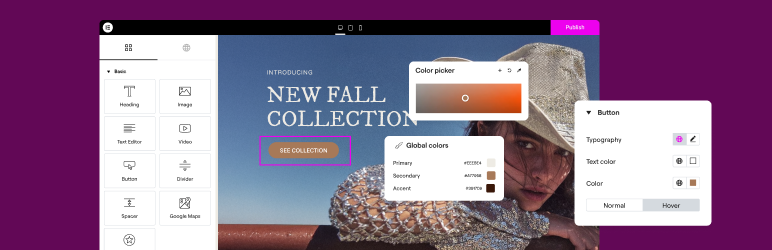
Elementor is one of the most popular and feature-rich page builders for WordPress. It offers an intuitive drag-and-drop interface, a large library of widgets and templates, and compatibility with many WordPress themes.
Elementor is regularly updated, has a large number of active installations, and enjoys an average rating of 10,000,000+.
Beaver Builder
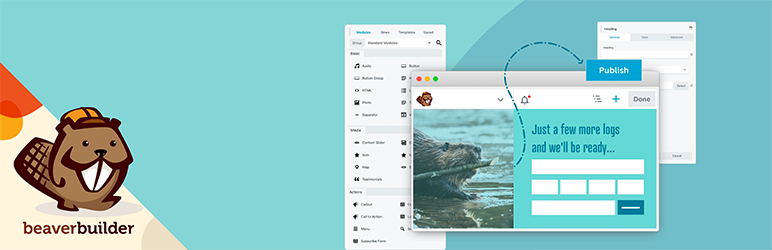
Beaver Builder is a solid, stable page builder, appreciated for its ease of use and optimum performance. It offers a drag-and-drop interface, a wide range of content modules, and compatibility with most WordPress themes.
Beaver Builder boasts 100,000+ active installations and an average rating of on the official WordPress directory.
Spectra

Spectra is a powerful and intuitive WordPress page builder that enhances the Gutenberg editor with a varied collection of modern, fully modular blocks.
Designed to integrate seamlessly with the Gutenberg editor, it guarantees fluid use and optimal compatibility. Its pre-designed templates and numerous customization options make it easy to create professional, attractive WordPress sites.
Spectra benefits from regular updates, improving performance and constantly adding new features.
WPBakery FAQs
How do I install and activate WPBakery Page Builder?
To install and activate WPBakery Page Builder, navigate to the “Plugins” section in your WordPress dashboard.
Click on “Add New,” search for “WPBakery Page Builder,” and install the plugin. Once installed, activate the plugin to start using it.
How do I create a new page or edit an existing one with WPBakery Page Builder?
Once WPBakery Page Builder has been activated, go to the “Pages” section of your WordPress dashboard.
You can either create a new page, or edit an existing page where you’d like to use WPBakery Page Builder. Click on the “Back-end Editor” or “Edit with WPBakery Page Builder” button to launch the WPBakery Page Builder editor.
What are the main features of WPBakery Page Builder?
WPBakery Page Builder offers an intuitive drag-and-drop interface, a responsive design, and the ability to edit in both front end and back end.
It includes a wide range of customizable content elements such as text blocks, social networking buttons, image galleries, and maps. What’s more, it has a library of pre-built templates and is compatible with many WordPress themes and plugins.
How do I add an FAQ section with WPBakery Page Builder?
To add an FAQ section, create a new row in the WPBakery Page Builder editor and add the “FAQ” or “Accordion” element from the element library.
Fill in the questions and answers, and customize the style, colors, and formatting to match your design.
How can I improve my site’s performance with WPBakery Page Builder?
To improve your site’s performance, use a high-performance caching plugin like WP Rocket in conjunction with WPBakery Page Builder.
Also make sure you compress images, choose optimized fonts, and use quality hosting to reduce your site’s loading times.
How compatible is WPBakery Page Builder with WordPress themes?
WPBakery Page Builder is compatible with almost all WordPress themes. However, some themes are better suited to take full advantage of WPBakery’s features, such as Uncode, The7, or theme X.
Thank you for visiting this page dedicated to WPBakery 🙏
The WPMarmite team hopes you’ve been able to find out more about this WordPress plugin!
To find out more, visit the official website and their social networks:
You can also share your experience with WPBakery by writing a review below. 👇
Found an error on this page? Click here to report it.

