
WordPress quiz plugin? What is this all about? Stay with me, I’ll tell you everything!
The champions of marketing will tell you without a second of hesitation: people love to talk about themselves, so you have to encourage them to speak up.
Let’s take the example of television shows.
Since the advent of popular talk shows and radio shows in the 1950s, many people have encouraged listeners and viewers to pick up the phone and volunteer to talk about their experiences, feelings and even jokes about a current topic.
However, television audience success tends to be lower than expected, and long takes of television talk shows are beginning to disappear in the face of the immediacy of communication imposed by social networks.
But it goes without saying that other means have been put in place to perpetuate this tradition of “talking about oneself”.
The Internet is now the backdrop to this joyful media hustle, and among these ultra-effective strategies for engaging web visitors, you may already have stumbled upon… the quizzes!
In this post, we’ll take a look at how to set up a WordPress quiz plugin that will help you convert your visitors.

Overview

Quizzes on the web: something to inspire you
If I say BuzzFeed or Zimbio, does it ring a bell? Most likely, since they are the most popular quiz sites on the Internet.
Mainly focused on entertainment via personality questionnaires, most of them have a certain tendency to direct the visitor’s attention from their first visit with the help of well thought-out pop-up inserts.
Your house at Hogwarts, your Disney totem animal, your representative character in How I met your Mother?
If you have managed to escape these tempting and time-consuming little tests, then you undoubtedly deserve the title of great sage of the net.

But a quiz can be used for many other purposes. Mentalfloss, for example, offers quizzes to test your general knowledge on topics such as literature, painting, and art more broadly.
Psychcentral.com, on the other hand, offers more advanced psychic and psychological tests than the more usual quizzes on the Internet.
However, apart from the self-knowledge aspect, a quiz can also – and above all – be a great way to better orient your visitors in case your site sells services or products.
How can a WordPress quiz plugin make a difference?
As you can see, it’s not difficult to create engagement with quiz themes that are in tune with the current events and adapted to the demand.
But what are the benefits for you, WordPress site creators, of offering a quiz on your website?
- A smaller bounce rate and more conversions. The snowball effect created by the presence of a quiz on your website is simply incredible. Why is that? Because the playful side of a quiz is a real magnet for visitor engagement. Visitors will therefore stay longer on your website – which will optimize your SEO at the same time – and will be much more likely to buy or subscribe to your service or product.
- An increase in your social network shares, and a more engaged audience. When you attract an audience, you get more response from them. A quiz that meets the visitor’s entertainment requirements will often generate a positive response from the visitor, who will make it known by leaving comments on your publication, sharing the quiz on social networks, or both if you really caught their eye.
- A nice list of prospects. If your quiz is not intended to promote a product or service, it can however create enough interest among visitors to make them take the initiative to subscribe to your newsletter.

Another great news about a WordPress quiz: you don’t have to be a code whiz to offer them on your website.
As we care about you on WPMarmite, we have selected a small selection of damn good WordPress quiz plugins that will bring to your WordPress site the touch of fun it deserves.
Note: In a concern of accessibility, we have essentially tested the free versions of the following plugins. A free plugin will be more than enough: we recommend that you keep your budget for more essential features of your site!
3 WordPress quiz plugins tested
Quiz Maker
Active installations: 20K+
Price: Free version, and Premium version from $49.
Quiz Maker lets you build interactive quizzes, online exams, tests and assessments without touching any code, then drop them into a page or post with a shortcode.
You can add as many questions as you want, adjust the design and the scoring, collect participant information, and check how users performed afterwards.
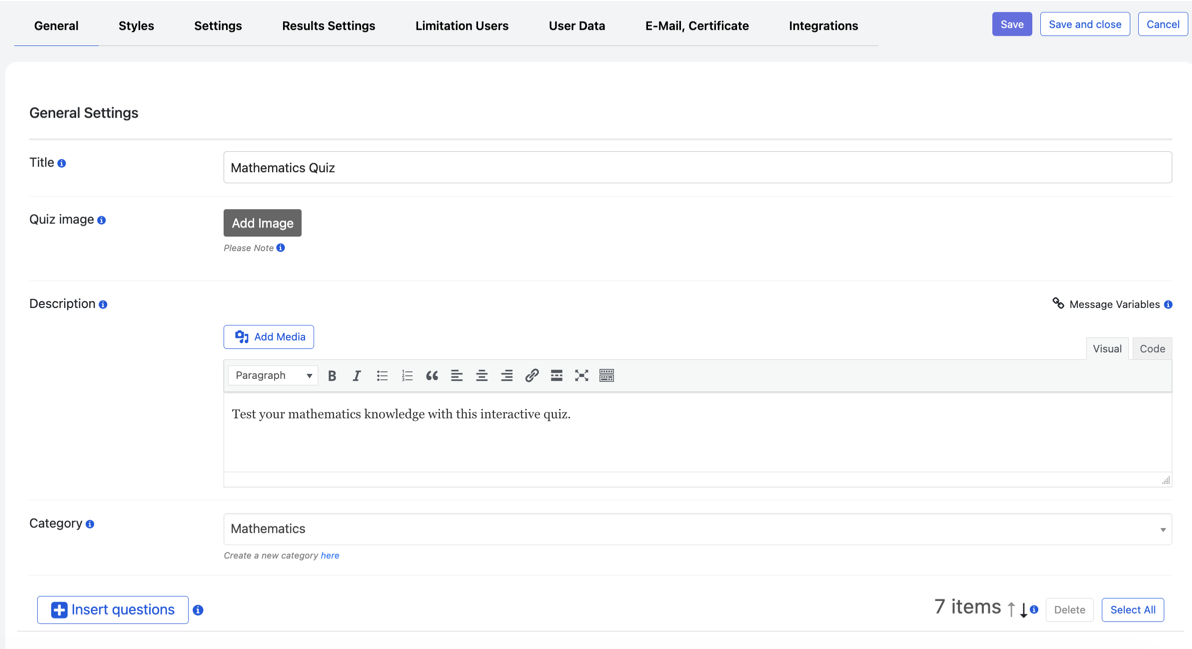
Where it differs from the other two plugins in this comparison is the sheer number of quiz formats on offer. Beyond the standard multiple-choice test, we found:
- Online exams that hand out a certificate at the end.
- Product recommendation quizzes, useful if you run a shop and want to point visitors toward a specific item.
- Personality quizzes, where keywords are assigned to each answer so that each participant receives a personalized result based on their choices.
- Paid quizzes, flashcards, IQ tests, and coupon quizzes.
- Password-protected and timed quizzes, quizzes with custom navigation or pagination, leaderboards, and audio or video quizzes.
In total, Quiz Maker offers more than 100 settings, spread across tabs for questions, design, general settings, results, user limitations, data collection, emails, certificates and integrations.
Please note that the plugin does not offer a fixed template, but rather ready-made themes to help you create your quiz more quickly.

That said, the workflow separates questions from quizzes, which cant take a moment to get used to. You write your questions first, on their own dedicated page, then build a quiz by pulling from that bank rather than typing everything out again each time. Once the questions are picked, you move through the settings tabs in order and save.
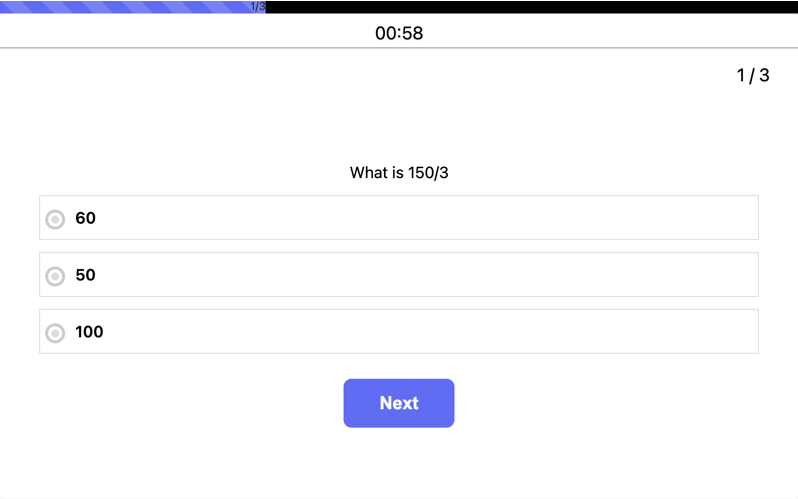
Grading works in two ways: Automatic Grading scores objective answers as soon as someone submits, and Manual Grading lets an admin go through open-ended responses and set the score by hand, both inside the same quiz if needed.
There’s also an AI Question Builder to help draft questions, and Conditional Results to change what someone sees at the end depending on how they answered.
On the integrations side, the ones we’d flag are WooCommerce, Stripe, Zapier, Mailchimp, GamiPress, and ChatGPT.
The pros
- Over 100 settings give a fair amount of control over how a quiz looks and behaves, without needing to touch any code.
- Automatic and Manual Grading can be combined in the same quiz, allowing for a mix of objective and open-ended questions.
- Advanced personality quizzes: keywords attached to each answer produce a result that’s actually tied to what the participant chose.
- Questions live independently from quizzes, so a question bank built once can be reused across several quizzes instead of retyped.
- Reponsive support, genuinely open to feedback.
The cons
- With 100+ settings spread across several tabs, there’s a bit of a learning curve if you’re new to the plugin.
- The free version of Quiz Maker is enough to get started, but Premium is where things get more interesting, with features like Manual Grading, personality quizzes, certificates, Conditional Results, and additional integrations.
Quiz Cat

Active installations: 5000+
Price: Free version and Premium version starting from $49.
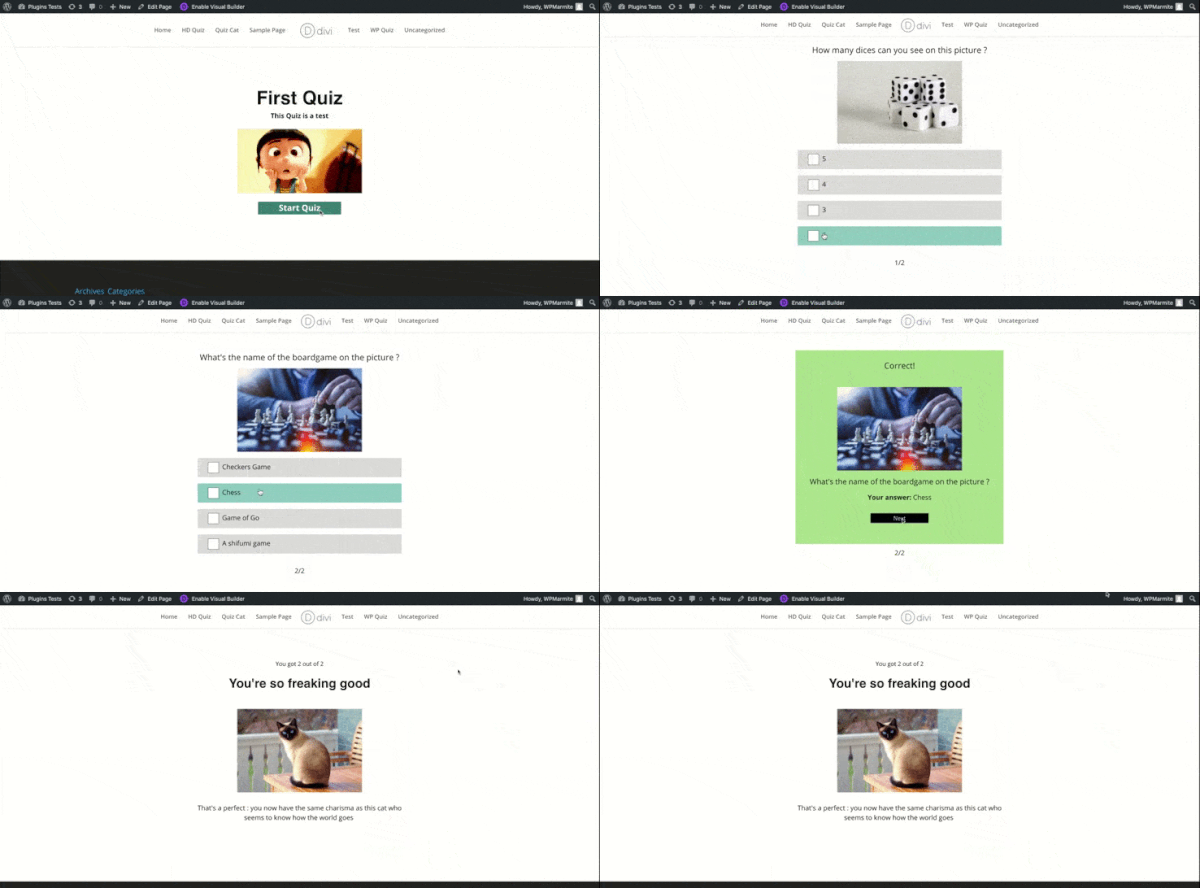
Quiz Cat is regularly recommended on forums and conversations about WordPress quiz plugins, and for a very specific reason: its rock-solid minimalism, and closely resembling the quizzes of the giant BuzzFeed, has something to give the most novice of developers/webmasters their bearings.
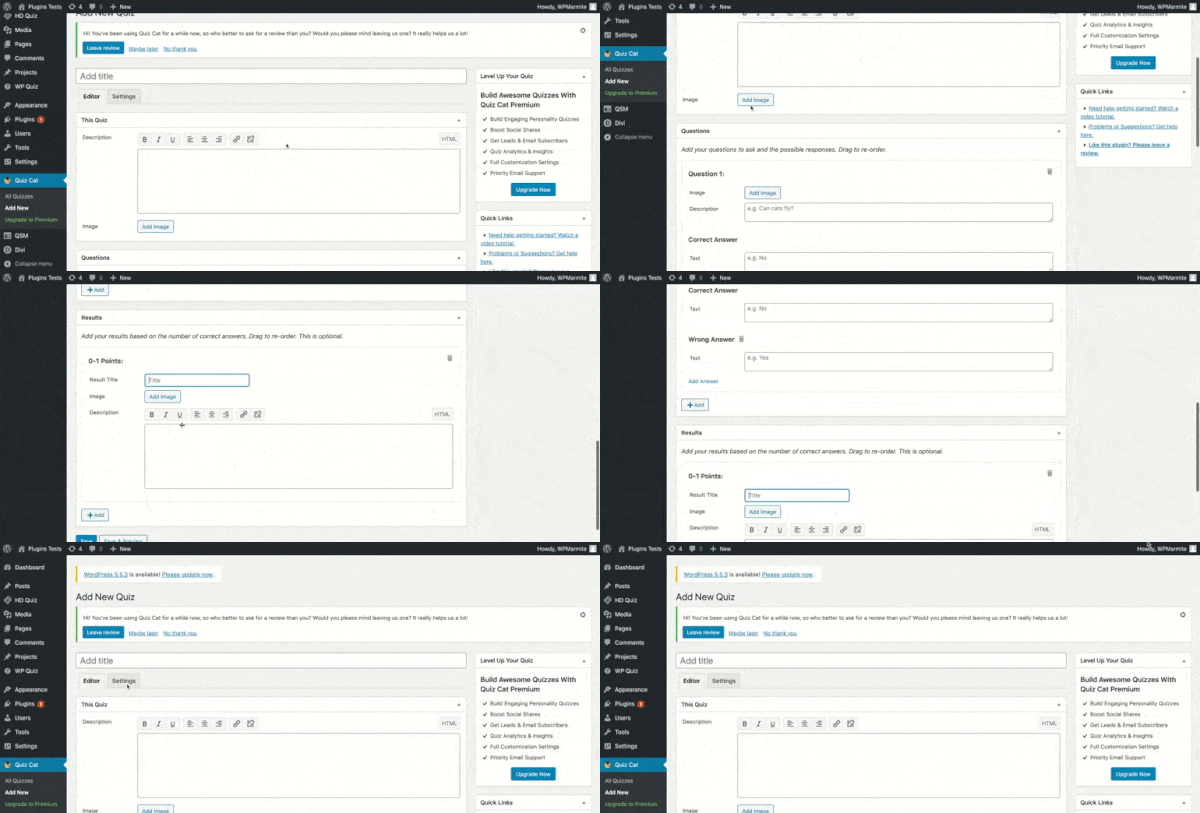
Here, the Premium features are not directly available in the backend, but are listed on a dedicated web page, accessible by clicking on a link in the backend of the free version.
For the rest, there is no place for the superfluous. One tab to view existing quizzes, and another one to add a new one.
Why make it complicated when you can make it simple?
The pros
- A pleasant interface, whether in the administration or on the front end. Ideal to start with a WordPress quiz plugin.
- The presence of an intro image in the quiz, a small detail that can make all the difference to better guide your visitors and make them want to get to the heart of the matter.
- Premium functionalities that are less expensive and as complete as those of some competitors, with even a few exclusives: among others, the integration of Divi Pixel to view the traffic on your site in real time, or the addition of images accompanying the text for the answers.

The cons
- The free version of Quiz Cat is more limited than those of its competitors, which can boast a bit of variety in its quizzes for WordPress. Only one single template will be usable for the creation of your quiz with Quiz Cat. A bit of a shame for the more explorers among us.

- The free version is very stingy about the features revolving around the quizzes themselves. Sharing on social networks, tracking, design customization, email list, and even the customization of your quizzes, will also only be available in Premium.
HD Quiz

Active installations: 6000+
Price: Free
The specificity of HD Quiz lies in the fact that it is offered for free by an independent developer who does not hesitate to be very generous with us.
Just take a look at the Quiz Settings tab to see that. It contains four sub-tabs: Results, Marking, Timer and Advanced.
While Results and Timer each offer only one option (the setting of the minimum passing score for the first one, and the timer for the second one), the other two categories present original ideas.
Indeed, the Marking category offers:
- Highlight correct and incorrect answers after submitting an answer.
- Accompanying incorrect answers with an explanatory text.
- Prevent users from changing their mind once an answer is chosen, to make the challenge more difficult.
As for Advanced, it is possible to propose questions and answers in a random order or to share the answers on social networks (a feature that is often Premium, if you still follow!).

The other benefit of this independent developer status is that it shows an impressive reactivity to the questions asked, which we will see in a little more details below.
The only paid option is that of an add-on allowing him to record and store his quiz results, and there remains of course the possibility of making a donation for the most altruistic among us. The right plan?
The pros
- The proximity that the developer creates with its users allows them to have access to features that few plugins offer in their free version: multiple choice, timer, tooltip, sharing of results on social networks, insertion of images instead of text for answers, annotations and much more.
- The plugin has a section to suggest add-ons and a tutorial for developers to create their own add-ons on HD Quiz. The approach oriented towards knowledge sharing is really very appreciable.
- Clear and concise documentation, made available in an accessible way through a well thought-out FAQ and a video tutorial.
The cons
- This WordPress quiz plugin is not a wizard to take in hand, but the choice of its construction is a bit surprising. Once the quiz is created, the creation of the title and the quiz itself are both in a dropdown bar called “Question Type”. They will then be placed at the same level of hierarchy, resulting in a visually rather strange interface in the backend.
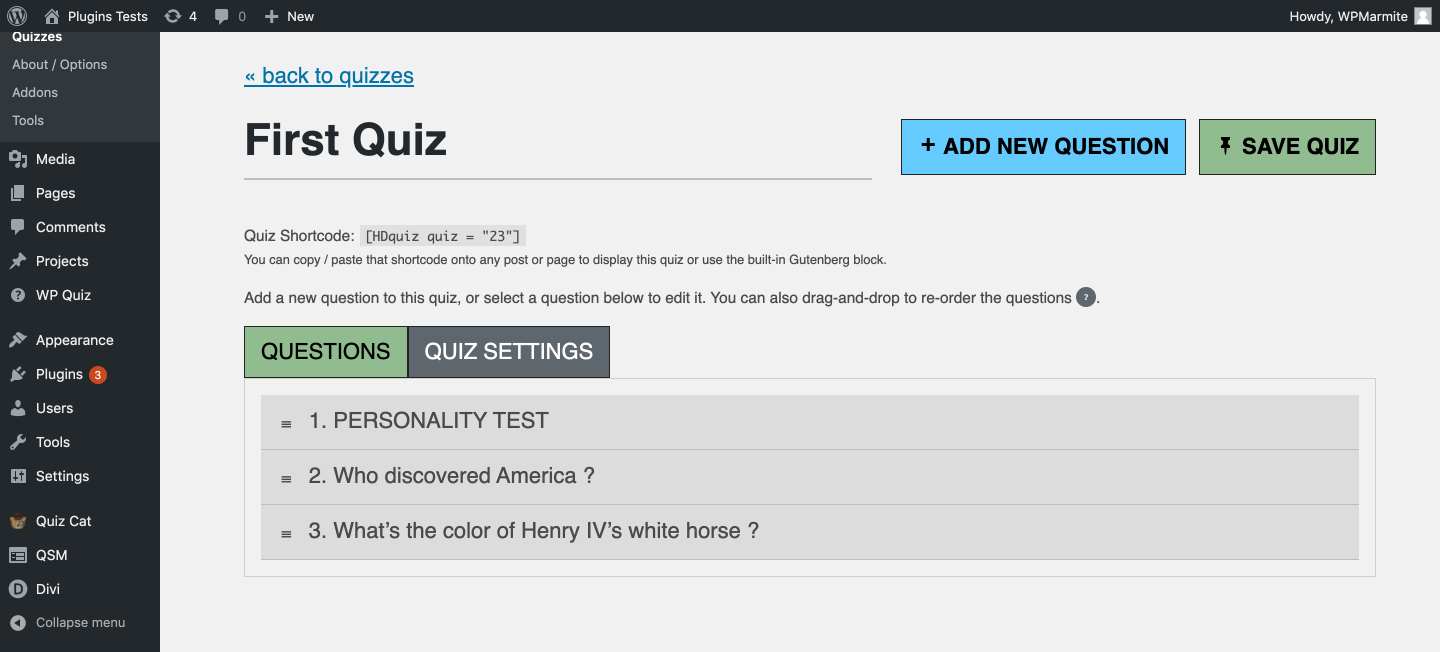
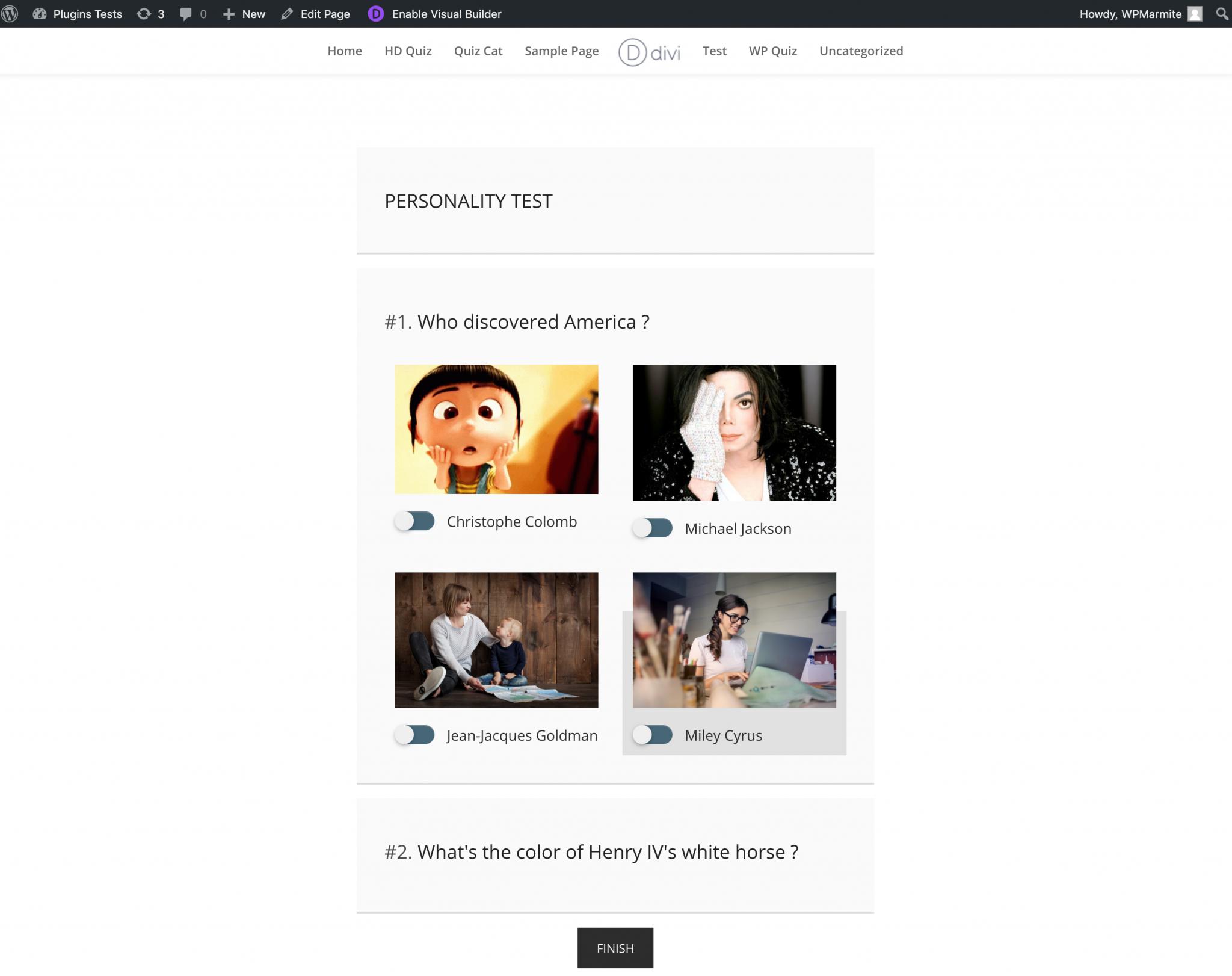
- If the developer took care to insert interesting options to the plugin (MCQ, timer, network sharing), we are still, as for Quiz Cat, hungry. Both in terms of its two unique types of quiz (multiple choice with or without images and open questions) and the customization of its design, which is simply non-existent.
Which tool to choose according to your needs?
This is only a small part of the many WordPress quiz plugins that can be found on the web, via our favorite search engine or directly from your WordPress administration.
But these three plugins should give you all the cards in hand to display on your site the Quiz that will make all the difference with your visitors.
Now it’s up to you to choose which one will become your travel companion according to your profile:
- For users who want the most flexibility, especially for personality quizzes with a properly tailored result, Quiz Maker is worth the detour. Its 100+ settings cover a lot of ground, from online exams to product recommendation quizzes, but expect to spend some time in the settings tabs before your first quiz is ready.
- For users who want a professionally and aesthetically presented quiz in the spirit of BuzzFeed, Quiz Cat could prove to be an interesting tool with its home screen. But let’s keep in mind that the free version remains a bit stingy in terms of functionalities…
- For experienced hackers who are curious to push the power of a WordPress quiz plugin, HD Quiz makes it easy for them. The plugin is indeed in active development, meaning that the developer is open to the creations of other budding coders, and he remains open to his users’ suggestions. Beware however, the developer is neither a volunteer provider nor a chatbot!
It’s time for the final quiz!
Of course, there are many other ways to give sparkles to your website with some well thought-out magic tricks, especially through time-limited commercial operations such as contests, or discounts for more than a limited time.
A whole arsenal of tricks, in short, used to generate leads and conversions.

But quizzes are still an excellent solution to get a high level of engagement from your visitors and thus satisfying results, whether you sell a product, a service, or both.
What are your favorite WordPress quiz plugins for engaging your visitors?

Receive the next posts for free and access exclusive resources. More than 20,000 people have done it, why not you?


Continue reading
Articles posted in WordPress PluginsFight against spam with Akismet
Askimet. Aksimet. A… what are you saying? Its name is not easy to pronounce, and sometimes confusing. But with no slip of the tongue, you should be able to get by without any trouble, trying to articulate this word. Try…
UpdraftPlus: The must-have plugin to back up, migrate, and restore your WordPress site
I’ll never forget that day. And not just because I thought I was going to throw my computer out of the window… Ah, if only I’d used a plugin like UpdraftPlus to avoid catastrophe. The catastrophe? Let me tell you…
WPML review: Ultimate test of the plugin to make WordPress multilingual
A second job. For a long time, creating and managing a multilingual WordPress site often meant doing the same work twice. Once you’d written a piece of content, you had to translate it. Then you had to check each version,…